Top 6 Work Chat Apps to Improve Team Communication in 2026

Discover the best work chat apps that boost teamwork, cut the chaos, and keep your team connected - so you can get more done with less stress.

Best work chat apps

helped business
professionals at:

WorkDay IHeart Meta Nice American Cancer Society Xerox

Short answer

What are the best work chat apps?

The best work chat apps are:

  1. Zenzap

  2. Slack

  3. Microsoft Teams

  4. Google Chat

  5. Discord

  6. WhatsApp

Keeping your team in sync can be hard. You're checking emails for one thing, scrolling through group texts for another, and calling your coworker to ask them to send you that file again.

Because conversations are happening in so many different places, it's hard to keep track of things, and nobody is ever quite sure where to find what they need.

The solution? A dedicated work chat app that brings all your team's conversations in one organized place.

Let’s take a look at some of the top work chat apps in the market and how to choose the best tool for your business.

Why your business needs a work chat app

Moving your team's conversations out of email and personal texts is one of the best things you can do for your business.


Here’s why a work chat app is so important:

  • One place for everything: A work chat app keeps all your team’s conversations, files, and decisions in one spot, so information is always easy to find.

  • Faster communication: Your team can ask quick questions, get instant feedback, and solve problems in real-time without waiting for a reply.

  • A clear, searchable record: Unlike with personal chat apps or texting, all your team’s history is automatically saved and searchable. This creates a clear record of who said what, which is great for accountability.

  • A professional & secure space: Using a professional team chat app separates work from personal life. It also gives you the admin controls you need to protect your company's data and manage who has access.

What to look for in a work chat app

A great work chat app should make your team's life easier, not harder. Before looking at the options, know what you're looking for. The ideal team chat app should be:

  • Easy to use: Your team is busy. The app should be so intuitive that no training is required.

  • Organized: You need a way to keep conversations tidy and easy to search so information doesn't get lost.

  • Professional & secure: Your business needs admin controls to manage users and protect company data.

The top 6 work chat apps: Full comparison

All right, now let’s break down the top 6 work chat apps in the market and see how they compare.

1) Zenzap

Best for: Businesses looking for a work chat app that is both professional and easy to use.

Rating: 5/5

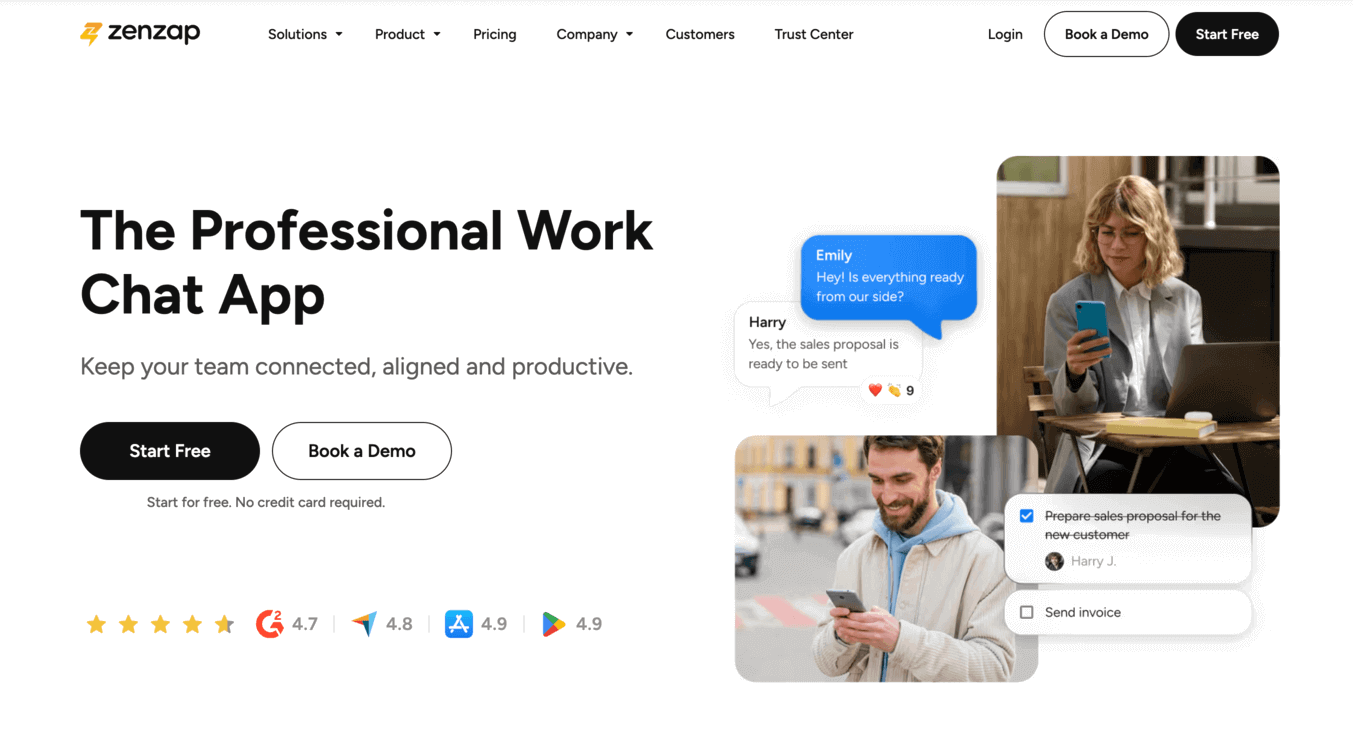
ZenZap - Best work chat apps

First on the list is Zenzap, which is considered the best work chat app for most teams. Zenzap is a professional work chat app that balances powerful business features with an incredibly intuitive design.


Key features:

  • Intuitive, mobile-first interface

  • Built-in task management

  • Organized group chats

  • Advanced admin and security controls

  • Integrations with essential business tools


Pros:

  • Incredibly easy for the whole team to adopt

  • Turns conversations into accountable actions

  • Provides professional-grade security and control


Cons:

  • It is a dedicated communication tool, not an all-in-one suite that also tries to handle accounting or HR.


Why it's great:

Zenzap is so easy to use that your team will pick it up instantly, with no training needed.

The app also includes built-in task management and integrations with your business tools, so your team can be productive and connected at all times.

Most importantly, Zenzap offers all the professional security and admin controls your business needs to keep its data safe.


Keep in mind:

Zenzap is a team communication app with built-in to-dos for daily tasks, but it is not a full-scale project management system. It's designed to work alongside your other tools, not replace them.


How it compares to competitors:

Zenzap offers the business-grade security of an enterprise tool like Microsoft Teams or Slack, but with an intuitive user experience that is far easier for a team to adopt, as easy as WhatsApp or iMessage.

Zenzap is the top choice for teams who want a professional platform that doesn't require a steep learning curve.

2) Slack

Built for: Technical teams that need a complex app to build custom workflows.

Rating: 4/5

Slack - Best work chat apps

Slack is a work chat app known for its advanced features and autiomations, which are geared towards a developer-focused audience.


Key features:

  • Large marketplace of app integrations

  • Customizable workflows and automations

  • Channel-based organization for conversations

  • Advanced search commands


Pros:

  • Highly customizable for specific technical needs


Cons:

  • Overwhelming and complex for the average user

  • Expensive per-user pricing model

  • The "always-on" culture can be very distracting


Why it's great:

For technical teams, Slack is highly customizable and can be set up to automate complex workflows.


Keep in mind:

Slack is often too complicated for non-technical teams. The constant stream of notifications can be very distracting, and the per-user price gets expensive as you add more people.


How it compares to competitors:

Slack is significantly more complex and expensive than other work chat apps. While it offers more options for developers, it lacks the simple, user-friendly interface that non-technical teams need to actually adopt the tool.

3) Microsoft Teams

Built for: Enterprise companies that are already paying for and using Microsoft 365.

Rating: 3.5/5

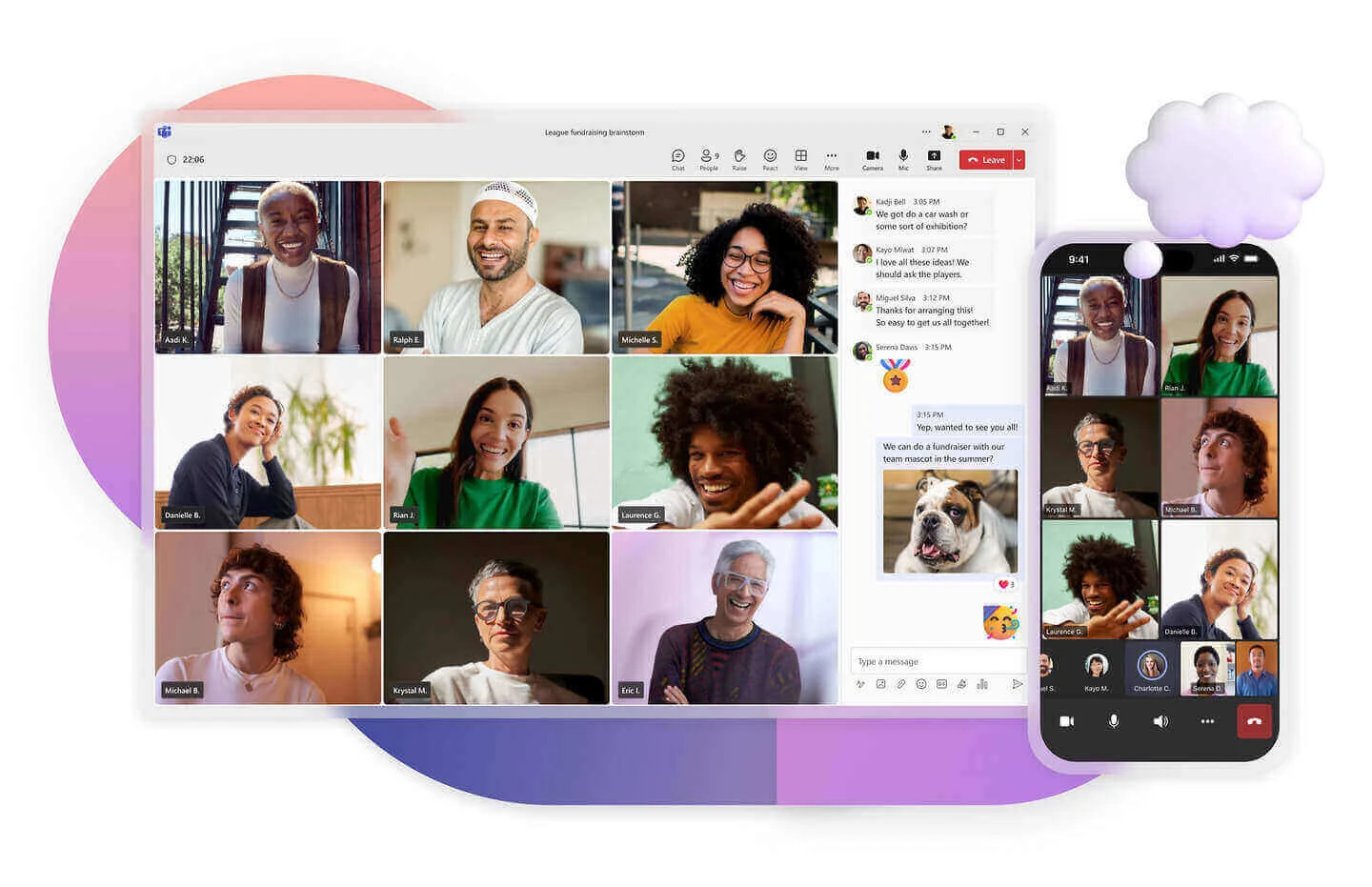
Microsoft Teams - Best work chat apps

Microsoft Teams is the communication tool that comes with the Microsoft 365 suite.


Key features:

  • Deep connection with the Microsoft 365 suite

  • Enterprise-level security and admin controls

  • Built-in file storage and co-editing


Pros:

  • Often included at no extra cost with your existing Microsoft subscription

  • Powerful for real-time document collaboration in Word and Excel


Cons:

  • Clunky and confusing user interface

  • Poor mobile experience compared to desktop

  • Can feel too formal and slow for quick chats


Why it's great:

If your business already runs on Microsoft, Teams is a convenient and cost-effective choice. It works well with other Microsoft products like Word and Excel, allowing for seamless document collaboration.


Keep in mind:

The app can be clunky and confusing for simple, everyday chats, which may cause your team to avoid using it for all communication.


How it compares to competitors:

Microsoft Teams doesn’t have as good a mobile experience as other work chat apps, often making simple conversations feel overcomplicated.

4) Google Chat

Built for: Teams who only need the most basic messaging inside of Gmail.

Rating: 3/5

Google Chat - Best work chat apps

Google Chat is the built-in messaging tool that is part of your Google account.


Key features:

  • Lives directly inside the Gmail interface

  • Seamless integration with Google Docs and Meet

  • Clean, minimalist design for DMs


Pros:

  • Convenient for existing Google Workspace users

  • Simple and easy for one-on-one chats


Cons:

  • Too basic to handle organized team projects

  • Lacks any built-in accountability features

  • Not many admin controls and user permission settings


Why it's great:

Google Chat is convenient for Gmail users. Because it’s right there in your Gmail inbox, there's nothing new to install or learn, making it the path of least resistance for a quick message.


Keep in mind:

Google Chat is too basic to be a real hub for team communication. It lacks the organizational features needed to manage projects, and most businesses will outgrow it quickly.


How it compares to competitors:

Compared to dedicated work chat apps, Google Chat lacks the organizational structure, admin controls, and task management features that a serious business needs to operate efficiently.

5) Discord

Built for: Teams that want a casual space for social chat and team bonding.

Rating: 2.5/5

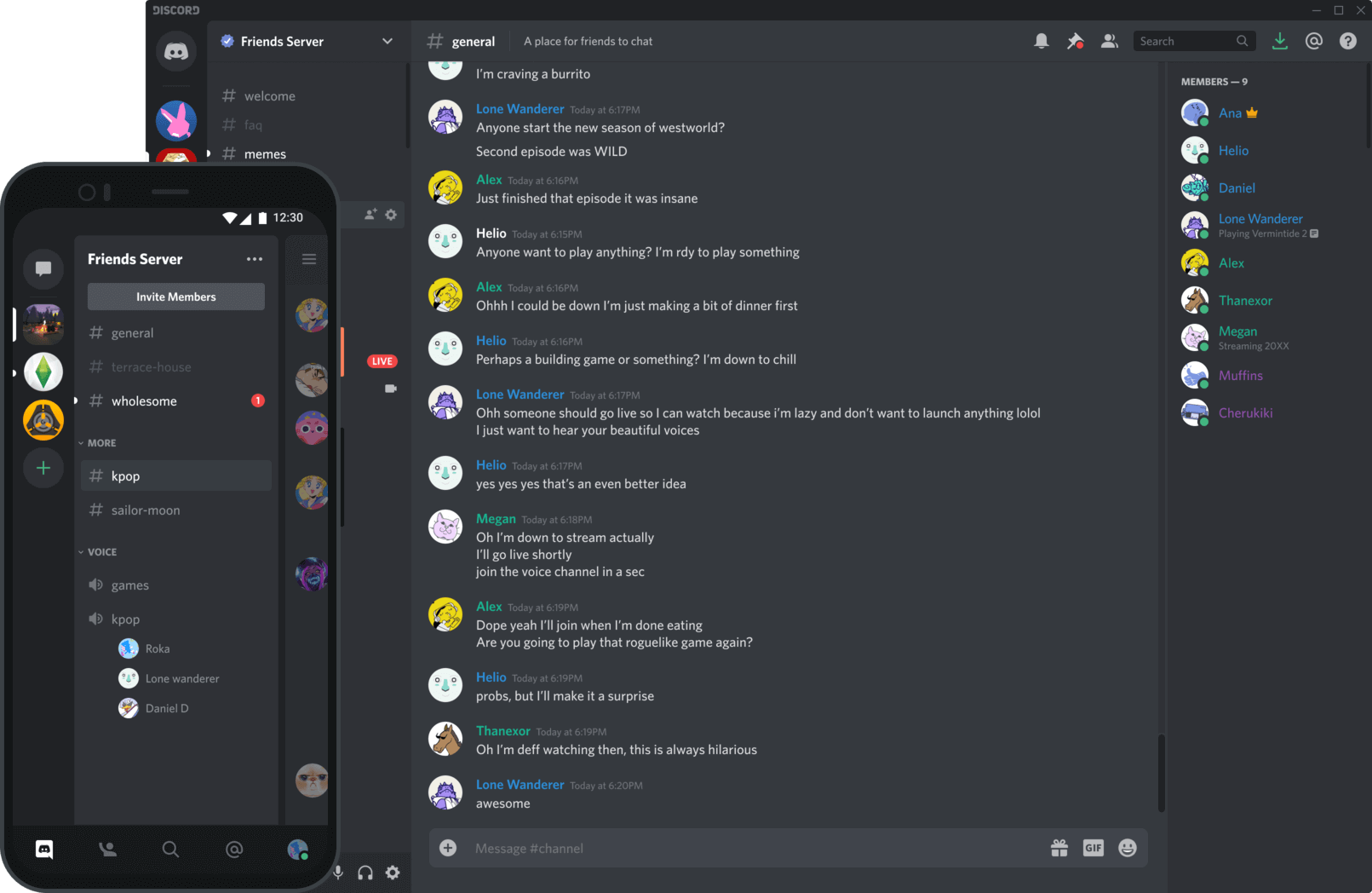
Discord - Best work chat apps

Discord is a social app that some teams have started using for work conversations.


Key features:

  • Always-on voice channels for casual conversation

  • Flexible server and channel creation

  • Good for building a social community


Pros:

  • Excellent for social team bonding and informal chat

  • Free and flexible


Cons:

  • Not a professional tool; lacks business security

  • Chaotic and distracting for focused work


Why it's great:

Discord excels at creating a fun, informal atmosphere. Its always-on voice channels are a great way to help remote teams feel more connected.


Keep in mind:

Discord is not built to be a professional work chat app. It lacks the security and admin controls a business needs and can become very chaotic when used for work.


How it compares to competitors:

Unlike business-focused tools, Discord has no professional security or accountability. It's a social space first, which makes it a poor choice for organizing and tracking real work compared to any other tool on this list.

6) WhatsApp (and other consumer apps)

Built for: Personal conversations, not for business.

Rating: 1/5

WhatsApp - Best work chat apps

Some new businesses start by using personal chat apps like WhatsApp out of convenience.


Key features:

  • Universal familiarity

  • Simple, mobile-first interface


Pros:

  • Everyone already knows how to use it

  • It’s free


Cons:

  • A massive security risk for any business

  • No admin controls, no organization

  • Mixes work with personal life

  • Chat history and files are stored on personal devices


Why people use it:

It's familiar, and people already have it on their phone, so getting a group chat started takes seconds.


Keep in mind:

Using a consumer chat app for work communication is a major security risk. You have very limited admin settings, you can't remove ex-employees' access to chat history and files, and your company's data is completely out of your control.


How it compares to competitors:

A consumer chat app like WhatsApp offers none of the professional features (security, admin controls, organization) that a dedicated work chat app provides, making it a large risk for any business.

How to choose the best work chat app for your team

So how do you decide what the right work chat app is for your business? Well, it depends on your team's biggest priority.

Here’s a simple breakdown to help you decide:

  • For highly technical teams, choose Slack.

  • For large companies already on Microsoft 365, choose Microsoft Teams.

  • For basic messaging within Gmail, choose Google Chat.

  • For a supplementary tool focused on social chat, choose Discord.

  • For personal use, choose WhatsApp or other personal chat apps.

  • For the ideal balance of power and ease of use, choose Zenzap.

Make the right choice for your team

Choosing the right work chat app is a big decision, but it boils down to one simple rule: the best tool is the one your team will actually use every day.

It's not about finding the app with the most features; it's about finding the one that makes your team's life easier by removing friction from their workflow.

Consider which platform best fits your company's culture, because the right choice is the one that ultimately helps your team communicate better.

Dominika Krukowska

Hi, I'm Dominika, Content Specialist at Storydoc. As a creative professional with experience in fashion, I'm here to show you how to amplify your brand message through the power of storytelling and eye-catching visuals.

Engaging decks. Made easy

Create your best presentation to date.

Stop losing opportunities to ineffective presentations.
Your new amazing deck is one click away!