








How to Write a Y Combinator Pitch Deck (+Templates)
Learn how to make the perfect Y Combinator pitch deck with examples instantly usable as templates, and expert tips on structure, format, and design.
Set as Preferred Source
Last year, a whopping 44,000 applications landed at Y Combinator’s doorstep, setting a new record. At the same time, the acceptance rate dipped below 1%, making it the most competitive round in YC’s history.
It means that to cut through the noise, your application needs to shine brighter than ever.
Your pitch deck is more than just a presentation; it’s the key to turning your startup dream into reality.
But don’t worry, I’ll teach you how to write and design a winning Y Combinator pitch deck. I’ll also throw in some top-notch examples you can use as templates.
Ready to make your mark? Let’s get started!
Key types of Y Combinator pitch decks
At the heart of your application process lie 2 main types of pitch decks: seed round pitch decks and series A pitch decks.
Seed round pitch decks are your entry ticket, focusing on your vision, potential market, and what sets you apart, ideal for startups in their infancy seeking initial funding.
Series A pitch decks, on the other hand, are for those ready to scale, emphasizing proven traction, revenue, and a clear plan for growth.
While the core message of your startup remains constant, the structure of your pitch deck will vary slightly depending on its type.
In the next section, we’ll dive deeper into how these differences shape your presentation.
Best Y Combinator pitch deck structure
The structure of your YC pitch deck will slightly differ based on whether you’re in the seed stage, focusing on potential and vision, or Series A stage, emphasizing traction and growth plans.
Here’s a distilled guide to structuring your YC pitch deck, tailored to both seed round and Series A stages, based on insights from Y Combinator’s own recommendations.
- Title slide: Your company name and a succinct description.
- Problem: Clearly state the issue you’re addressing.
- Solution: Describe your solution in simple terms.
- Traction: Highlight your progress and any significant metrics.
- Market: Outline the size and potential of your target market.
- Product: Show what your product looks like and how it works.
- Business model: Explain how you make money.
- Team: Showcase your team’s expertise and why you’re the right people to solve this problem.
- Financials: Briefly touch on your current financial status and future projections.
- Ask: State how much funding you’re seeking and its intended use.
- Title slide: Company name and a clear, compelling one-liner.
- Traction (Teaser): A quick snapshot to grab interest with key achievements.
- Problem: Dive into the problem with more depth, backed by data.
- Solution: Your solution, with emphasis on scalability and impact.
- Traction (Detailed): In-depth look at growth metrics, customer acquisition costs, lifetime value, and more.
- Market: Detailed market analysis, showing the opportunity for growth.
- Competition: How you differentiate from competitors and your unique value proposition.
- Vision: Where you see your company going, and how you plan to get there.
- Team: Highlighting the team’s background, successes, and why you’re poised to succeed.
- Use of funds: Clearly articulate how the Series A funding will be used to achieve milestones.
I know this might seem like a lot to take in. But, if you stick around, I’ll show you how to build each element of your deck to captivate and convince investors.
Interactive YC pitch deck templates
There’s an incredible amount riding on this one deck. After all, some of the companies that have been accepted into Y Combinator went on to become household names. Given the stakes, starting from scratch can feel downright risky.
Interactive YC pitch deck templates offer a structured starting point, ensuring you cover all the essential bases without overlooking key elements that could set your pitch apart.
To give your startup the best shot at joining the ranks of YC’s success stories, use a template specifically designed for engagement and optimized for maximum impact.
Just grab one.
How to build your Y Combinator pitch deck?
Creating a pitch deck for Y Combinator is a critical step in articulating your startup’s vision, progress, and future potential to one of the most influential startup accelerators.
Whether you’re preparing for a seed round or gearing up for Series A, understanding the nuances of each deck type is key to making a compelling case to YC and potential investors.
Drawing from YC’s own resources, let’s dive into a step-by-step guide on building an impactful pitch deck.
1) Introduction
The introduction slide is your elevator pitch in visual form.
It should capture the essence of your startup, presenting your company name (a business name generator can prove very useful) and a one-liner that encapsulates your value proposition.
For instance, if your startup is a fintech platform simplifying payments for small businesses, your one-liner could be, “Making payments effortless for small businesses worldwide.” This sets a clear, impactful tone for what follows.
2) Problem
Detailing the problem involves more than stating the issue; it’s about framing the problem in a way that highlights its impact on your target audience.
An effective problem slide makes the issue relatable and urgent, laying a solid foundation for introducing your solution.
For example, “Small businesses struggle with complex payment systems, leading to lost time and revenue.”
Use statistics or quotes from real customers to hammer home the problem’s prevalence and pain points.
3) Solution
Your solution slide should clearly articulate how your product or service solves the identified problem.
Focus on the benefits and outcomes, avoiding technical jargon.
The goal is to demonstrate the feasibility and effectiveness of your solution in straightforward terms.
For example, If your platform automates payment processes, explain, “Our platform turns 10-step payment processes into a single, seamless action, saving businesses an average of 20 hours per month.”
4) Traction
Traction is evidence of your startup’s market acceptance and growth potential.
This section should highlight key metrics such as user growth, revenue, or significant partnerships, presented in a clear and digestible format.
5) Business model
Explaining your business model is about clarifying how your startup generates revenue.
This section should outline your revenue streams and pricing strategy, demonstrating the sustainability and scalability of your business.
It’s crucial to convey the economic logic behind your venture, making it clear how you plan to achieve profitability.
6) Market
Your market analysis should provide a comprehensive overview of your target market and the total addressable market (TAM), backed by data.
This section aims to showcase the market opportunity your startup aims to capture, demonstrating your understanding of the market dynamics and your place within it.
For example, “With 30 million small businesses in the U.S. alone, and an average payment processing fee of $100/month, our TAM stands at $3 billion annually.”
7) Team
The team slide is an opportunity to highlight the unique blend of skills, experiences, and passions that make your founding team the right group to tackle the problem.
This section should humanize your venture, showcasing the individuals behind the idea and their commitment to the mission.
8) Financials and ask
Finally, detail your financial projections and the funding you’re seeking, including how the funds will be used.
This should be a clear call to action, supported by a logical argument for what the investment will achieve, such as reaching specific milestones or accelerating growth.
1) Introduction
For Series A, the introduction should build on your seed round by highlighting significant achievements and growth since then.
This sets a tone of progress and ambition, crucial for attracting further investment.
2) Traction (Teaser)
Kick off with a bang by showcasing a key achievement or growth metric that highlights your momentum.
This early hook is crucial for capturing and maintaining investor interest.
For example:
“In just 2 years, our fintech platform has revolutionized payment processing for over 5,000 small businesses, reducing their transaction fees by 40% and doubling their payment processing speed.”
3) Problem
Articulate the problem you’re solving with precision.
An example of a bad problem statement is:
“Small businesses struggle with financial transactions due to the complex and inefficient payment systems available in the market.”
This statement is too vague and doesn’t clearly articulate the specific pain points that small businesses face.
A good problem statement is specific and relatable, focusing on the pain points of your target market, such as:
“Small business owners waste an average of 10 hours a week navigating payment systems, often facing high transaction fees that eat into their slim profit margins.”
This slide should make the problem feel urgent and necessary to solve.
4) Solution
Describe your solution in direct response to the problem.
This slide should make it clear how your product or service effectively addresses the issue laid out previously.
Use simple language and, if possible, visual aids or demos to illustrate your solution’s impact.
5) In-depth traction
At this stage, investors expect a detailed analysis of your traction, including growth metrics, customer acquisition costs, and lifetime value.
This section should delve deeper into the data, showcasing your business’s scalability and efficiency in capturing market share.
6) Market analysis
Take a closer look at your market with a more detailed analysis.
Show that you understand not just the size of the opportunity but how you’re positioned to grab it.
This is about proving you’ve done your homework and are ready to take on the market with a well-thought-out strategy.
For example, “While the U.S. market offers a $3 billion opportunity, our expansion into Europe and Asia could triple our TAM, capitalizing on less saturated markets.”
7) Competitive landscape
Identify your competitors but focus on what makes you stand out.
This is your chance to convince investors that your startup has something special that others don’t.
Highlight your unique value proposition and why your solution is not just different, but better.
8) Vision for the future
Share your big vision for the future.
After showing how much you’ve achieved, now’s the time to dream big and show where all this success can take you.
Paint a picture of how your startup can grow into a major player in your industry, inspiring confidence in your long-term potential.
9) Team dynamics
Reflect on how your team has grown and adapted.
A strong team is key to scaling, so highlight the new talent you’ve brought on board and how your team’s evolution positions you for success.
It’s about showing that you have the right people to turn your vision into reality.
10) Use of funds
Be clear about how you plan to use the Series A funding.
Link the investment directly to specific growth initiatives, product development, or market expansion plans.
Investors want to know that their money is going towards something that will propel your startup to the next level.
YC pitch deck examples that impress the judges
Creating a Y Combinator pitch deck is a crucial step on your startup’s journey, with the potential to open doors and set the stage for future success.
Given the importance of making a strong impression, drawing from examples built on YC’s guidelines and best practices can provide valuable insights.
Let’s dive into a number of YC pitch deck examples for different industries, designed to help you craft a pitch presentation that stands out for all the right reasons.
Y Combinator SaaS pitch deck
This example showcases a clear and engaging way to present a SaaS startup’s core mission, focusing on the problem it solves, the solution it offers, and the impressive metrics backing its success.
It’s a guide for crafting a pitch with clarity, engagement, and impact, aimed at grabbing the attention of YC judges and potential investors.

Scroll to preview
What makes this YC pitch deck example great:
- Clear problem-solution framework: This example excels in articulating a straightforward problem-solution narrative, ensuring that the core value proposition is easily understood and remembered by YC judges and potential investors.
- Interactive data visualization components: The deck incorporates dynamic charts and graphs that bring the startup’s growth metrics to life, making the data more accessible and compelling for the audience.
- Embedded calendar: It features an embedded calendar, simplifying the process for investors to schedule a meeting directly from the pitch deck, enhancing engagement and follow-up opportunities.
B2B Y Combinator pitch deck
This B2B Y Combinator pitch deck example exemplifies how to effectively communicate a complex B2B solution in a clear and engaging manner.
By focusing on problem-solution clarity, showcasing growth through interactive data visualization, and presenting a solid business model, it sets a high standard for B2B pitch decks aiming to impress at Y Combinator.

Scroll to preview
What makes this YC pitch deck great:
- Use of grayed-out content: The deck smartly uses grayed-out content to focus the viewer’s attention on key points, ensuring that the most important information stands out and is easily digestible.
- Growth roadmap slide: The deck presents a clear timeline outlining the company’s growth strategy – covering launch, expansion, partnerships, and optimisation – in a way that’s easy to follow.
- Clear explanation of business model: The presentation breaks down the revenue model into three straightforward streams: a one-time setup fee, a monthly subscription starting at $99, and custom pricing for enterprise clients.
Education Y Combinator pitch deck
The Education Y Combinator pitch deck presents an innovative approach to tackling today’s educational challenges. It outlines critical issues within the learning environment and introduces a solution designed to revolutionize education for tomorrow’s learners.

Scroll to preview
What makes this YC pitch deck great:
- Easily customizable logo placeholders: The deck includes placeholders that allow for quick customization, enabling startups to effortlessly insert their logos and ensure brand consistency throughout the presentation.
- Option to extract branding: It offers a unique feature that allows startups to extract branding elements directly from their website, ensuring the pitch deck aligns perfectly with their online presence for a cohesive brand experience.
- Multiple image and video placeholders: With various placeholders for images and videos, the deck encourages the use of multimedia, making complex educational concepts more accessible and engaging for the audience.
Fintech Y Combinator pitch deck
Through a narrative that combines problem identification with innovative solutions and backed by impressive growth metrics, this pitch deck is crafted to capture the attention of YC judges and potential investors, showcasing the startup’s potential to lead in the fintech space.

Scroll to preview
What makes this YC pitch deck great:
- Ability to insert real-time data: You can insert real-time data into the deck, allowing the presentation to stay current and relevant, showcasing the latest metrics and achievements to impress judges and investors.
- Option to edit details post-send: It offers great flexibility with the ability to edit details even after the deck has been sent, ensuring that recipients always have access to the most up-to-date information.
- Inclusion of multiple smart CTAs: The deck incorporates multiple smart call-to-action (CTA) buttons to guide readers towards taking the next steps, whether it’s scheduling a meeting, visiting the website, or reaching out for more information.
Healthcare Y Combinator pitch deck
This Y Combinator pitch deck example showcases a strategic and thoughtful approach to revolutionizing patient care.
Through its focus on accessibility, efficiency, and personalization, coupled with a keen eye on design and user engagement, it sets a benchmark for healthcare startups looking to make a significant impact in the industry.

Scroll to preview
What makes this YC pitch deck example great:
- Automatic layout adjustment: The deck is designed to ensure that any added content, from text to images or charts, automatically aligns with the overall layout, maintaining a cohesive and professional appearance.
- Access to an analytics panel: It features an analytics panel that tracks how readers engage with the deck, providing valuable insights into which sections capture attention and where improvements might be needed.
- Responsive design: The deck is crafted with a responsive design that ensures it looks and functions seamlessly across all devices, from desktops to tablets and smartphones, offering an optimal viewing experience for every potential investor or judge.
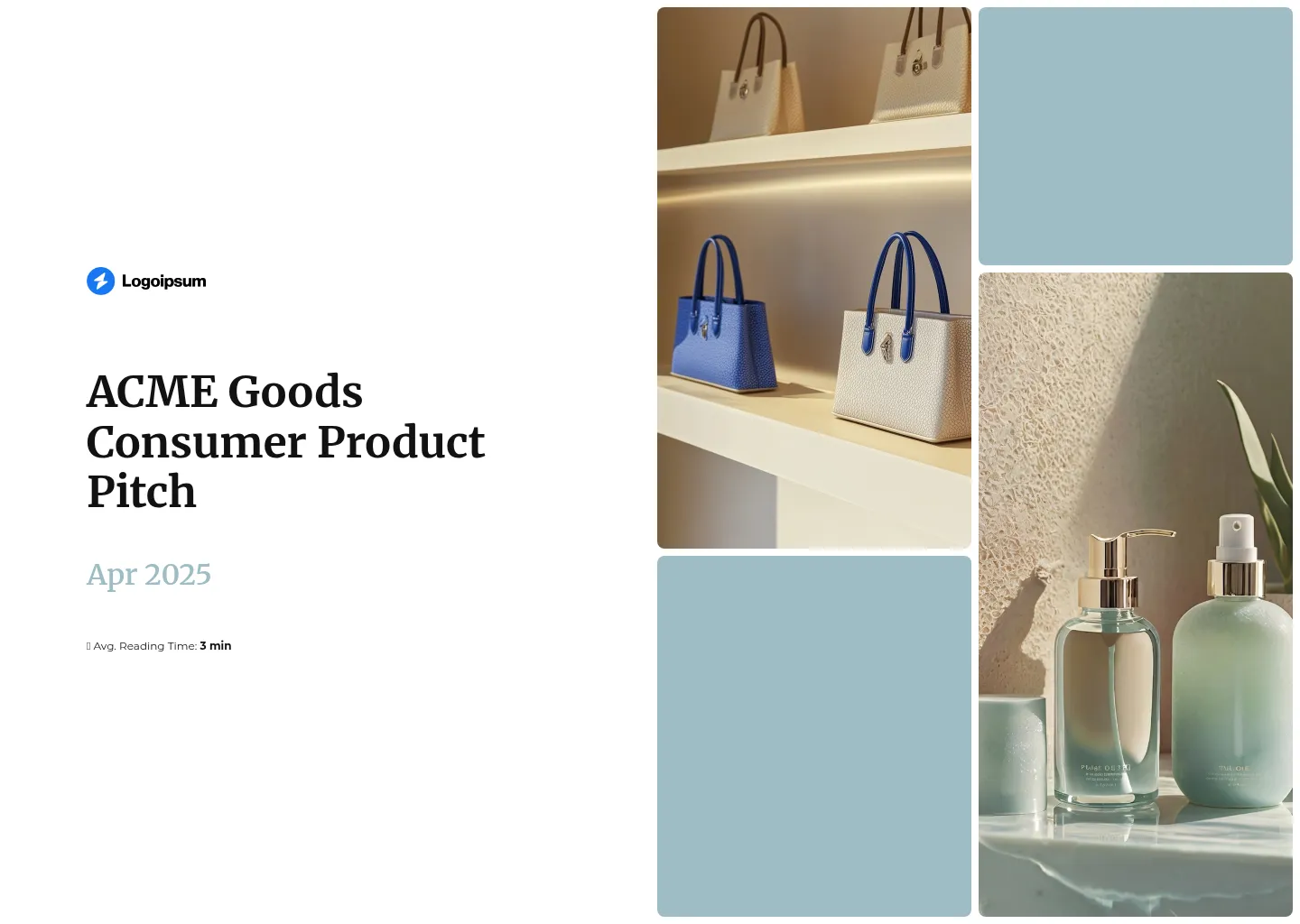
Consumer product Y Combinator pitch deck
This YC pitch deck highlights smart, sustainable solutions designed to improve everyday consumer experiences.
It addresses common issues such as poor product durability, high prices that limit accessibility, and the environmental impact of traditional manufacturing.
The deck presents a clear path toward high-quality, affordable, and eco-friendly products that are built to last and widely accessible.
Scroll to preview
What makes this YC pitch deck great:
- Scroll-based design: It utilizes a scroll-based layout to create a dynamic storytelling experience, allowing viewers to engage with the content in an interactive, fluid manner.
- Option to embed external links or videos: The deck includes the capability to embed external links or videos, enriching the presentation with additional resources, demonstrations, or testimonials that can further validate the startup’s value proposition.
- Personalization using dynamic variables: It offers the ability to personalize the pitch deck using dynamic variables, enabling a tailored presentation experience for each viewer based on their interests or previous interactions with the startup.
Mistakes to avoid when making a Y Combinator pitch deck
Creating a Y Combinator pitch deck is a unique opportunity to showcase your startup in its best light. However, it’s easy to fall into common traps that can detract from your message.
Harjeet Taggar, a YC employee, offers invaluable advice on what not to do when crafting your pitch.
Here’s a rundown of mistakes to avoid, ensuring your pitch deck stands out for all the right reasons.
6 main mistakes to avoid:
- Generic overviews: Don’t fill your application with broad, copy-pasted summaries that could apply to any startup. Tailor your message specifically for YC, highlighting what makes your startup unique.
- Walls of text: Resist the urge to use dense blocks of text. Break down your ideas into digestible, straightforward sentences that convey your message without overwhelming the reader.
- Falling into marketing jargon: Phrases like “revolutionizing the world” are vague and unhelpful. Instead, describe your startup in plain terms, such as “Our app lets small businesses process payments quickly and with lower fees.”
- Listing features without insight: Focus on the unique insights or personal experiences that led to your startup’s creation. Share the story behind your idea, emphasizing any personal pain points that inspired your solution.
- Neglecting external feedback: Have others review your pitch to make sure it’s easy to understand. What’s obvious to you might not be to someone learning about your startup for the first time.
- Undervaluing personal achievements: When asked about your most impressive achievements, think beyond traditional successes. Share stories of determination and perseverance, showcasing your grit and commitment to overcoming challenges.
How to design a Y Combinator pitch deck?
Designing a Y Combinator pitch deck is more than just putting together slides; it’s about crafting a visual story that complements your verbal pitch, making your startup’s value proposition crystal clear.
Leveraging the wisdom of Y Combinator’s Kevin Hale and infusing it with our own expertise, we’ve crafted a comprehensive guide on how to design a pitch deck that stands out and captivates your audience from start to finish.
Y Combinator pitch deck design principles:
1) Make your slides legible
Use large, bold fonts and ensure high contrast between text and background. Remember, your slides need to be readable even from the back of a large room.
2) Keep it simple
Express one idea per slide to keep your message straightforward. Overloading slides with multiple concepts only leads to confusion.
3) Make it obvious
Your slides should be self-explanatory at a glance. If someone can’t immediately grasp the point of a slide, it’s too complex.
4) Avoid information overload
Resist the temptation to include every detail about your startup in the pitch deck. Focus on the most compelling points that will resonate with your audience.
5) Make key points stand out
Highlight the most important facts or figures so they catch the audience’s attention. This can be achieved through the use of size, color, placement on the slide, animation, or grayed-out content.
Here’s a great example of the use of grayed-out content:
6) Incorporate scroll-based design
Engage your audience with a narrative that unfolds as they scroll through your digital pitch deck. This approach keeps viewers hooked, eager to discover what comes next.
Here’s a great example of scroll-based design:
7) Ensure responsive design
Your pitch deck should look great and function seamlessly across all devices. A responsive design ensures that whether investors are viewing your deck on a laptop, tablet, or smartphone, your content remains clear and accessible.
Here’s an example of a responsive deck:
8) Personalize your presentation
Tailor your pitch deck to reflect your startup’s unique story and value proposition. Personal touches can make your presentation more relatable and memorable.
If you know the names of the people who will be reading your deck, you can also incorporate dynamic variables that allow you to customize content for individual readers.
This level of personalization can significantly increase the relevance and impact of your presentation, making each investor feel directly addressed and valued.
Here’s how easy it is to personalize with Storydoc:

9) Extract and apply your branding
Consistently use your startup’s color scheme, typography, and logo throughout the deck. This reinforces your brand identity and creates a cohesive visual experience.
Here’s how you can easily brand your deck:
What pitch deck format to use for Y Combinator?
When searching for YC pitch deck templates or examples, you’ll likely come across numerous static decks in PDF or PowerPoint formats. While these are widely used and familiar, that’s exactly why you might want to think twice before following suit.
Handing YC something they’ve seen countless times hardly sets your pitch apart.
Moreover, static formats can limit your ability to engage and interact with your audience, often resulting in a one-dimensional presentation that fails to capture the full essence of your startup.
Interactive decks, on the other hand, offer a compelling alternative. They allow you to structure your deck around a storytelling framework, complete with clickable elements, live demos, and real-time data that paint a vivid picture of your startup’s potential.
Here’s a comparison of the most popular pitch deck formats:
Format | Pros | Cons |
|---|---|---|
– Ideal for text-heavy content | – Lacks interactivity, reducing engagement | |
PPT | – Excellent for blending text and images | – Limited interactivity |
Word | – Great for text-focused collaboration and drafting | – Not suited for complex visuals or multimedia |
– Engages through live data, demos, and clickable elements | – Might have a learning curve for new creators |