
Storydoc + viaSocket: Automate document creation across 2,300+ apps
Connect Storydoc to your favorite tools through viaSocket to automatically create personalized documents, update existing ones, and share engagement data without the manual work.

Connect Storydoc to your favorite tools through viaSocket to automatically create personalized documents, update existing ones, and share engagement data without the manual work.
Trusted by 400,000+ users to automate their workflows


From creating personalized proposals when new deals come in to keeping your team updated on document engagement, viaSocket helps you connect Storydoc to the tools and workflows you already use.
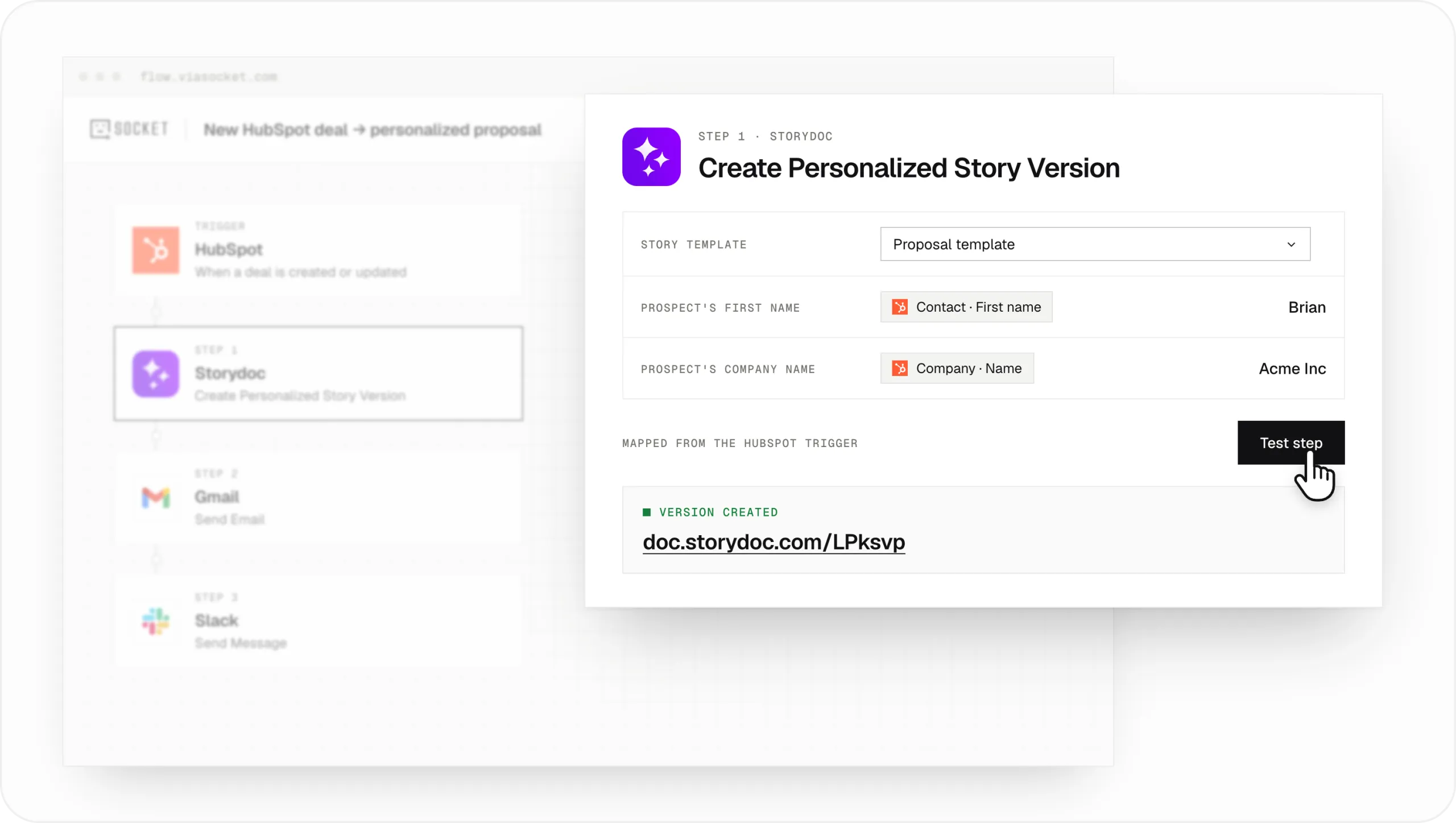
Turn information from your CRM, forms, spreadsheets, and other tools into personalized Storydocs without creating each document manually.
For example, when a new deal appears in HubSpot or Salesforce, viaSocket can use the contact’s name, company details, and other CRM information to create a personalized proposal from your Storydoc template.
Each version gets its own shareable link, ready to send to the right prospect.
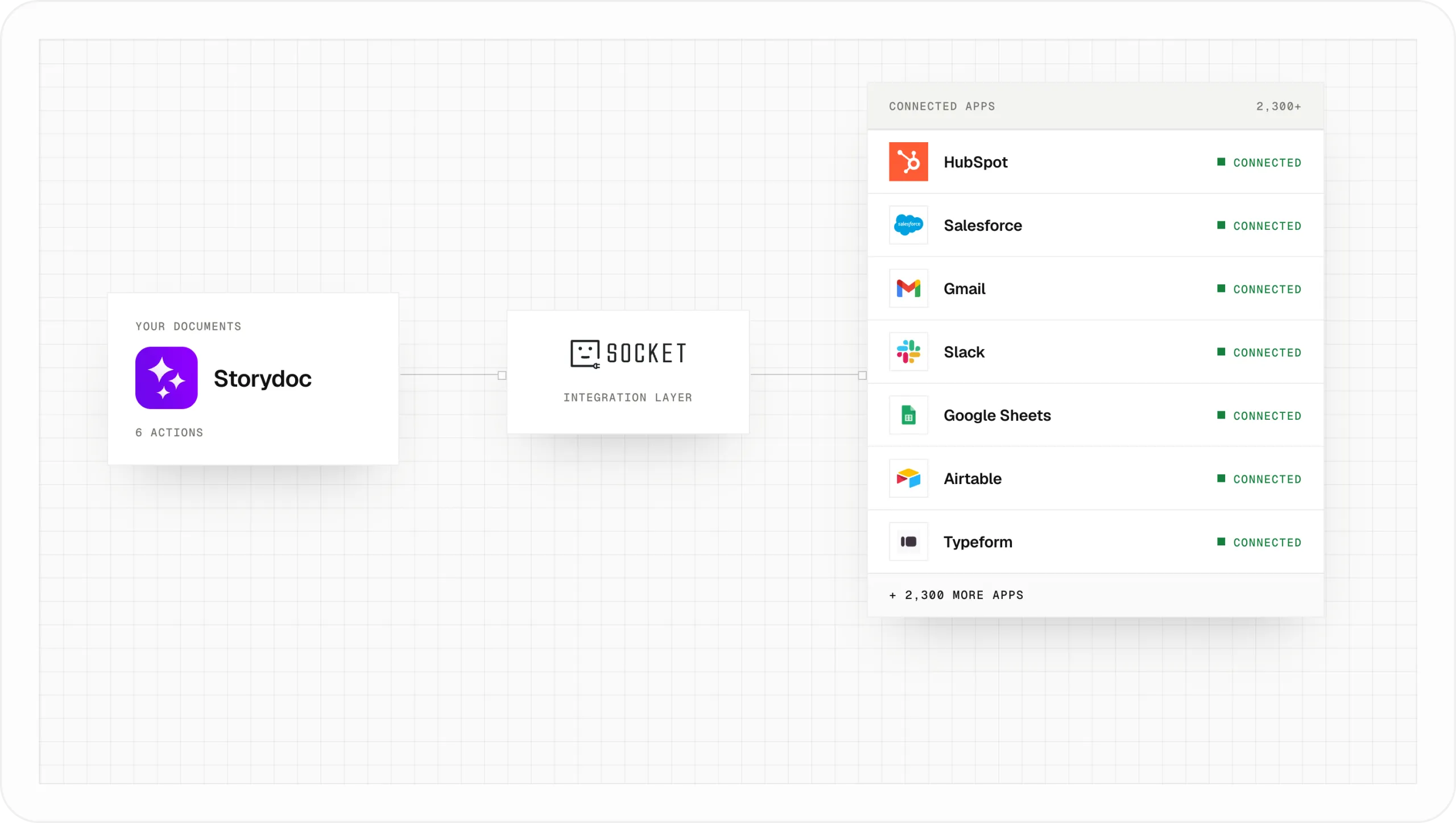
Use viaSocket to connect Storydoc with tools such as HubSpot, Salesforce, Gmail, Slack, Google Sheets, Airtable, and Typeform.
You can build workflows that start when something happens in another app, such as a new lead submitting a form, a deal changing stages, or a new row being added to a spreadsheet.
viaSocket then takes care of the next steps, from creating the Storydoc to saving its link or notifying your team.
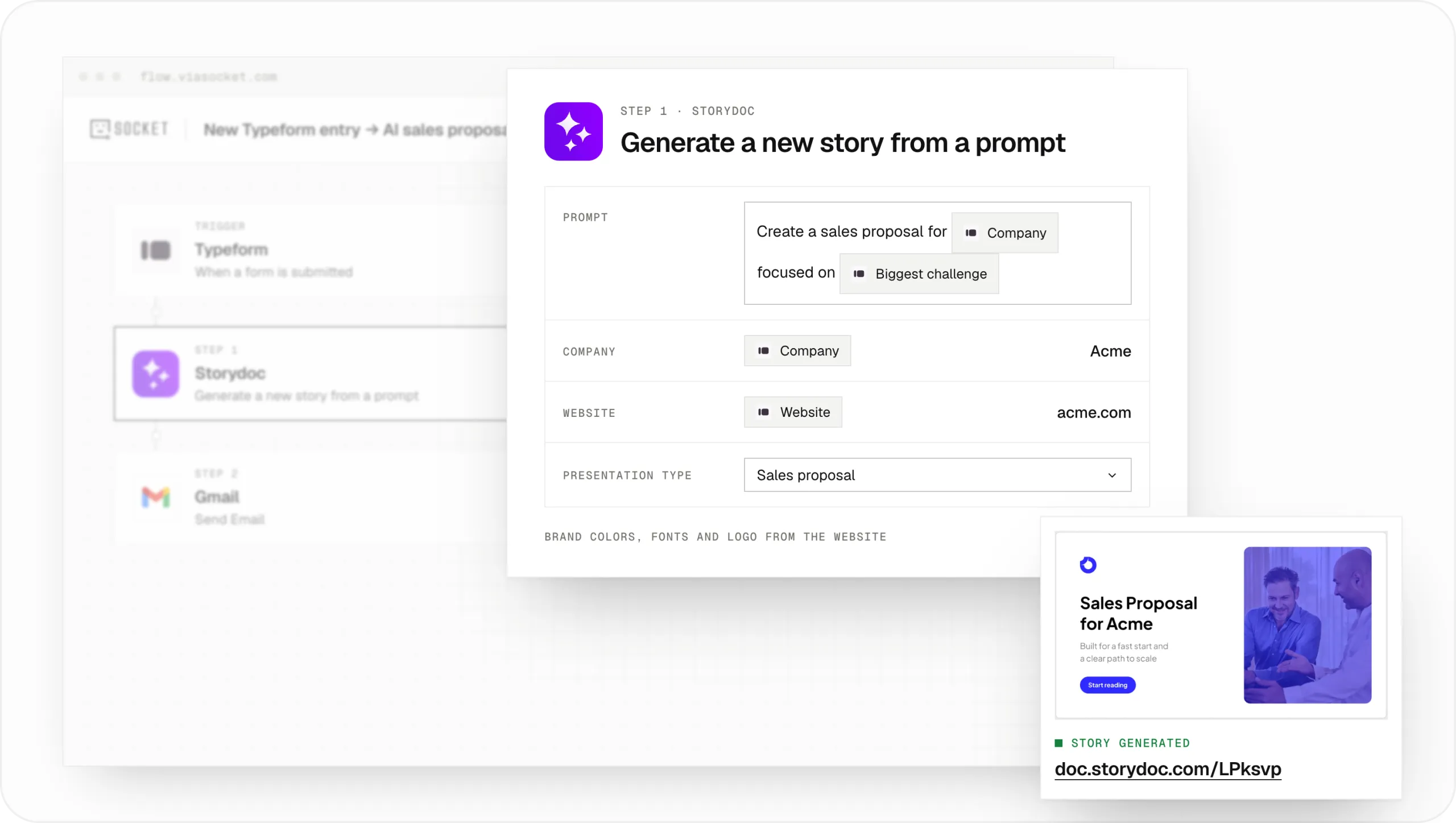
You don’t always need an existing Storydoc template to get started.
Use viaSocket to generate a new Storydoc from a text prompt, company website, or a file. For example, you could automatically create a sales presentation for a new prospect using information collected through a form.
Storydoc generates an on-brand presentation using the company’s website for visual branding, then returns a live link you can use in the rest of your workflow.
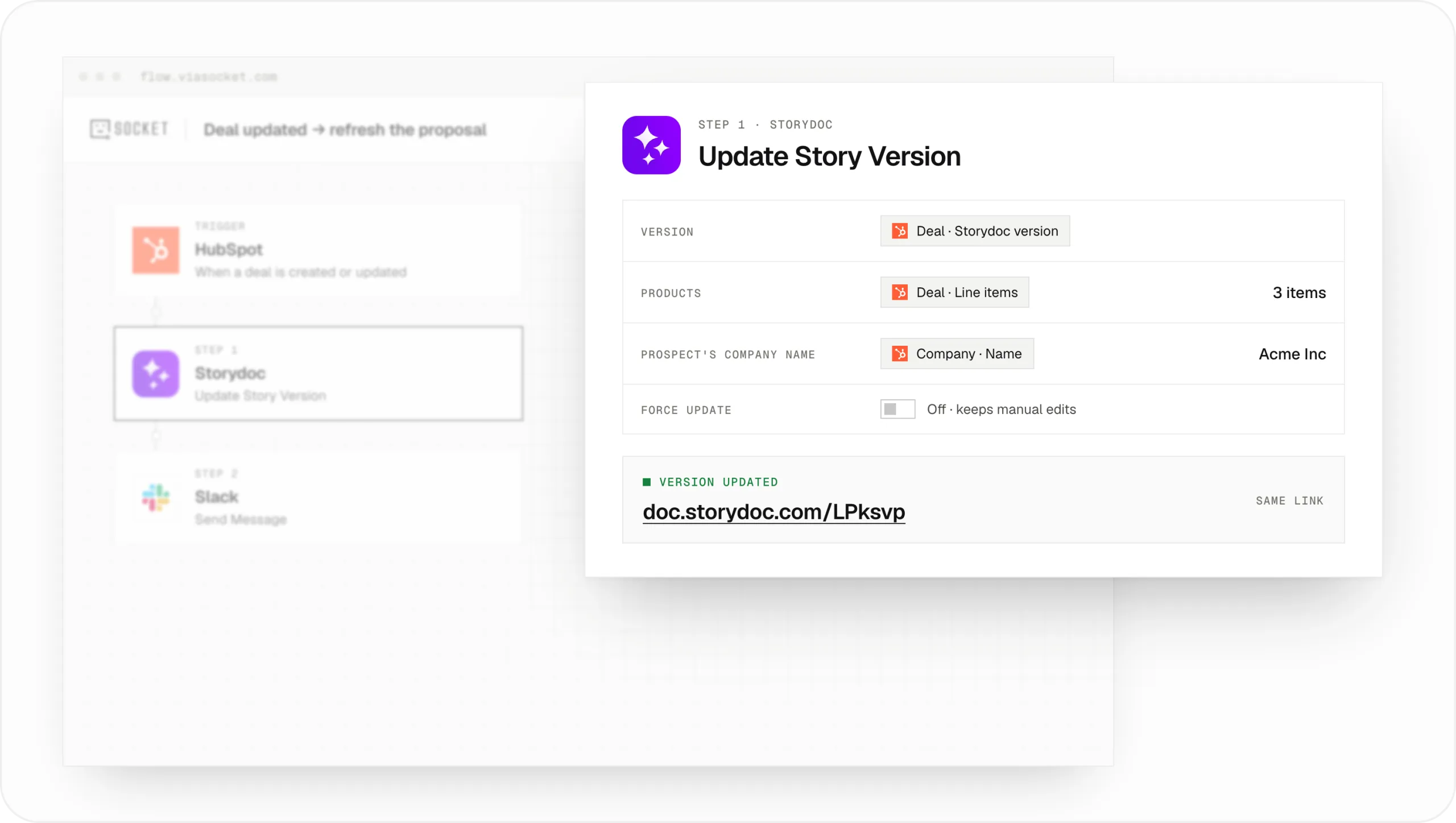
Keep your documents relevant as information changes, without creating and sharing a new version every time.
For example, when a deal moves to a new stage in your CRM, you can automatically update the prospect’s existing Storydoc with revised pricing, different products, or new personalization details.
The original link stays the same, so your prospect can keep using the document you’ve already shared.
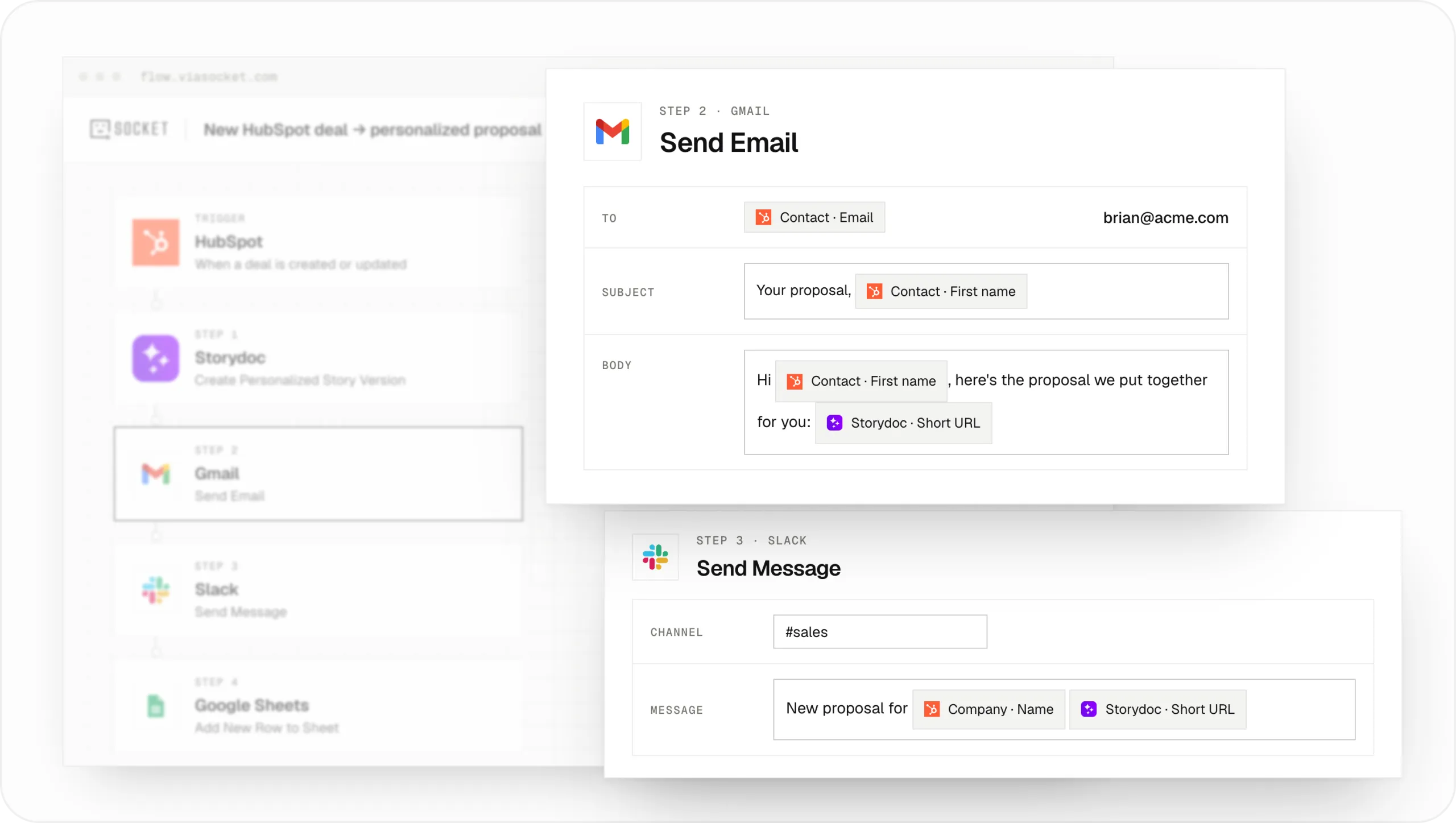
Once a Storydoc is created, use viaSocket to automatically send its link to another app.
You could email a personalized proposal through Gmail or Outlook, add its URL to a CRM record, save it alongside the original data in Google Sheets, or notify your sales team in Slack.
This means the document is ready for the next step without anyone having to copy links between tools.
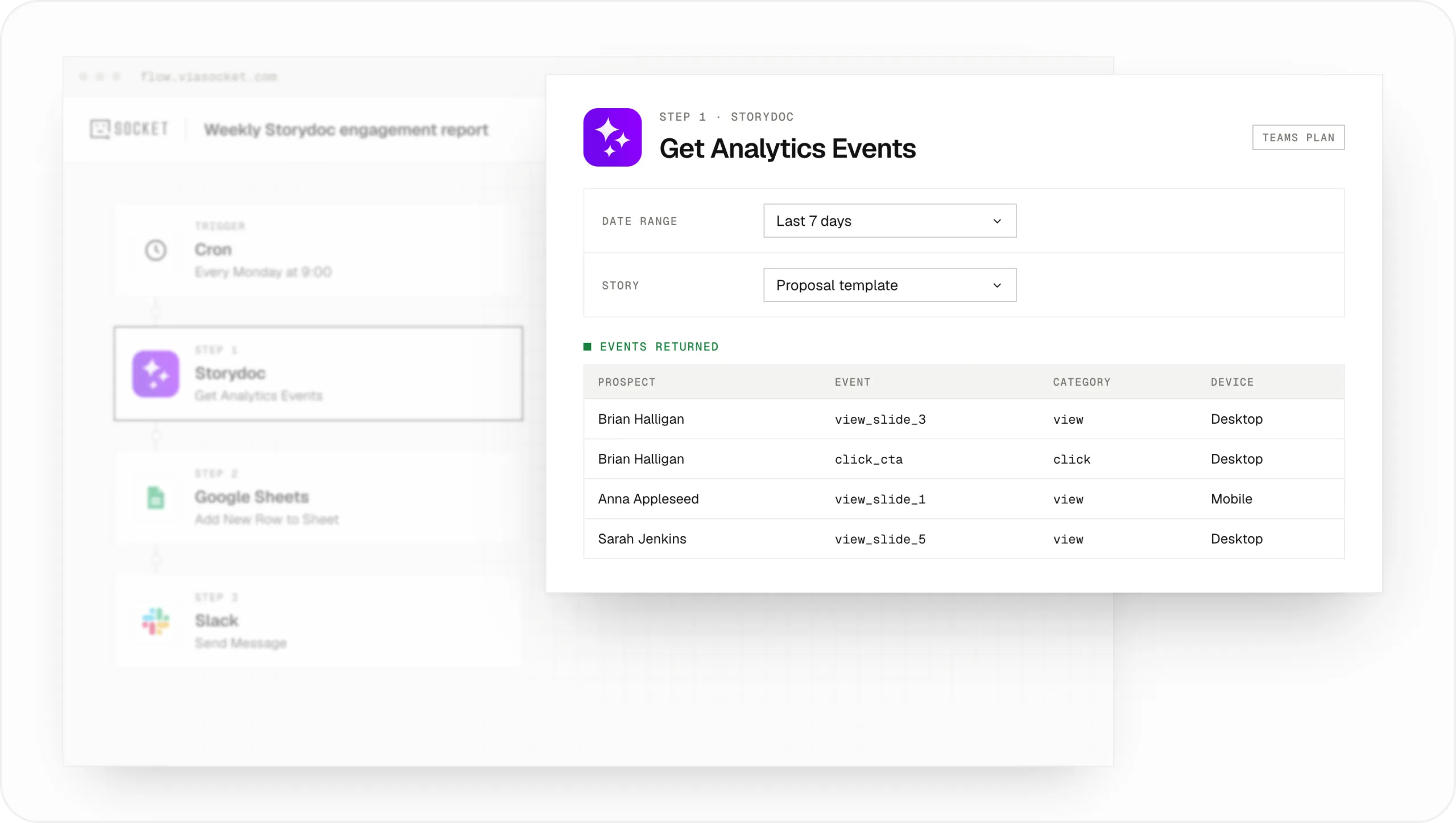
Use viaSocket to retrieve Storydoc engagement events, including views and clicks, and share that information with the rest of your team.
For example, you could schedule a weekly report that pulls engagement data into Google Sheets or posts a summary in Slack.
You can filter the results by Storydoc, version, user, or date range, making it easier to see which documents are getting attention.
*Storydoc analytics through viaSocket requires one of our team plans.*
Trusted by top businesses, loved by our users





Connect Storydoc to viaSocket, choose what should start your workflow, and decide what happens next. You can build the whole process without writing code.
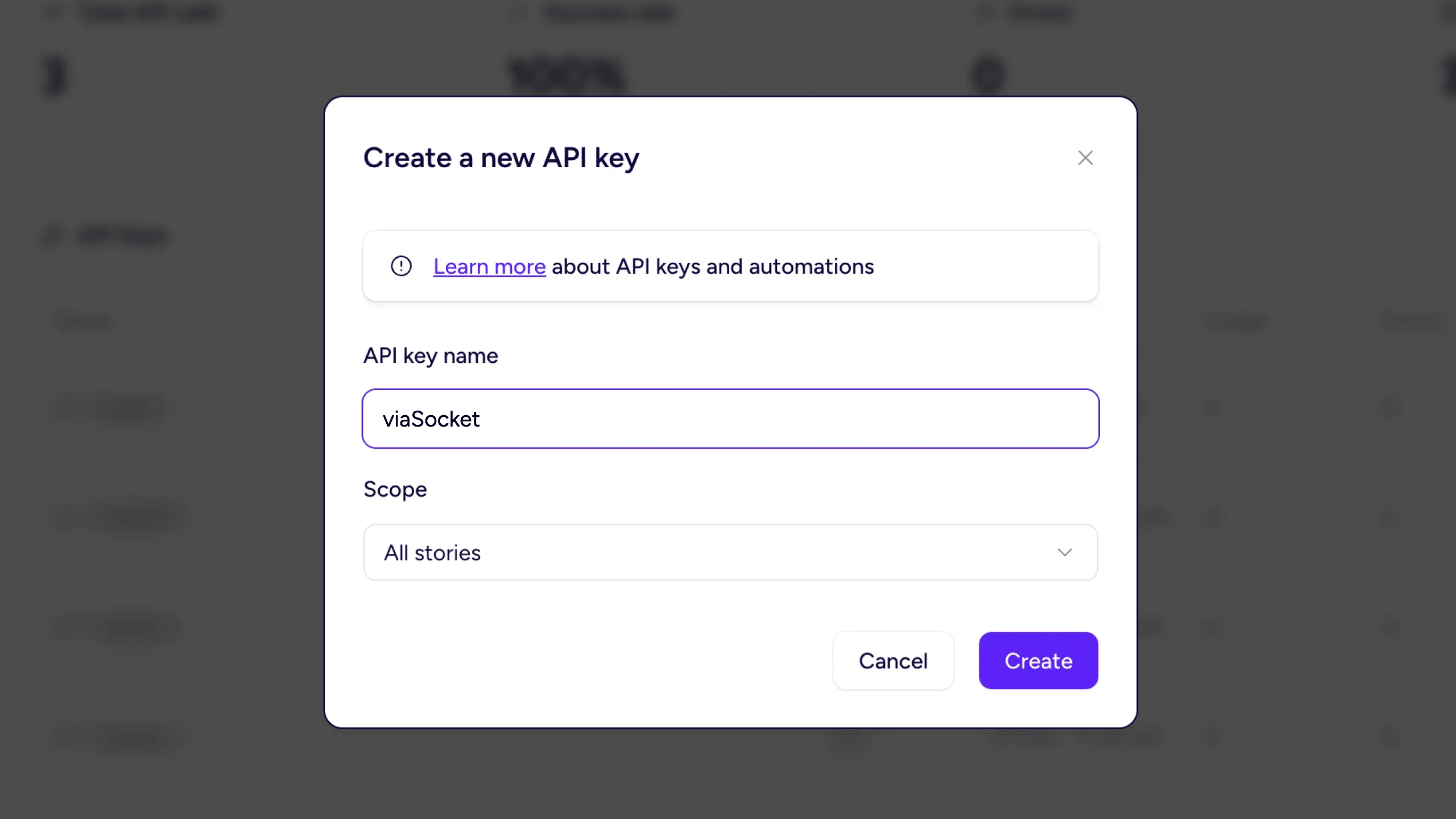
1. Get your Storydoc API key
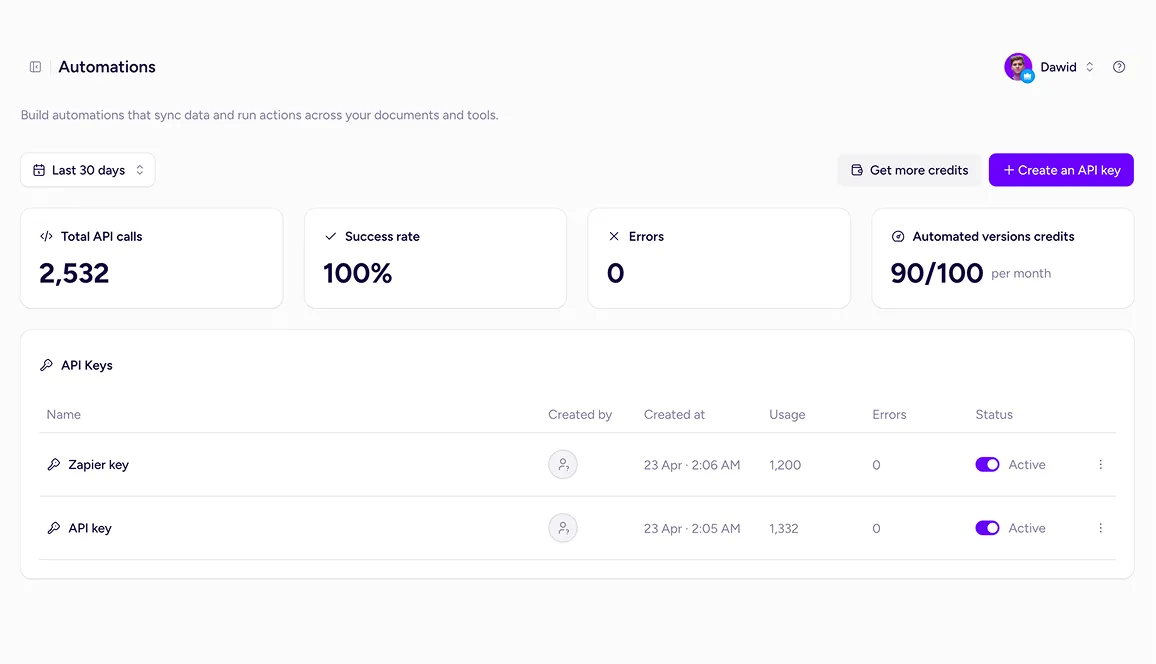
Open Storydoc, go to Automations, and copy your API key.
You’ll use this key to connect your Storydoc account to viaSocket.
2. Create a workflow in viaSocket
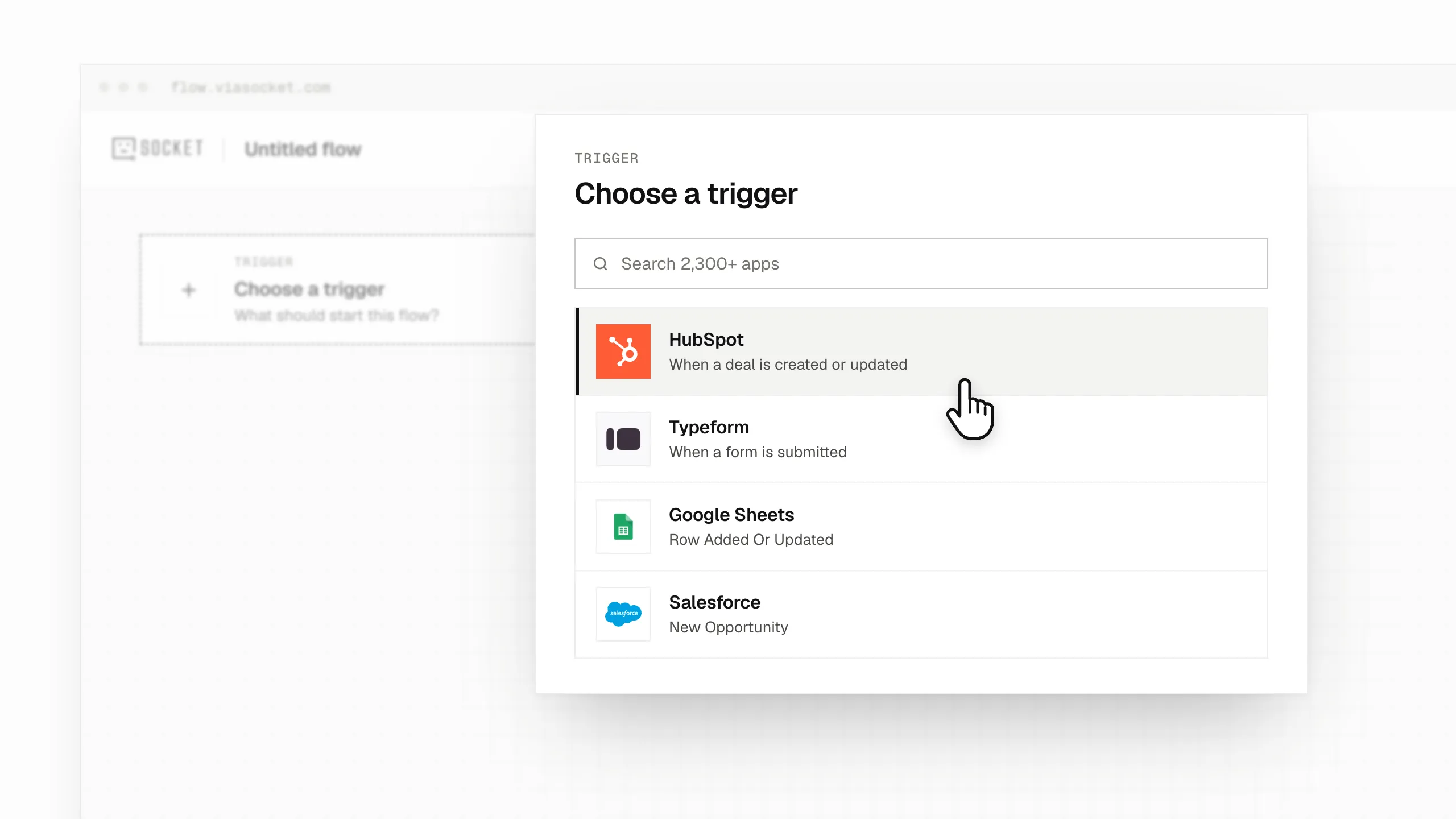
Start a new workflow and choose the event that should trigger it.
For example, you could start when a new deal is created in HubSpot, someone submits a Typeform, or a new row appears in Google Sheets.
3. Add Storydoc to your workflow
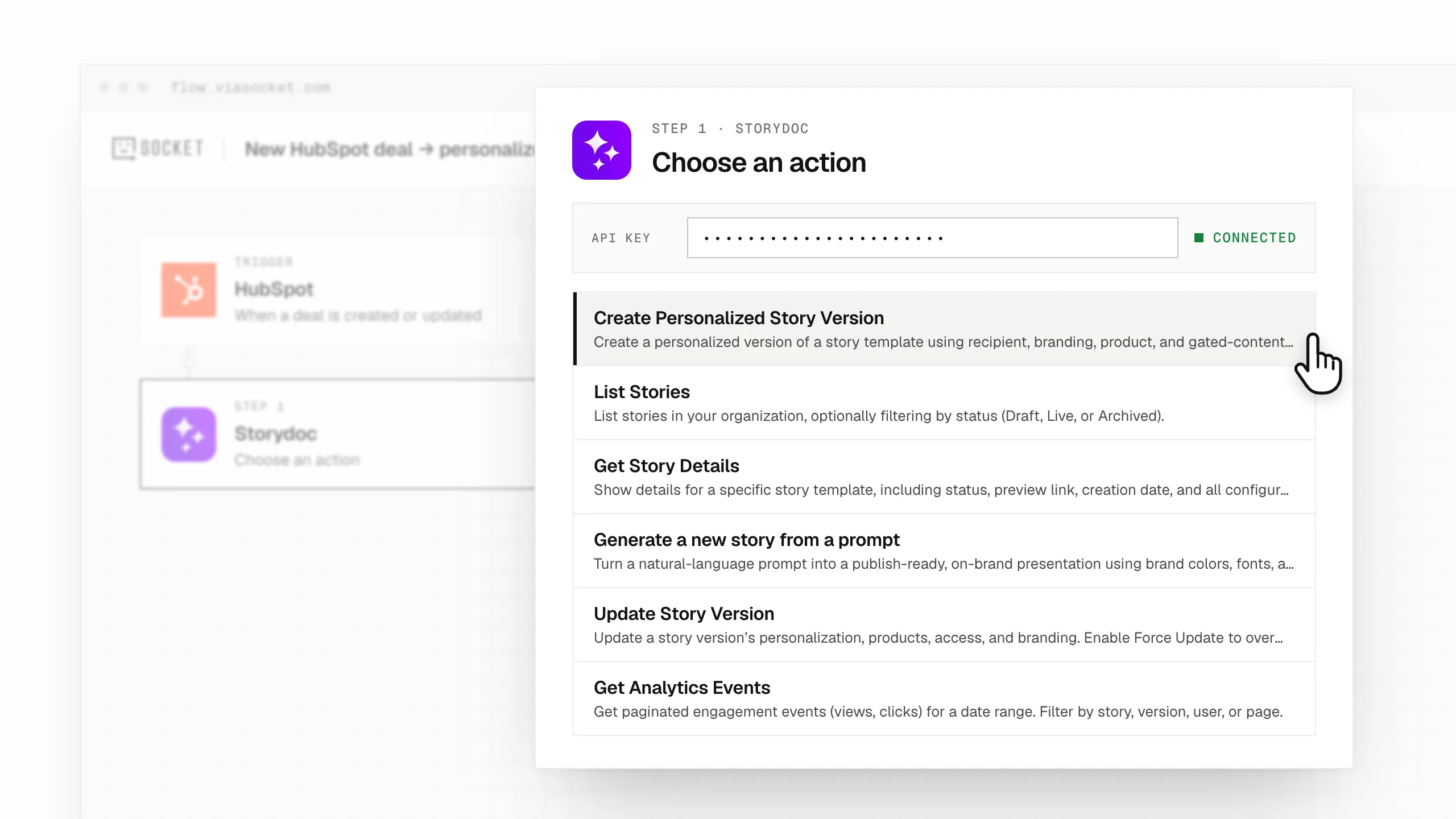
Add a Storydoc step, choose what you want it to do, and connect your account using the API key you copied earlier.
You can create a personalized version, generate a new presentation from a prompt, update an existing Storydoc, retrieve document details, or pull engagement data.
4. Choose what information to use
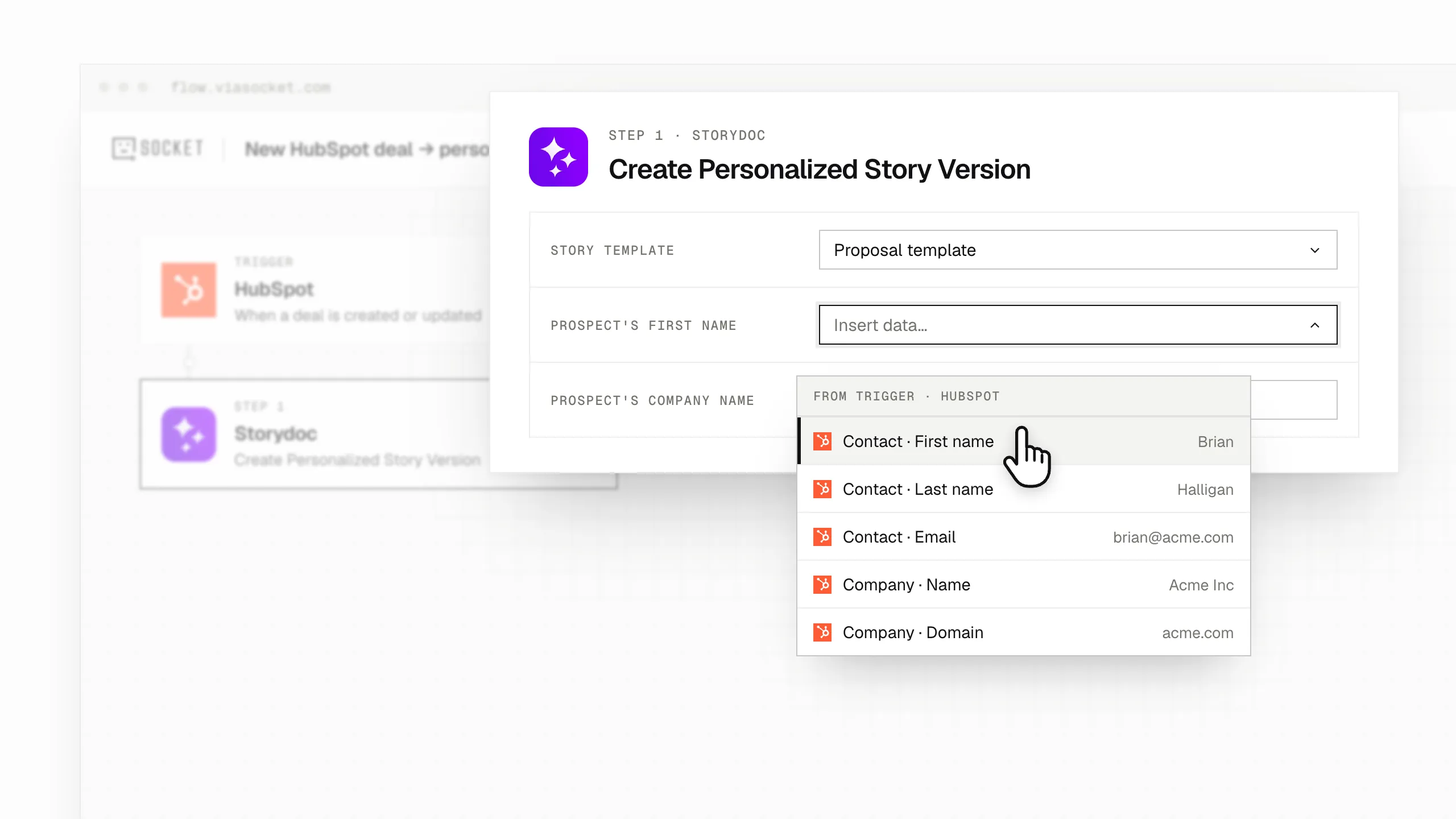
Connect the information from your first step to the relevant fields in Storydoc.
For example, you could use a prospect’s name, company, logo, product interests, or other details to personalize their proposal.
If you’re generating a new Storydoc with AI, you can also pass information from earlier steps into the prompt.
5. Decide what happens next
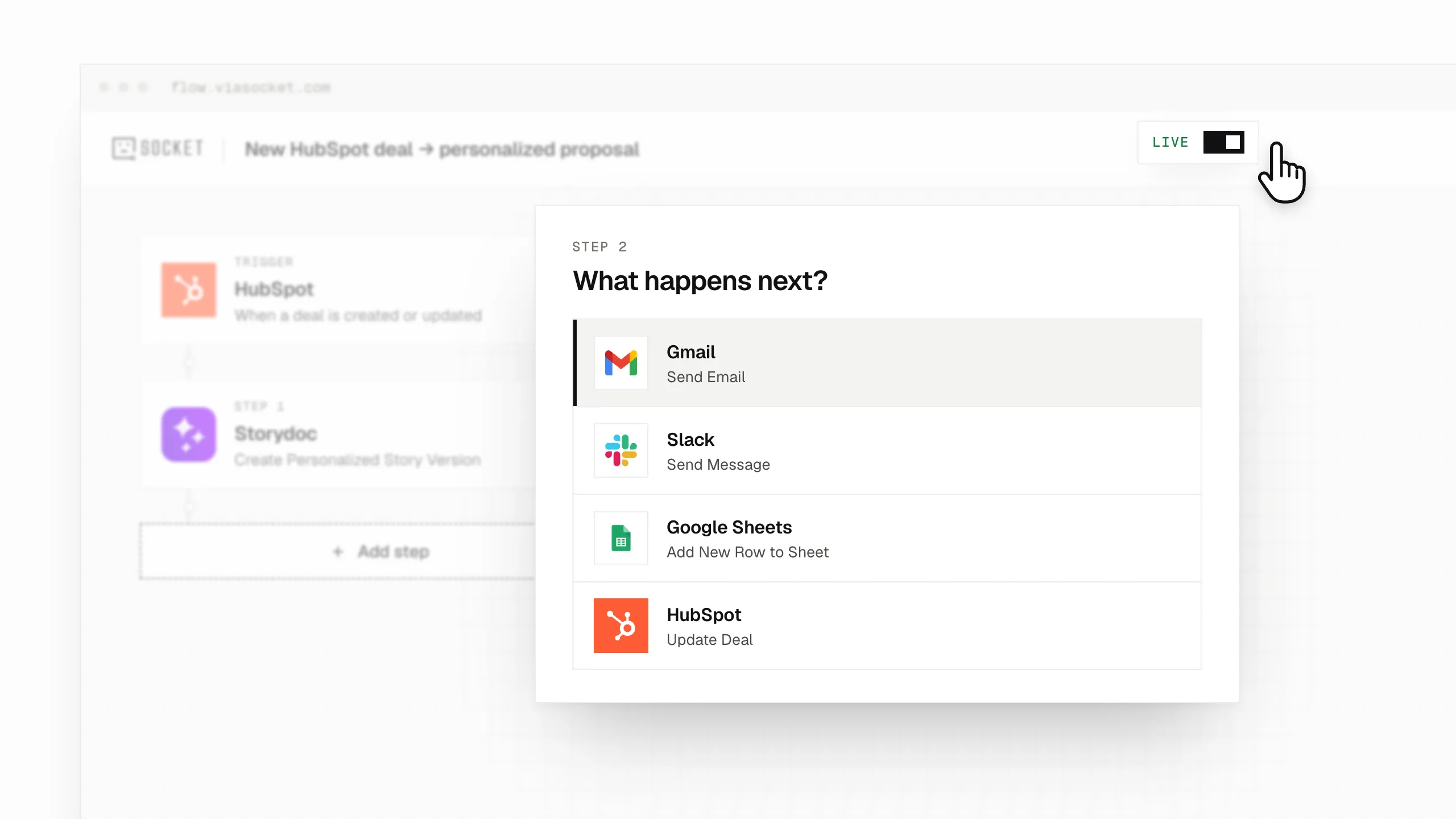
Add another step to put the generated Storydoc to use.
For example, you could automatically email the link to your prospect, save it to their CRM record, add it to a spreadsheet, or send a Slack notification to your team.
Once your workflow is ready, turn it on and viaSocket will run it whenever the chosen event occurs.
When a new deal is created in your CRM, automatically generate a personalized proposal using the information already stored in the deal.
For example, you could pull in the prospect’s name, company, logo, and relevant product details to create a proposal that feels specific to their needs.
Once it’s ready, viaSocket can send the link through Gmail or Outlook, or save it to the CRM for your sales rep to review before sending.
Give every new lead a relevant follow-up based on the information they’ve shared.
For example, someone filling out a demo request form might select their industry, team size, and biggest challenge. viaSocket can use those answers to generate a Storydoc with the most relevant content for that prospect.
You can then email the link automatically or pass it to your sales team for follow-up.
Need to create personalized documents for a long list of prospects?
Add the relevant details to a spreadsheet and use viaSocket to generate a Storydoc for each new row.
For example, your sheet could contain company names, contact details, industries, and products of interest. Each row can trigger the creation of a personalized Storydoc, with its unique link automatically saved back to the spreadsheet.
Keep proposals up to date as opportunities move through your sales pipeline.
For example, when a deal reaches the negotiation stage, viaSocket can update the existing Storydoc with revised pricing or a different product package.
Your prospect can continue using the same link, while your sales team avoids having to create and resend another document.
When a payment link is created in Stripe, use viaSocket to generate a personalized offer document with the relevant customer or product information.
You can then send the Storydoc alongside the payment link, giving customers the information they need before completing their purchase.
Keep your team informed about how prospects are engaging with your documents.
For example, you could create a weekly workflow that retrieves Storydoc views and clicks, adds the results to Google Sheets, and posts an update in your team’s Slack channel.
This gives everyone a regular view of document activity without having to collect the information manually.
*Requires a Storydoc Teams plan.*
Go beyond native integrations with the Storydoc API.
Automatically generate personalized Storydocs, trigger follow-ups based on engagement, and connect everything to your go-to-market stack.
Build workflows that fit how your team works.
viaSocket is a no-code automation platform that connects more than 2,300 apps.
By connecting it to Storydoc, you can build workflows that automatically generate personalized documents, update existing Storydocs, retrieve engagement data, and pass information between Storydoc and your other tools.
For example, a new deal in your CRM could trigger a personalized proposal, with the link automatically saved to the deal record.
Yes! You can get started with viaSocket for free. The Free plan includes 100,000 tasks and 1,000 AI credits per month, with each Storydoc action in a workflow counting as one task.
If you need more capacity, you can upgrade to a paid plan or choose a pay-as-you-go option to scale your workflows as needed.
For the latest usage limits and available plans, check viaSocket’s pricing.
You can build workflows using viaSocket’s visual workflow builder or its AI Workflow Builder.
With the AI Workflow Builder, simply describe what you want to automate in a prompt, and AI will help you set up the workflow. You can then review, test, and activate it without writing any code.
You’ll need a Storydoc account and an API key, which you can find under Automations in Storydoc.
Once you’ve connected your account, you can use Storydoc actions in viaSocket workflows alongside more than 2,300 other apps.
The viaSocket integration is available on all Storydoc plans, including Starter.
Each plan includes a monthly allowance for version automations, which covers personalized versions created through the API.
The Get Analytics Events action requires a Storydoc Teams plan.
No. viaSocket is a no-code automation platform, so you can connect Storydoc to other apps and build multi-step workflows without writing code.
You can use the visual workflow builder to set things up yourself or describe what you want to automate and let the AI Workflow Builder help you create it.
viaSocket supports more than 2,300 apps, including popular CRMs, form builders, spreadsheets, email platforms, and collaboration tools.
For example, you can connect Storydoc to HubSpot, Salesforce, Typeform, Google Forms, Google Sheets, Airtable, Gmail, Outlook, Slack, and Stripe.
The apps you choose will depend on what you want to automate.
You can automate everything from creating personalized Storydocs to updating existing documents and sharing engagement data.
For example, you could automatically generate a proposal when a new deal is created in your CRM, email the link to a prospect, update the document when the deal progresses, or send weekly engagement reports to Slack.
You can use 6 Storydoc actions:
Create Personalized Story Version: Generate a personalized version of an existing Storydoc and get a unique shareable link.
Update Story Version: Change personalization, products, branding, or access settings in an existing version.
Generate a new story from a prompt: Create a new presentation using a text prompt and company website.
List Stories: Find Storydocs in your organization, including drafts, live documents, and archived documents.
Get Story Details: Retrieve information about a Storydoc, including its status, preview link, and dynamic variables.
Get Analytics Events: Retrieve engagement data such as views and clicks.
Yes. You can use the Generate a new story from a prompt action to create a presentation from a text prompt, company website, or an existing file.
Storydoc uses the website’s visual branding to generate an on-brand presentation and returns a shareable link.
Generation typically takes around 30–90 seconds.
Yes. The Update Story Version action lets you change details such as personalization, products, branding, and access settings.
For example, you could update the pricing or products in a prospect’s proposal when their deal changes, without having to generate a new link.
Yes. Once viaSocket generates a Storydoc, you can use its shareable link in the next step of your workflow.
For example, you could email the link through Gmail or Outlook, add it to a CRM record, save it to a spreadsheet, or notify your team in Slack.
Yes, but you need a Storydoc Teams plan.
The Get Analytics Events action can retrieve views and clicks for a selected date range, with options to filter the data by Storydoc, version, or user.
You can then use this information in other tools, such as Google Sheets or Slack.
Not currently. viaSocket doesn’t yet offer Storydoc triggers.
Instead, your workflow starts with an event in another app or a scheduled trigger. Storydoc can then create, update, or retrieve information as part of that workflow.
Yes. viaSocket also offers MCP support, allowing AI assistants such as ChatGPT, Claude, and Cursor to use the available Storydoc actions.
This means you can work with Storydoc through an AI assistant, for example by requesting a personalized presentation or retrieving information about existing Storydocs.
viaSocket uses the permissions associated with the Storydoc API key you connect.
It can access the Storydocs and folders available to the person who created that key. An admin’s API key can provide access across the organization.
Your Storydoc plan includes a monthly allowance for version automations, and the Storydoc API supports up to 150 requests per minute.
The number of workflows you can run will also depend on your viaSocket plan and its task limits.
Still have questions?
Connect Storydoc to 2,300+ apps through viaSocket and start creating personalized documents faster, eliminating repetitive tasks, and giving your team more time to focus on closing deals.