
Storydoc Claude MCP Connector
Generate Storydocs, personalize them for every account, fetch analytics, and coordinate work across your other tools without sacrificing consistency, branding, or control.

Generate Storydocs, personalize them for every account, fetch analytics, and coordinate work across your other tools without sacrificing consistency, branding, or control.
Trusted by teams building AI-native document workflows


Create Storydocs that stay on-brand and consistent across your team. Use approved templates, StoryBrain knowledge, messaging, and branding so every presentation starts from the same trusted foundation - no matter who creates it.
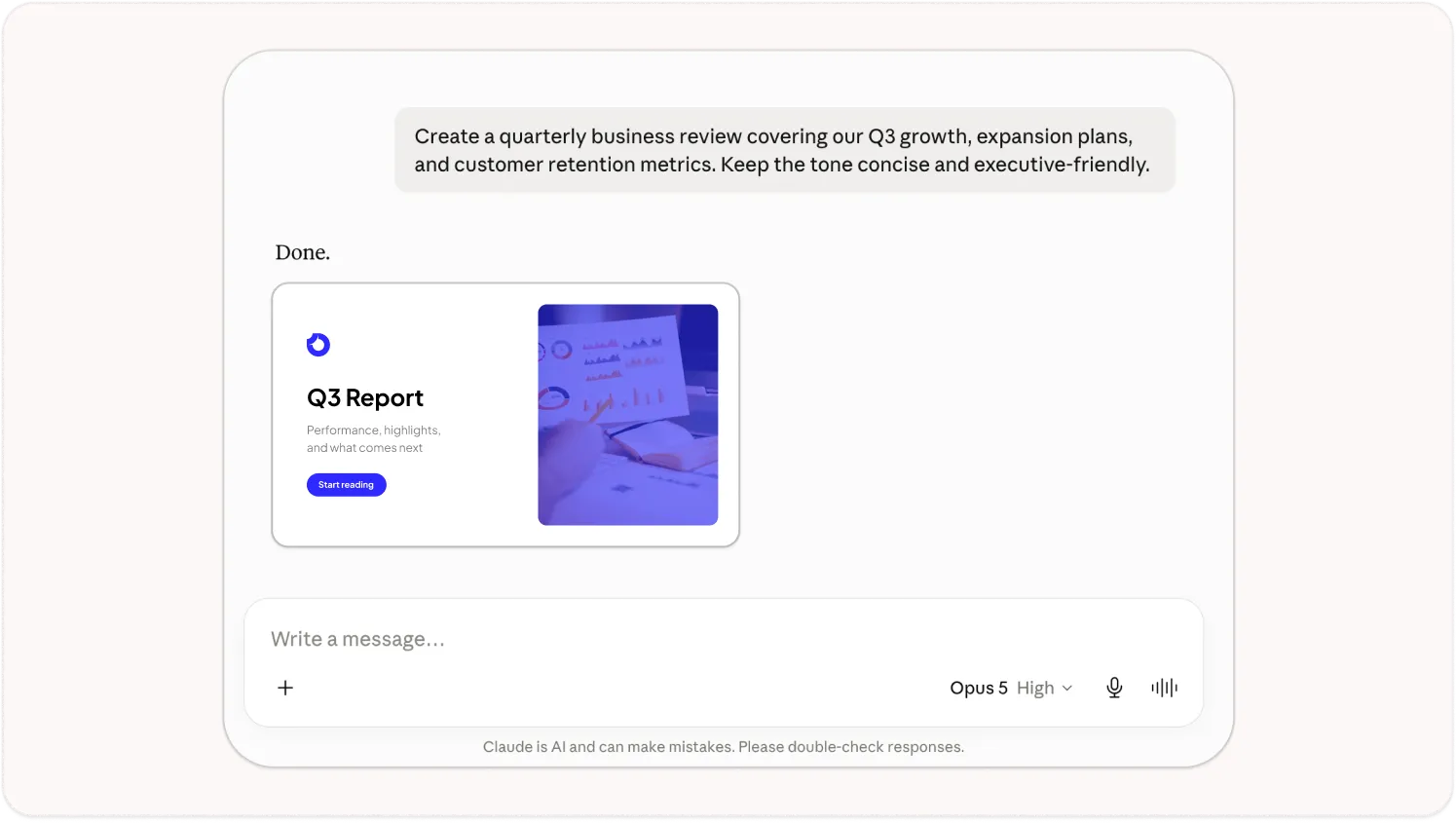
Ask Claude to create proposals, pitch decks, investor updates, reports, one-pagers, and more from a simple prompt.
For example:
“Create a quarterly business review covering our Q3 growth, expansion plans, and customer retention metrics. Keep the tone concise and executive-friendly.”
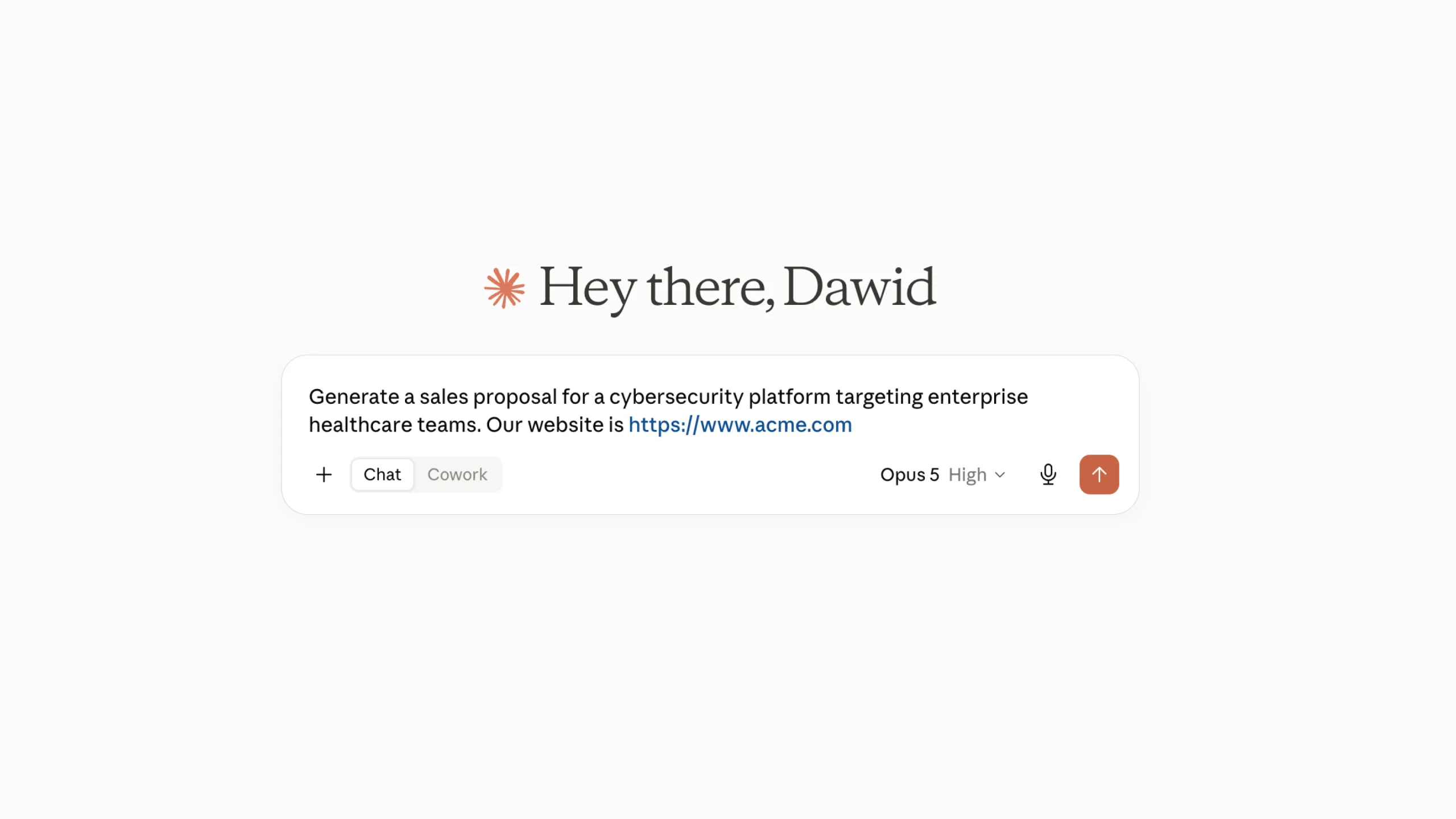
“Generate a sales proposal for a cybersecurity platform targeting enterprise healthcare teams. Our website is https://www.acme.com”
Claude gathers the audience, context, and tone, then uses Storydoc’s AI generation workflow to build the deck.
It can also use your website to align each presentation with your branding, visuals, and style.
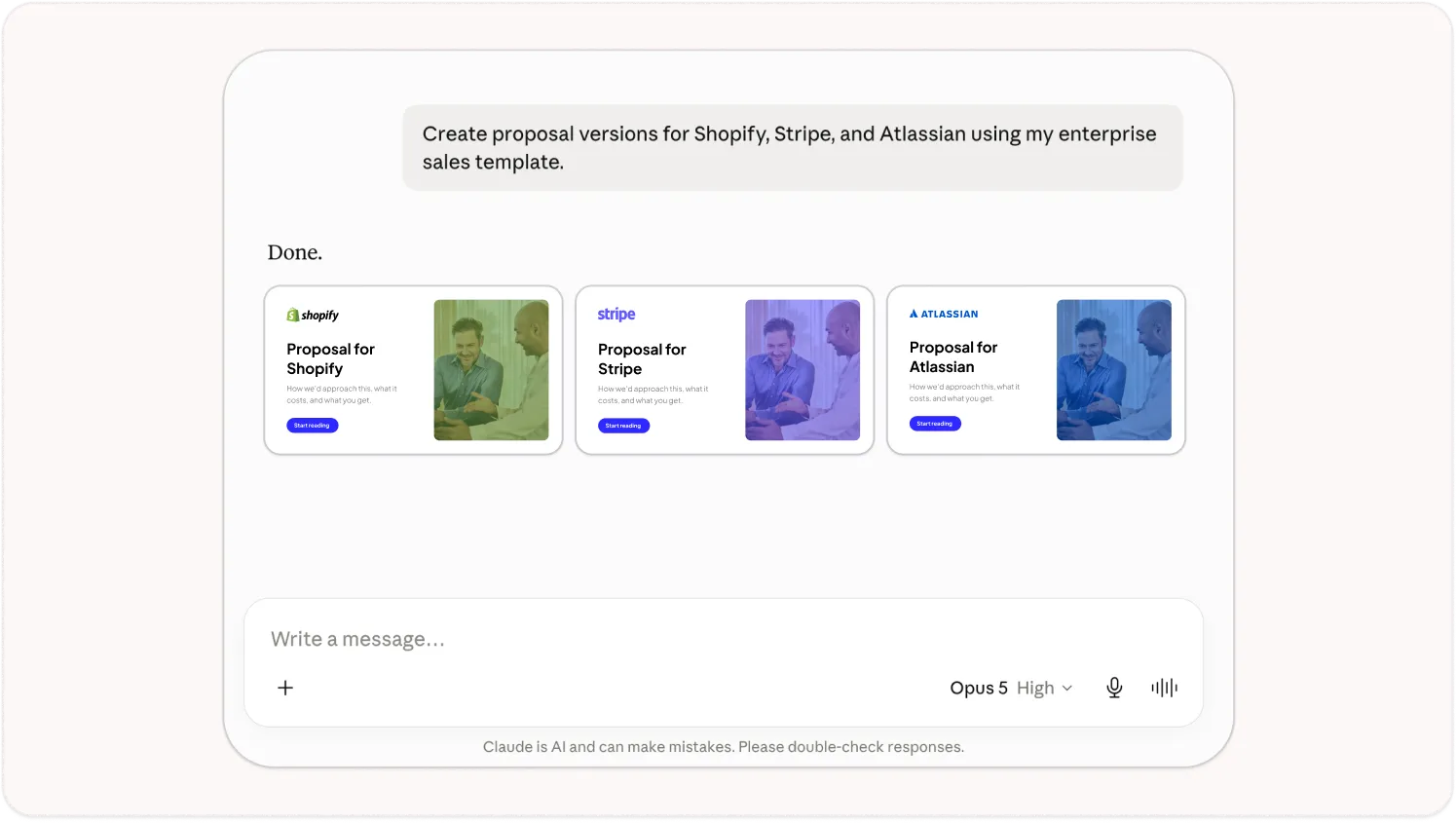
Use your existing Storydoc templates to generate tailored versions for different prospects and accounts.
Claude can:
Pull the right template
Detect required variables
Ask for missing details
Generate personalized versions automatically
For example:
“Create proposal versions for Shopify, Stripe, and Atlassian using my enterprise sales template.”
Storydoc templates keep their existing variables, layouts, and personalization logic intact inside Claude.
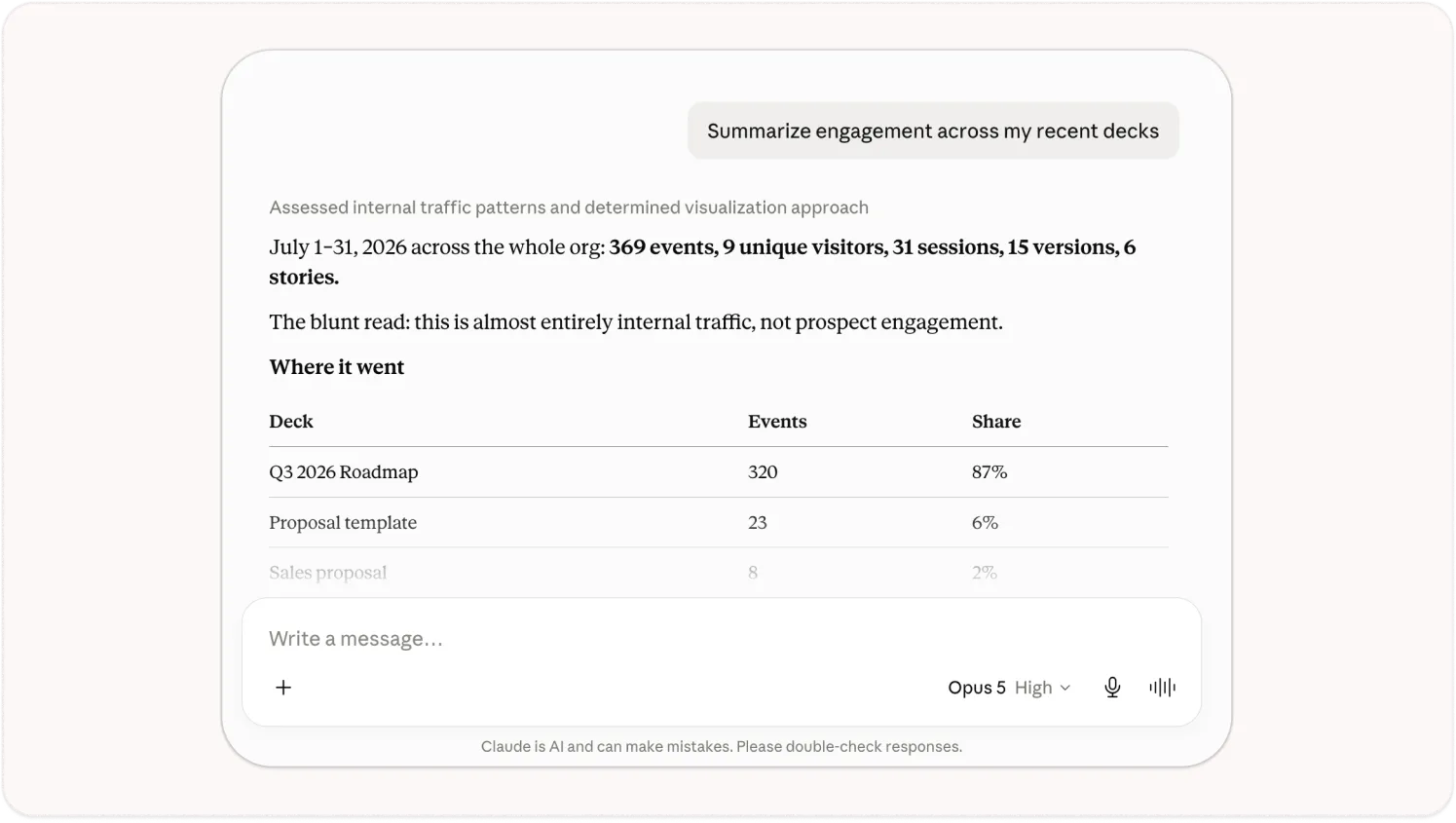
Ask Claude how your decks are performing without switching between tools.
For example:
“What sections are viewers spending the most time on?”
“Summarize engagement across my recent decks.”
“Who opened the HubSpot proposal last week?”
Claude can surface viewer counts, unique visitors, time spent, top-performing slides, device breakdowns, and viewer locations.
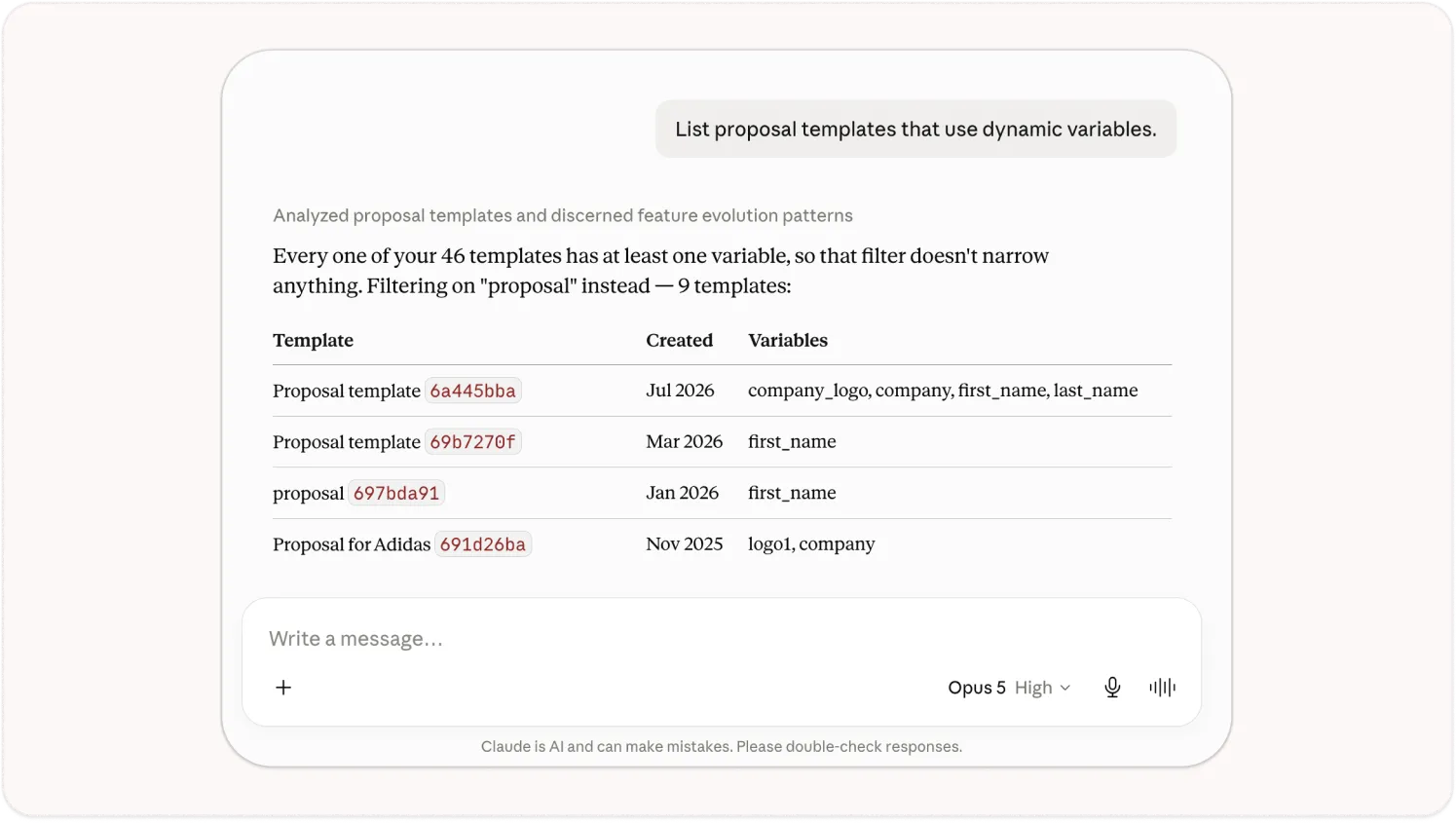
Use Claude to search your templates, stories, and variable fields before creating anything new.
For example:
“Find me a board presentation template.”
“List proposal templates that use dynamic variables.”
“Show the variable fields for my enterprise sales template.”
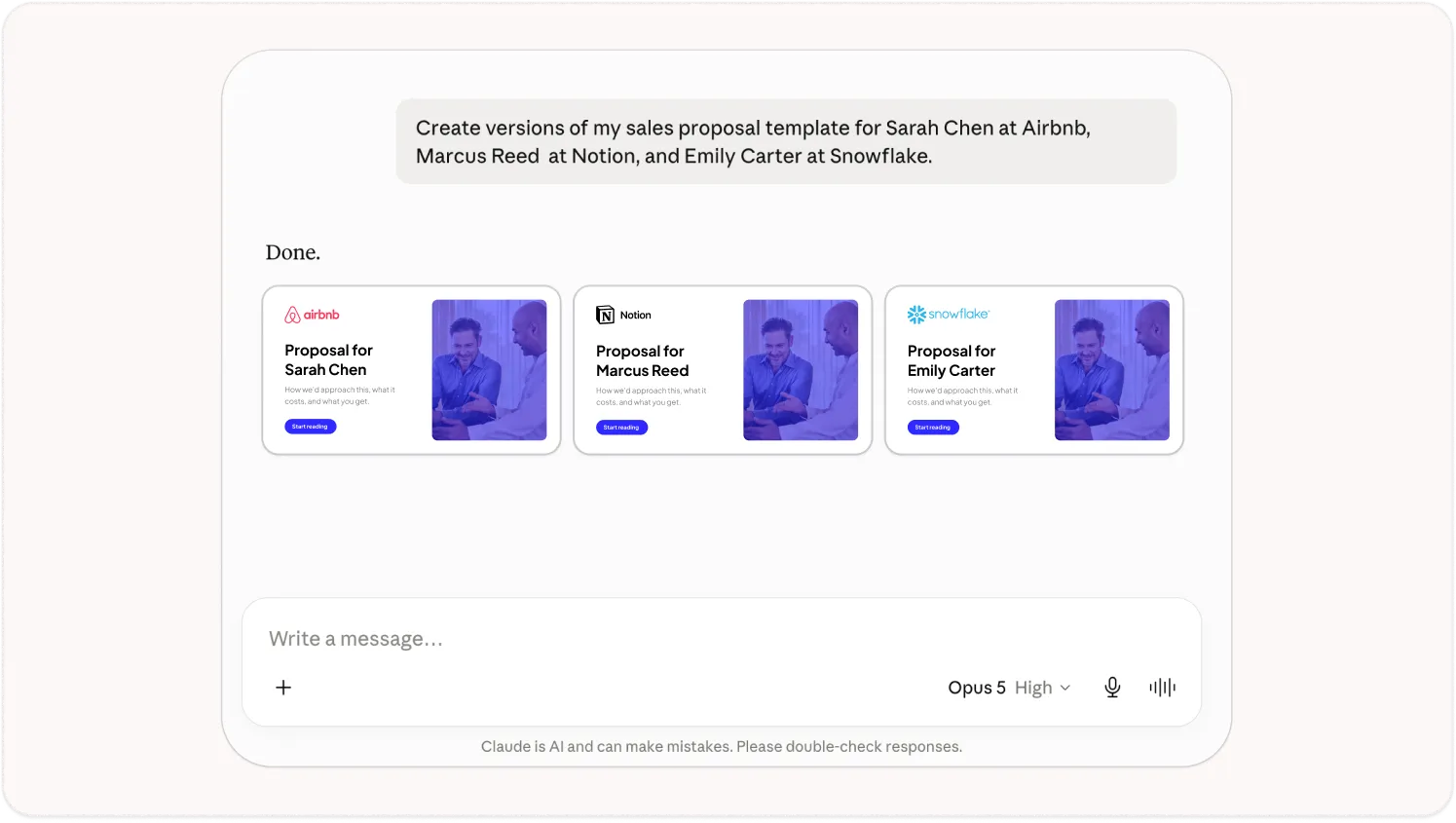
Create several personalized Storydocs in the same conversation without repeating instructions.
For example:
“Create versions of my sales proposal template for Sarah Chen at Airbnb, Marcus Reed at Notion, and Emily Carter at Snowflake.”
Claude handles:
Variable mapping
Recipient details
Version generation
Returning direct Storydoc links
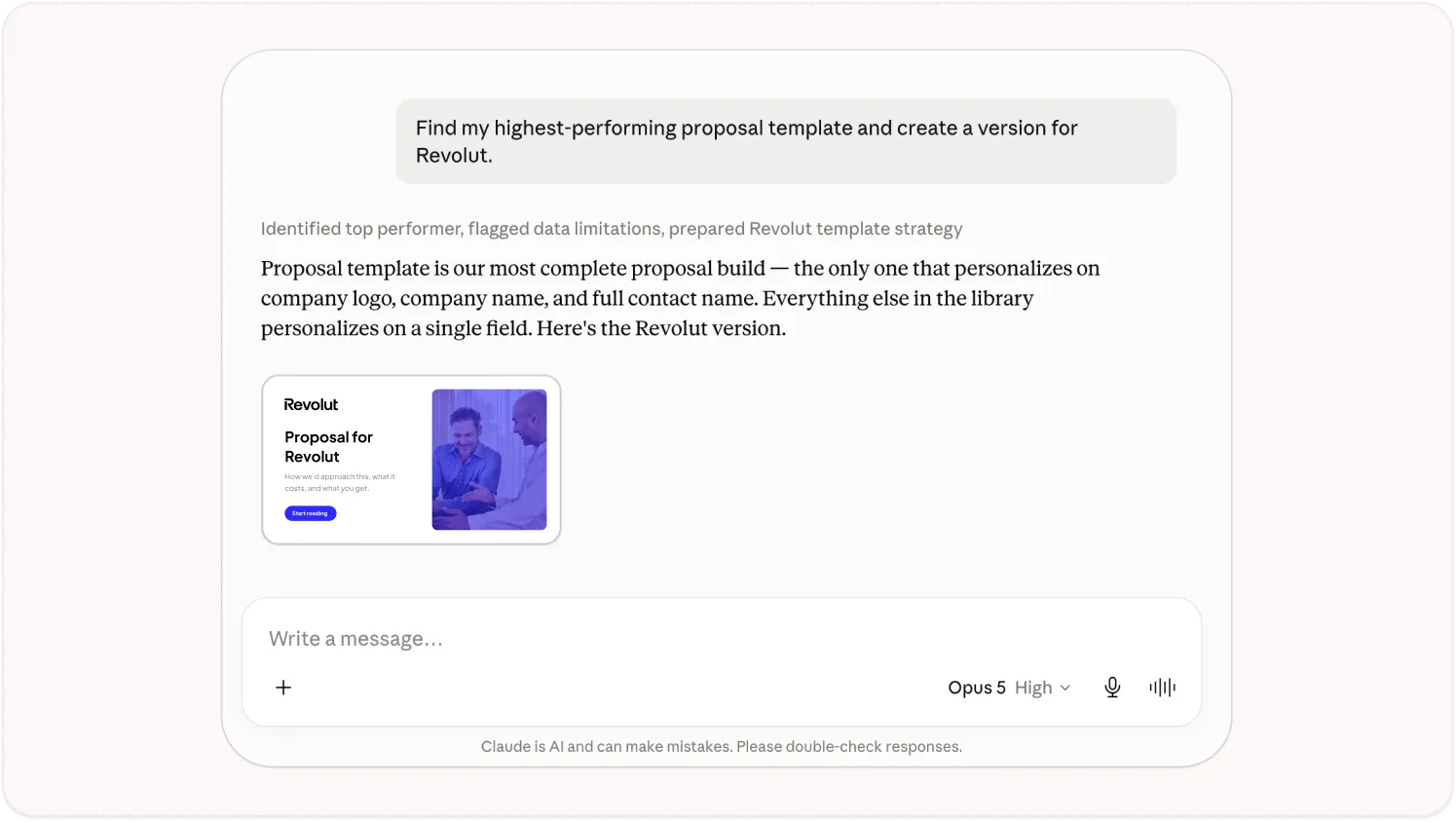
Move from creation to analytics to personalization naturally inside the same chat.
For example:
“Find my highest-performing proposal template and create a version for Revolut.”
“Generate a Storydoc for Spotify, then compare it against my last two Spotify proposals.”
“Create a sales deck for OpenAI and summarize how similar decks performed this month.”
Multi-step workflows stay connected across the conversation, so you can manage the entire process from one place.
Trusted by top businesses, loved by our users





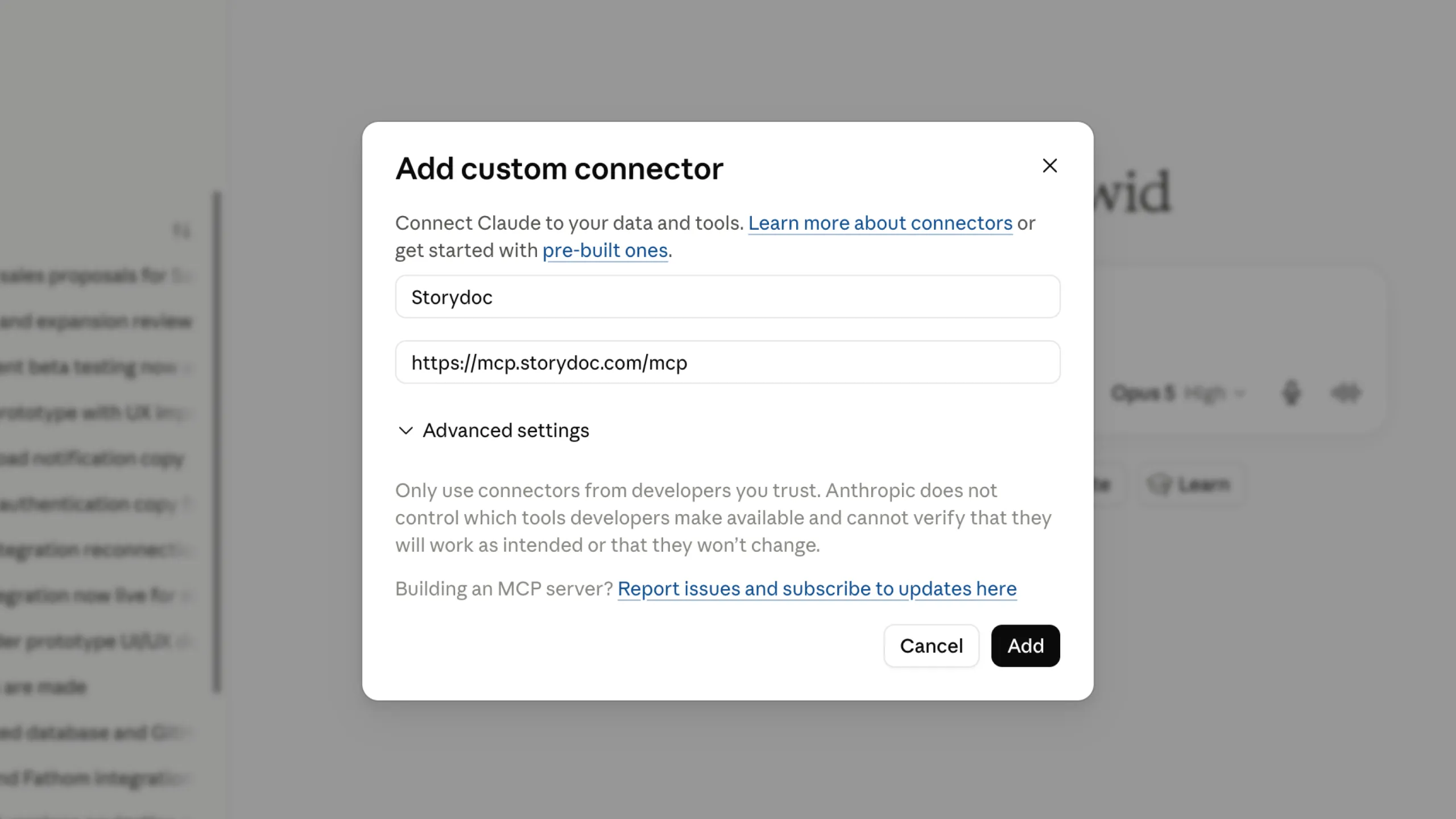
Connect Storydoc to Claude via MCP, authenticate your workspace, and start creating Storydocs directly from conversation prompts.
1. Add the Storydoc connector in Claude
Open Claude’s Connectors settings, search for Storydoc, and click Connect. You can also add it manually as a custom connector using the Storydoc MCP URL.
2. Generate your Storydoc API token
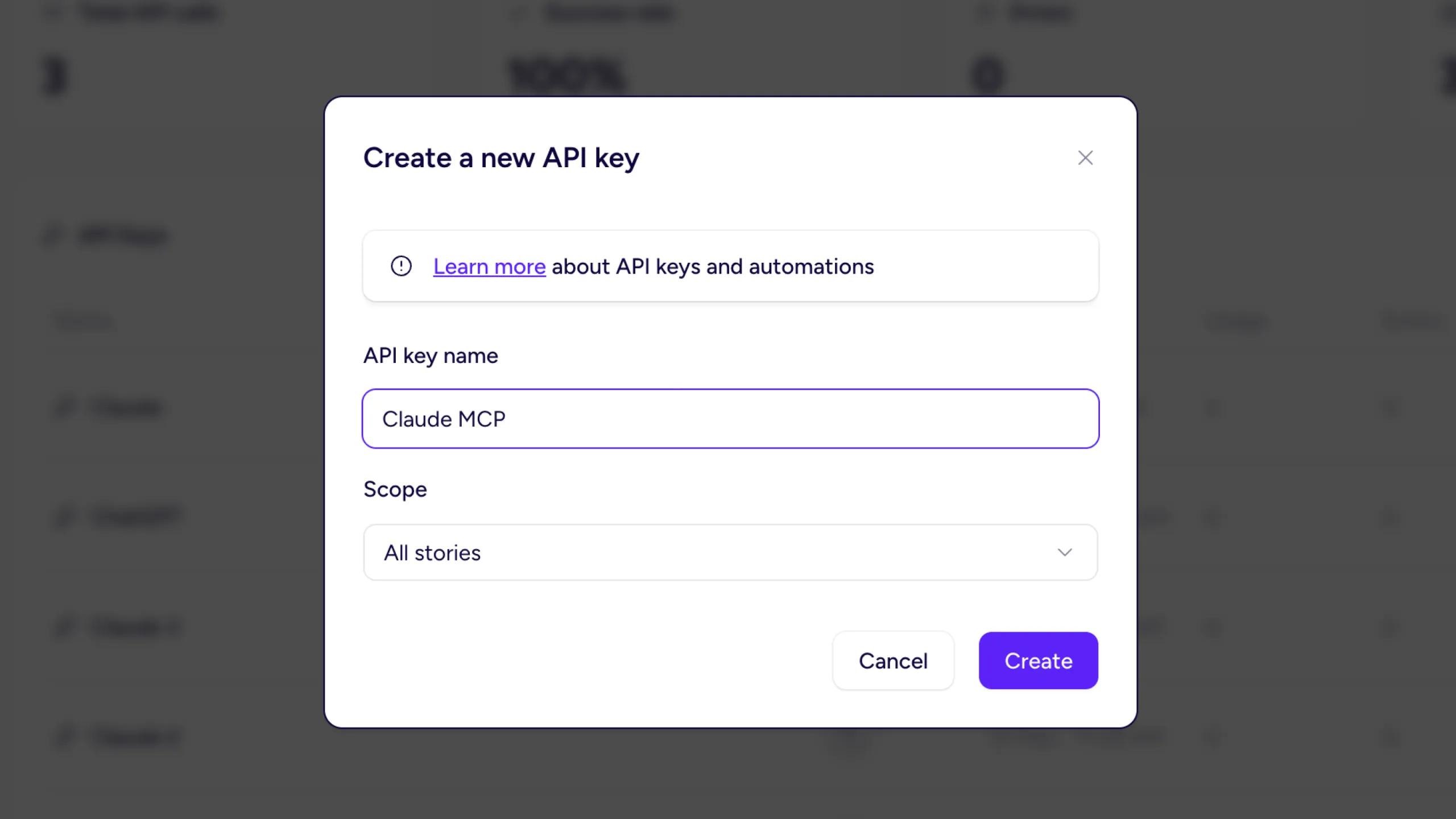
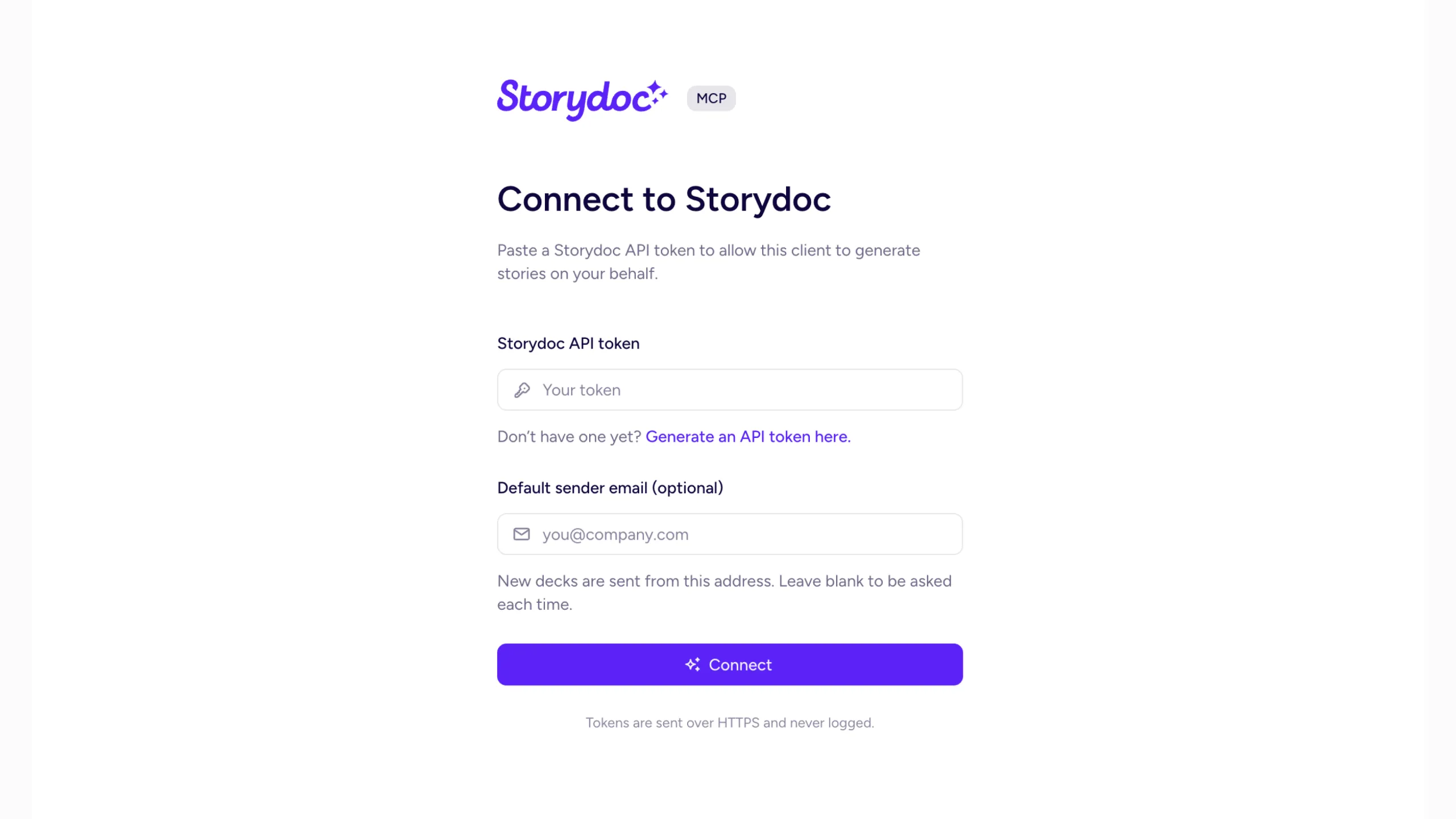
Create a Storydoc API token inside your workspace and securely connect it to Claude.
3. Verify the connection
Once connected, Claude gains access to Storydoc tools like:
storydoc_generate_story
storydoc_create_version
storydoc_get_analytics
storydoc_get_story
storydoc_list_stories
storydoc_plan_version
4. Start creating Storydocs with natural language
Use prompts like:
“Create a Storydoc proposal for Spotify”
“List my investor update templates”
“Show analytics for my recent campaign deck”
Everything happens directly inside the conversation.
5. Review and edit your Storydoc
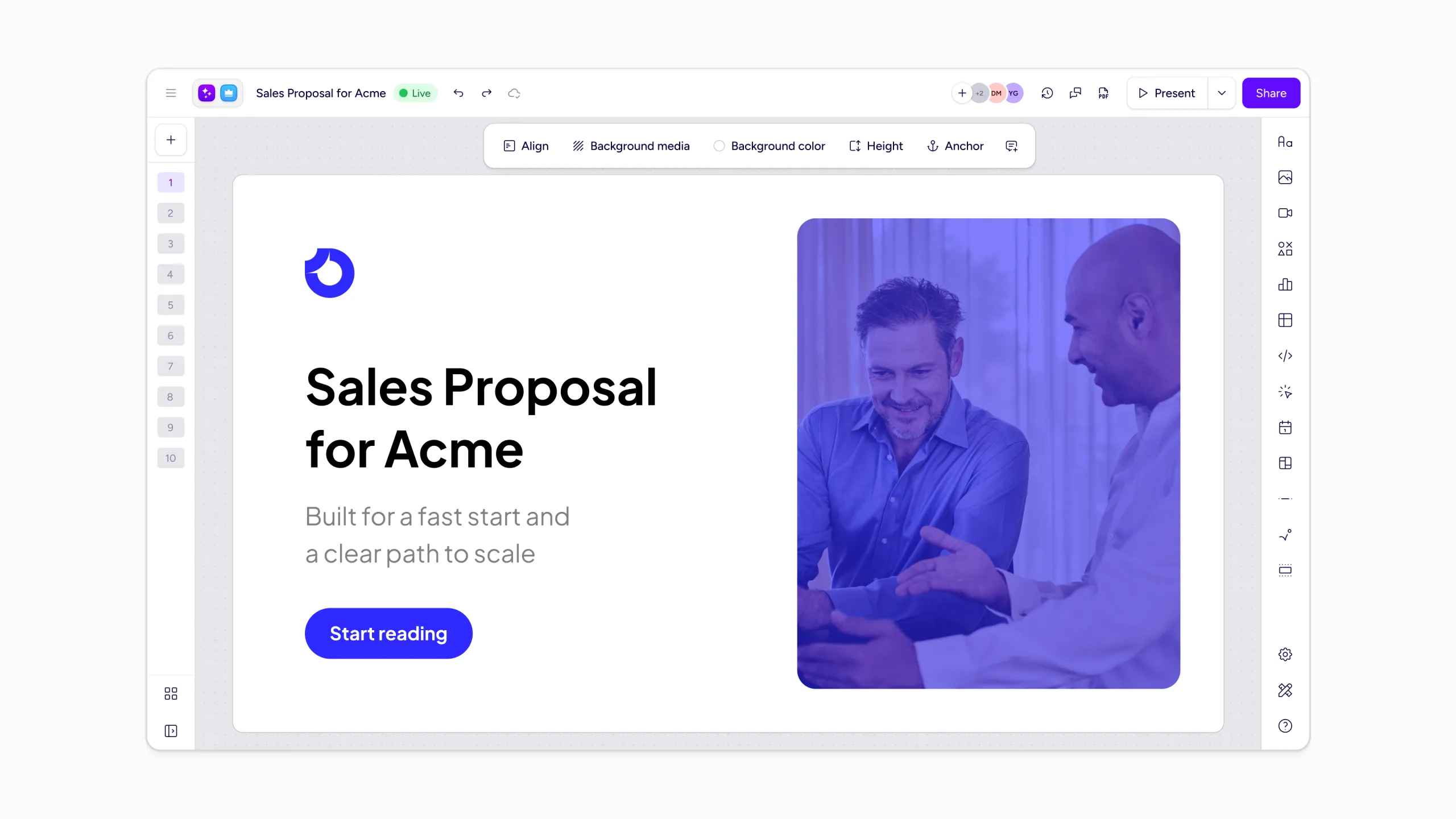
Claude returns a direct Storydoc link so you can continue editing, sharing, tracking, or generating more versions.
Instead of generating disconnected text outputs, Claude can now create, personalize, and manage Storydocs directly inside conversation.
Generating every deck from a blank prompt is surprisingly expensive. By building on approved Storydoc templates, Storydoc can reduce token usage by up to 87% compared to generating the same Storydoc directly in Claude from scratch.
Generate multiple tailored Storydocs from the same template using dynamic variables and natural language prompts.
Claude can reuse the Storydoc templates your team already relies on, including variables, layouts, branding, and structure.
Pull engagement insights directly into Claude and understand how your decks are performing in real time.
Create decks, generate versions, review templates, and pull analytics from one conversation instead of switching between tools.
MCP (Model Context Protocol) is a standard that allows Claude to securely connect to external tools like Storydoc and interact with your workspace through natural language prompts.
Any Storydoc plan works – including the free trial.
All Storydoc plans include API access, which is what the MCP is built on. Once you’re in Storydoc, simply generate an API token from Profile → Integrations → Automations
and use it to connect the MCP to any AI tool.
Any Claude plan supports custom connectors, including Free, Pro, Max, Team, and Enterprise.
The Free plan is limited to a single custom connector at a time, while Pro and above support multiple connectors.
On Team and Enterprise plans, only workspace Owners can add connectors. Individual users can then connect to enable them.
Claude can generate new Storydocs, create personalized versions from templates, list stories, pull analytics, and manage dynamic variables directly through conversation.
Yes. Claude can access your Storydoc templates, detect required variables, ask for missing information, and generate personalized versions automatically.
Yes. Claude can use Storydoc’s AI generation workflow to create entirely new decks based on your audience, goals, tone, and business context.
Yes. Claude can retrieve Storydoc analytics including views, engagement, reading progress, top-performing slides, and viewer insights.
Yes. Claude can generate a deck, review analytics, create versions, and continue workflows naturally across the same conversation.
Yes. Claude Agent Skills are a formal feature – organized folders of instructions, scripts, and resources that Claude loads dynamically for specific tasks.
Skills work alongside connectors: the connector gives Claude the ability to act on Storydoc, and a Skill defines the rules for how to use it.
Example: you could create a Skill called “HubSpot + Storydoc Sales Workflow” that tells Claude: “When a user asks to send a proposal, pull the contact from HubSpot, use the [X] template in Storydoc, fill these specific variables, always use this tone.”
Skills are available in Claude Code, the Claude API, and via claude.ai settings.
No. Most teams can connect Storydoc to Claude in just a few minutes using the MCP connector and an API token.
Yes. Storydoc is ISO 27001 certified and GDPR compliant. Workspace access is authenticated securely using API tokens, and you remain in control of permissions.
Still have questions?
Note: The features described on this page are currently in beta status and AI platforms continue to evolve quickly. Availability, setup requirements, and supported functionality may change over time. We’ll keep this page updated as things change.
Connect Storydoc to Claude and start creating, personalizing, managing, and tracking Storydocs through simple conversational workflows.