
Storydoc + HubSpot: Create documents that move deals forward
Automatically generate personalized Storydoc decks using your HubSpot data, track how prospects engage, and follow up at the right moment - all in one workflow.

Automatically generate personalized Storydoc decks using your HubSpot data, track how prospects engage, and follow up at the right moment - all in one workflow.
Trusted by 400,000+ users to automate their workflows


From generating tailored Storydocs to logging reader activity in HubSpot, this integration helps you create better documents, act on what happens next, and close faster.
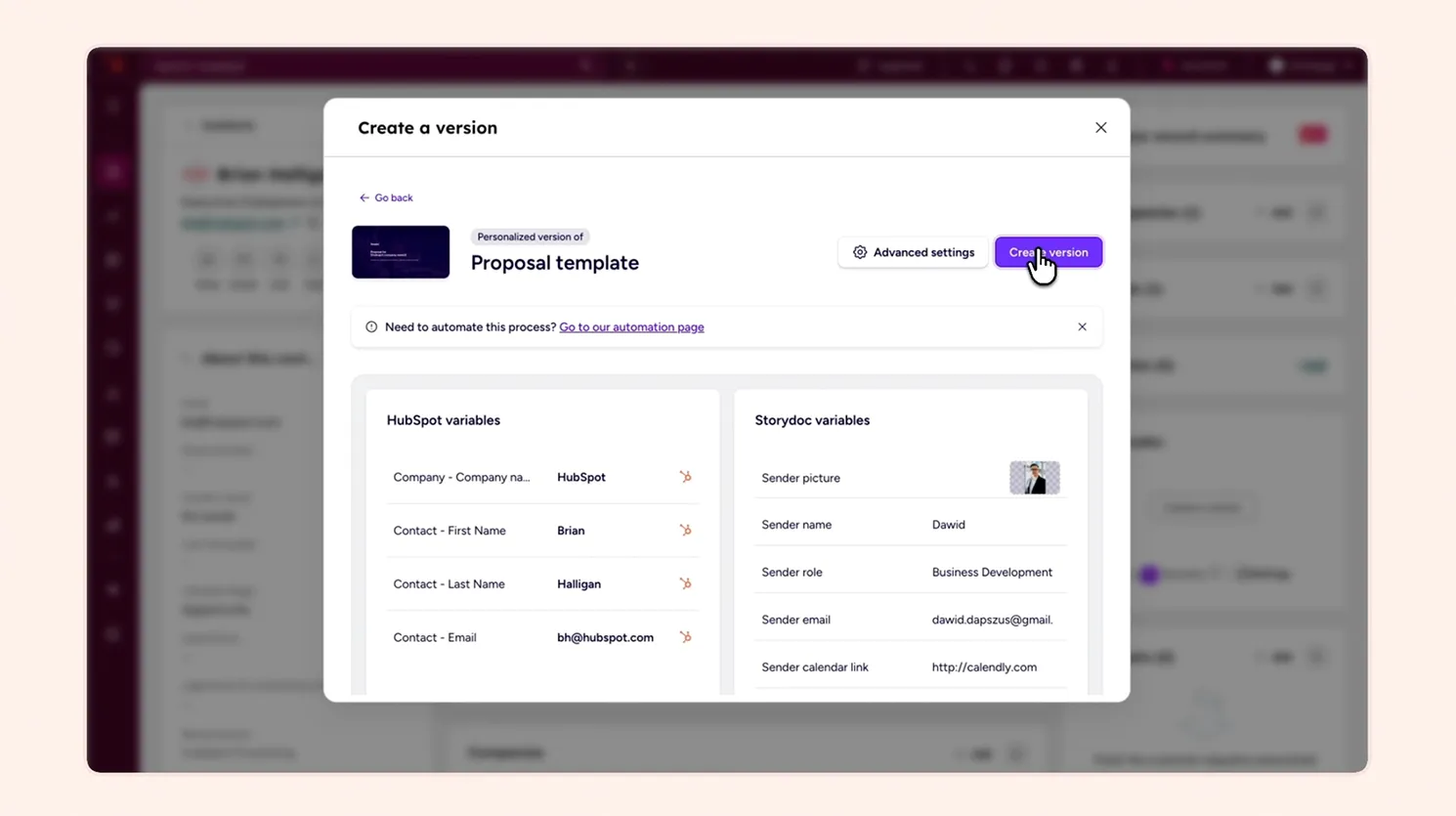
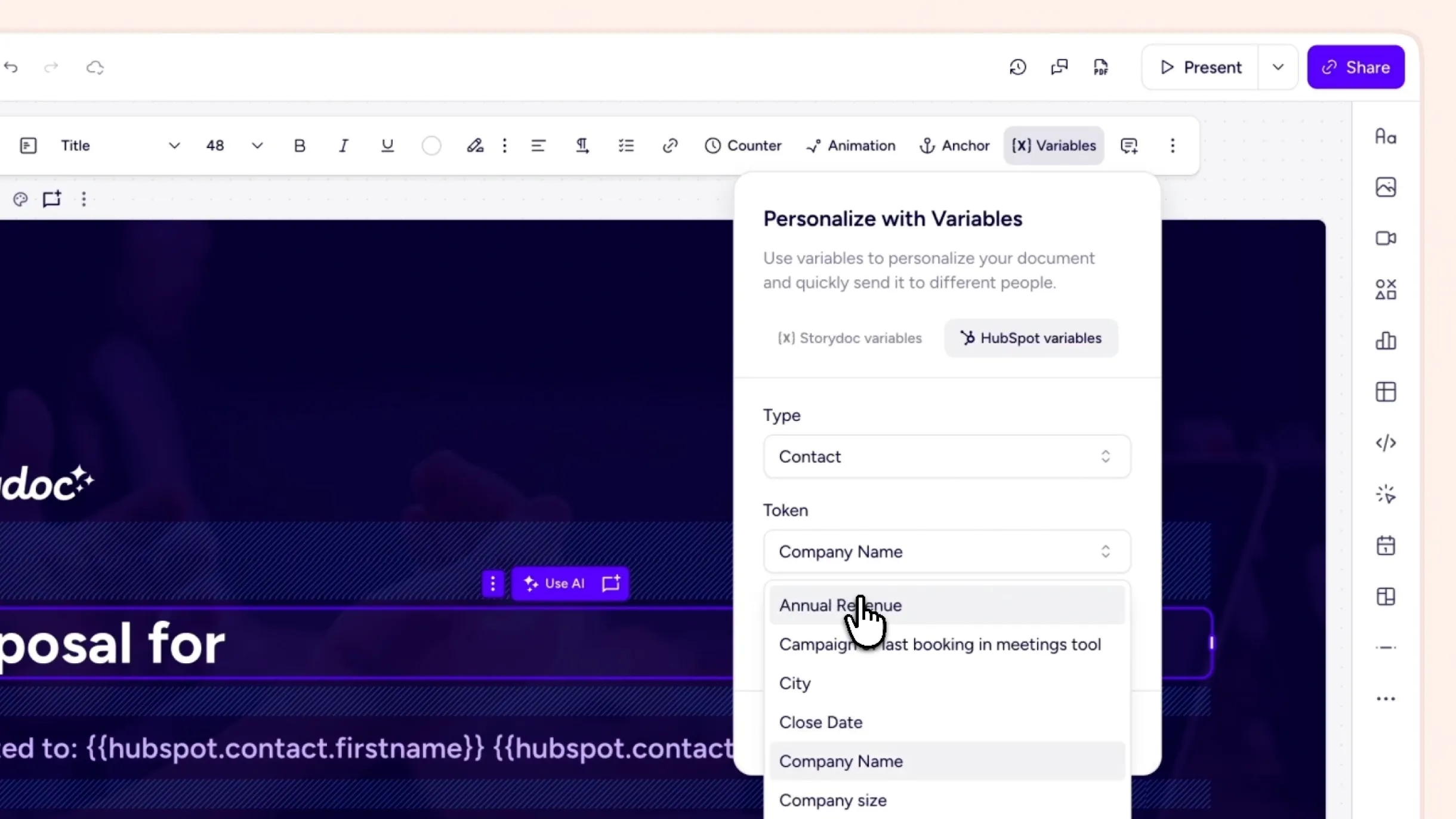
Pull in data from HubSpot contacts, companies, and deals to create tailored documents in minutes. No copying, no manual edits – everything is pre-filled and ready to send.
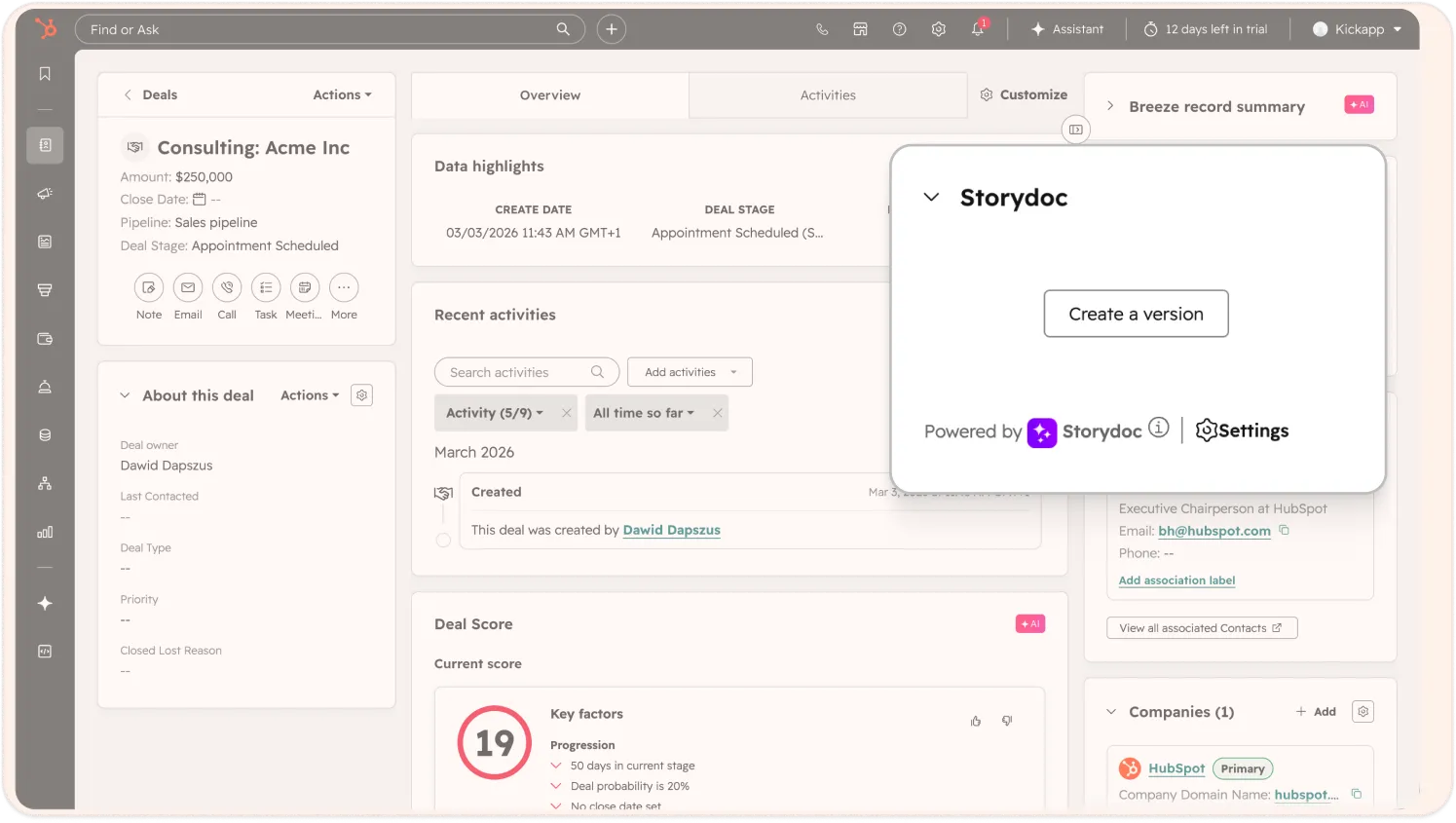
Create and edit Storydocs directly from your HubSpot deal, so you can move faster without switching between tools. Attach Storydocs to deals, share contacts between HubSpot and Storydoc, and embed your HubSpot calendar so prospects can book a meeting instantly.
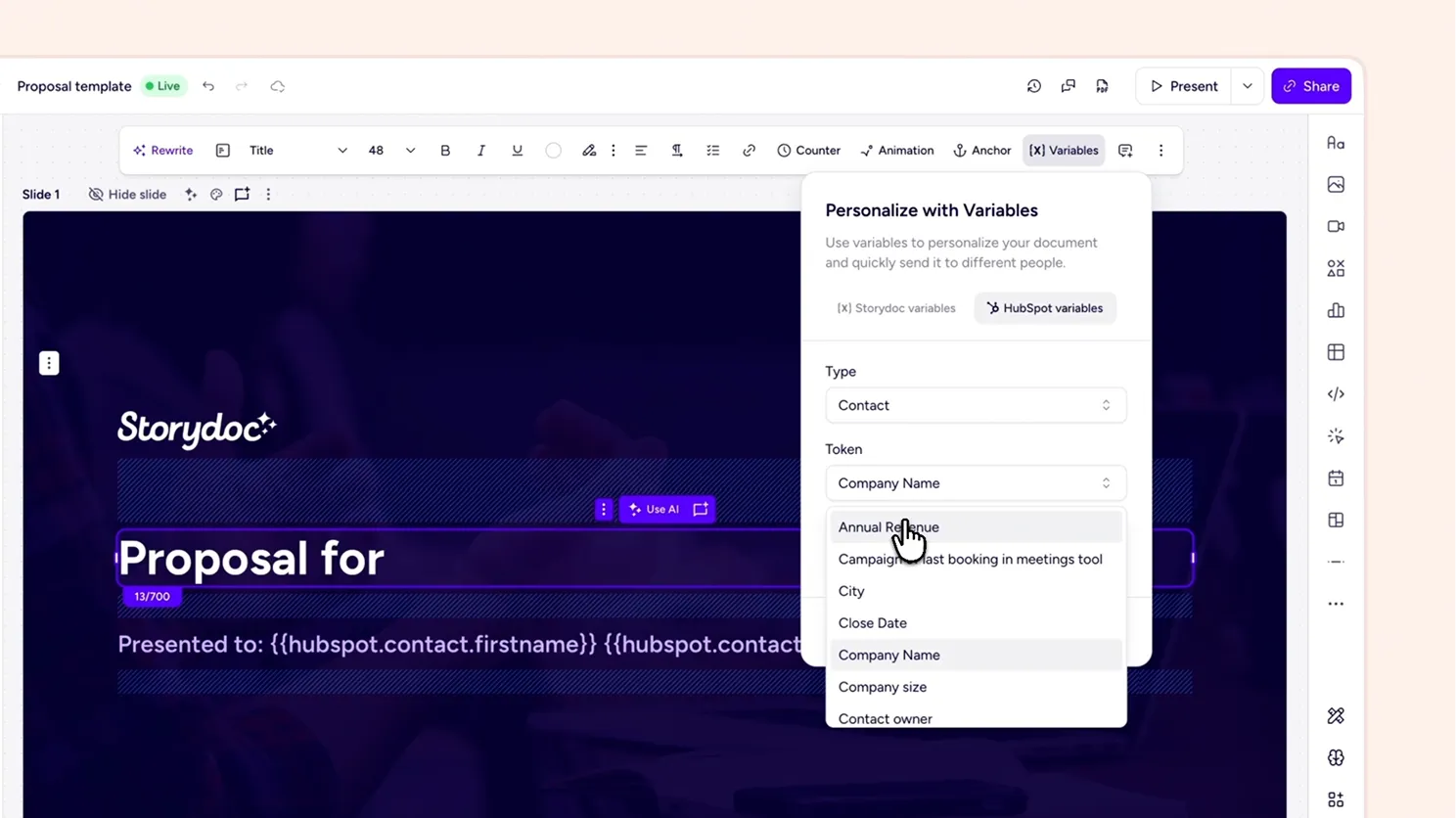
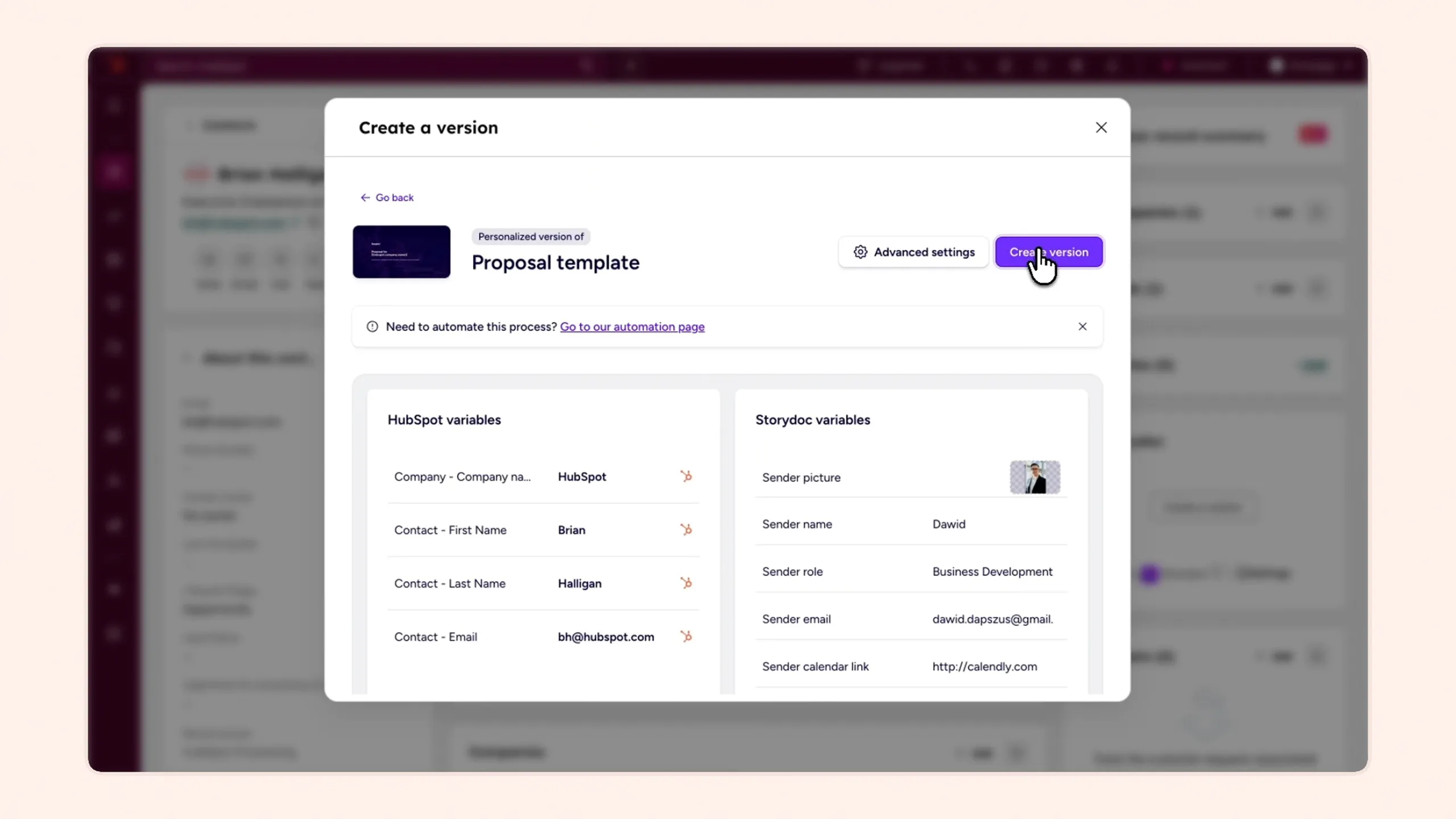
Map HubSpot fields to Storydoc variables once, then generate and send multiple tailored documents without rebuilding each one manually.
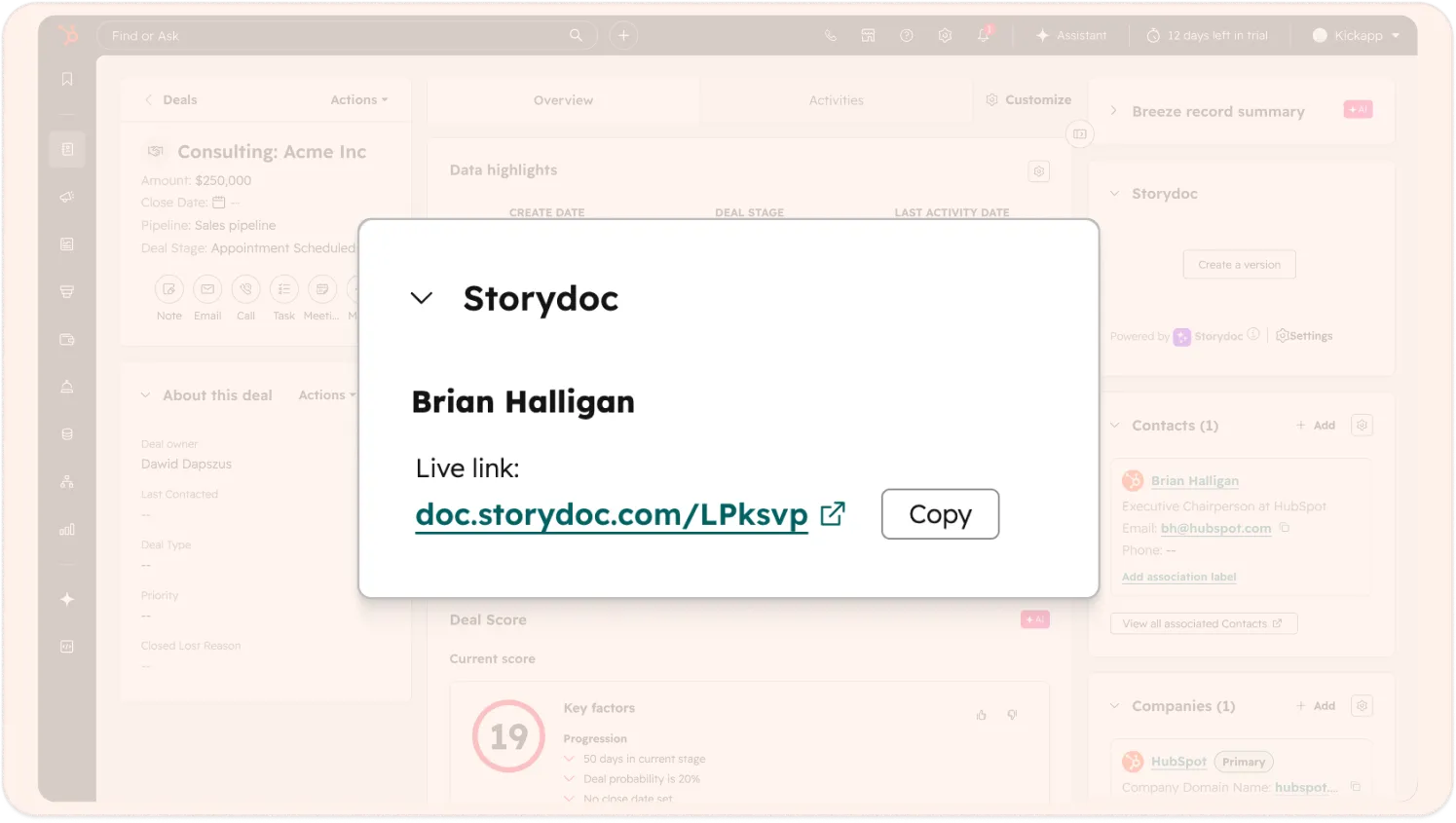
Send your Storydoc as a link instead of an attachment. It’s interactive, always up to date, and easy to access on any device. Prospects can explore, click, and engage – without downloading anything.
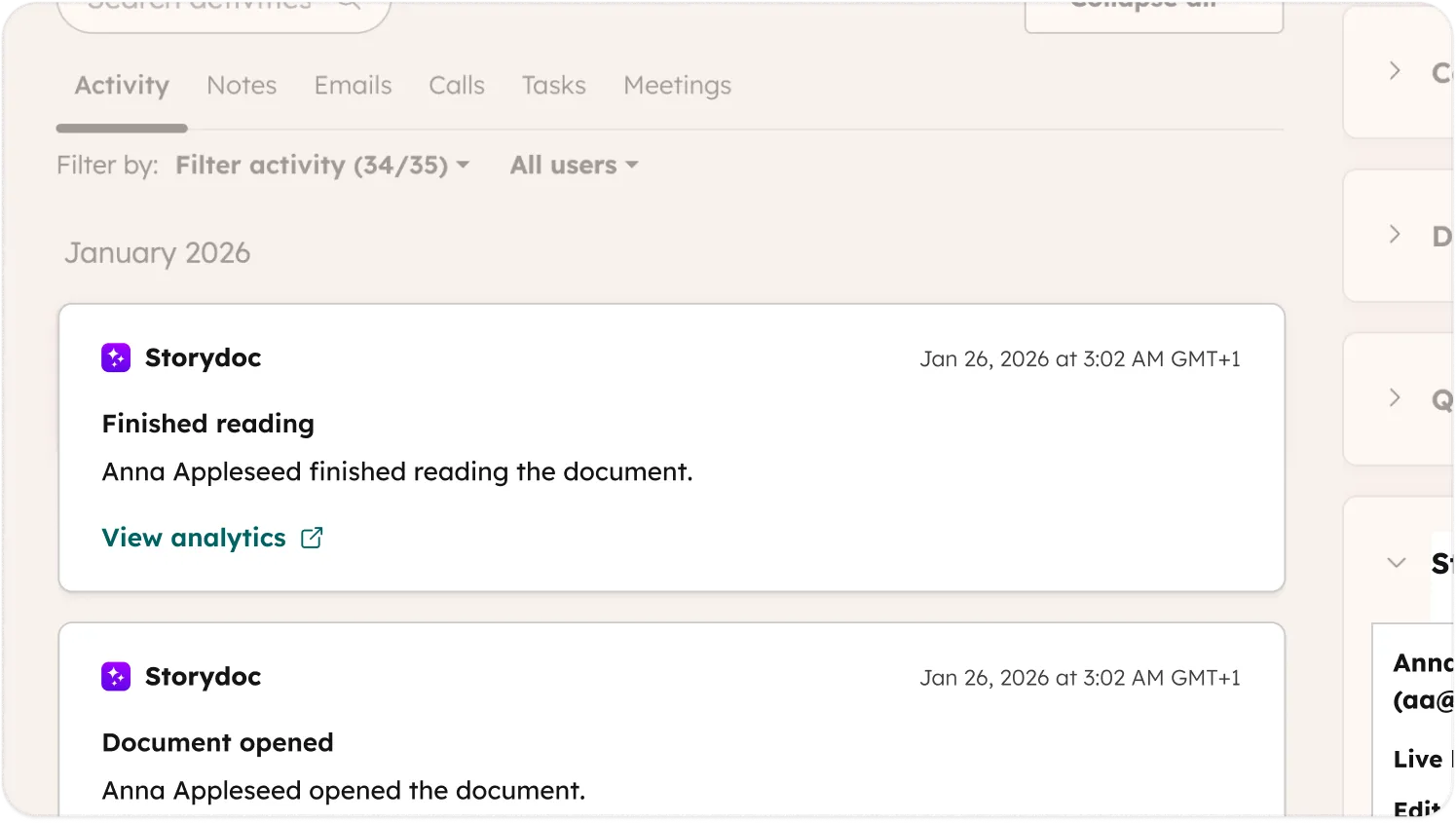
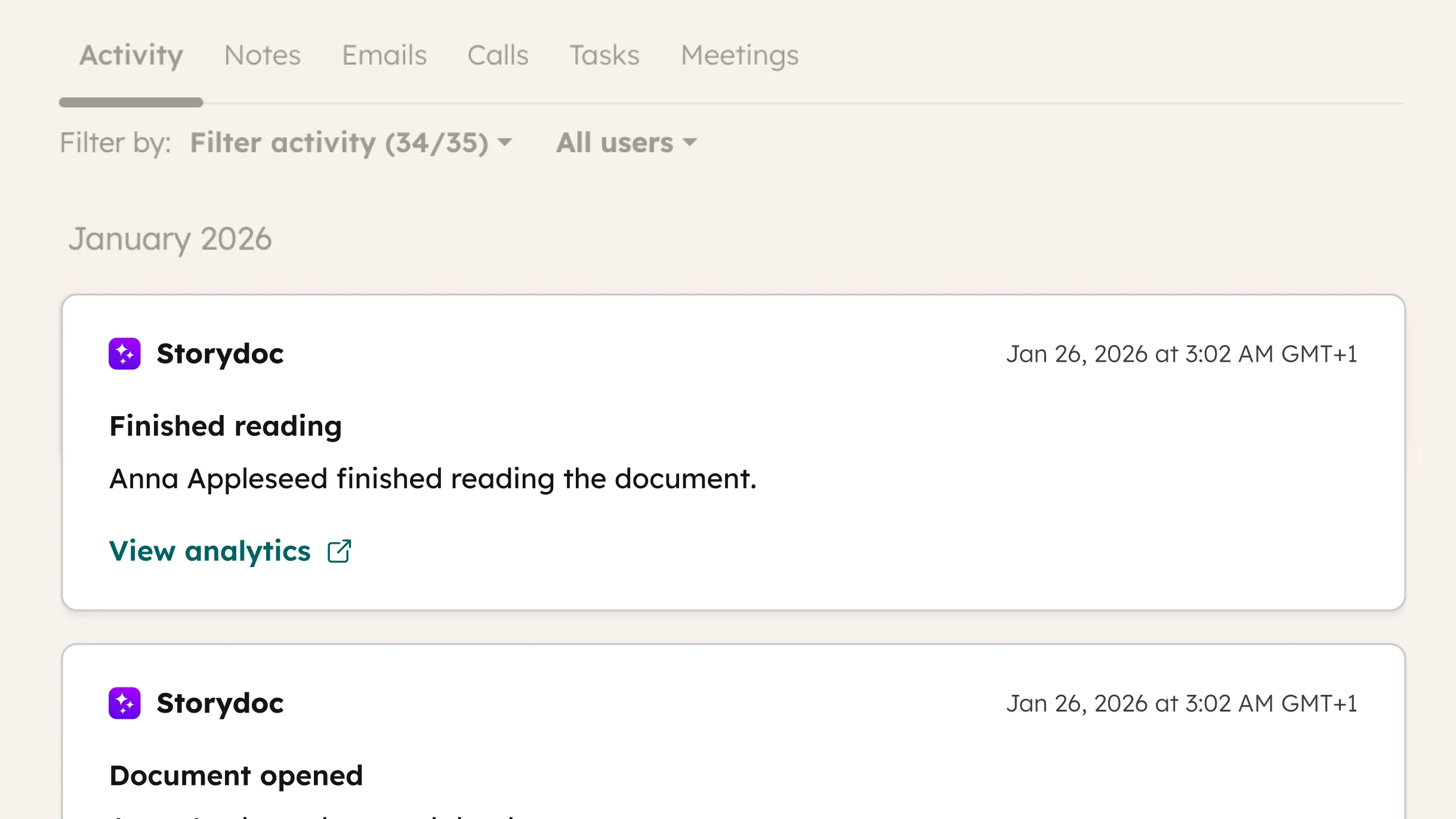
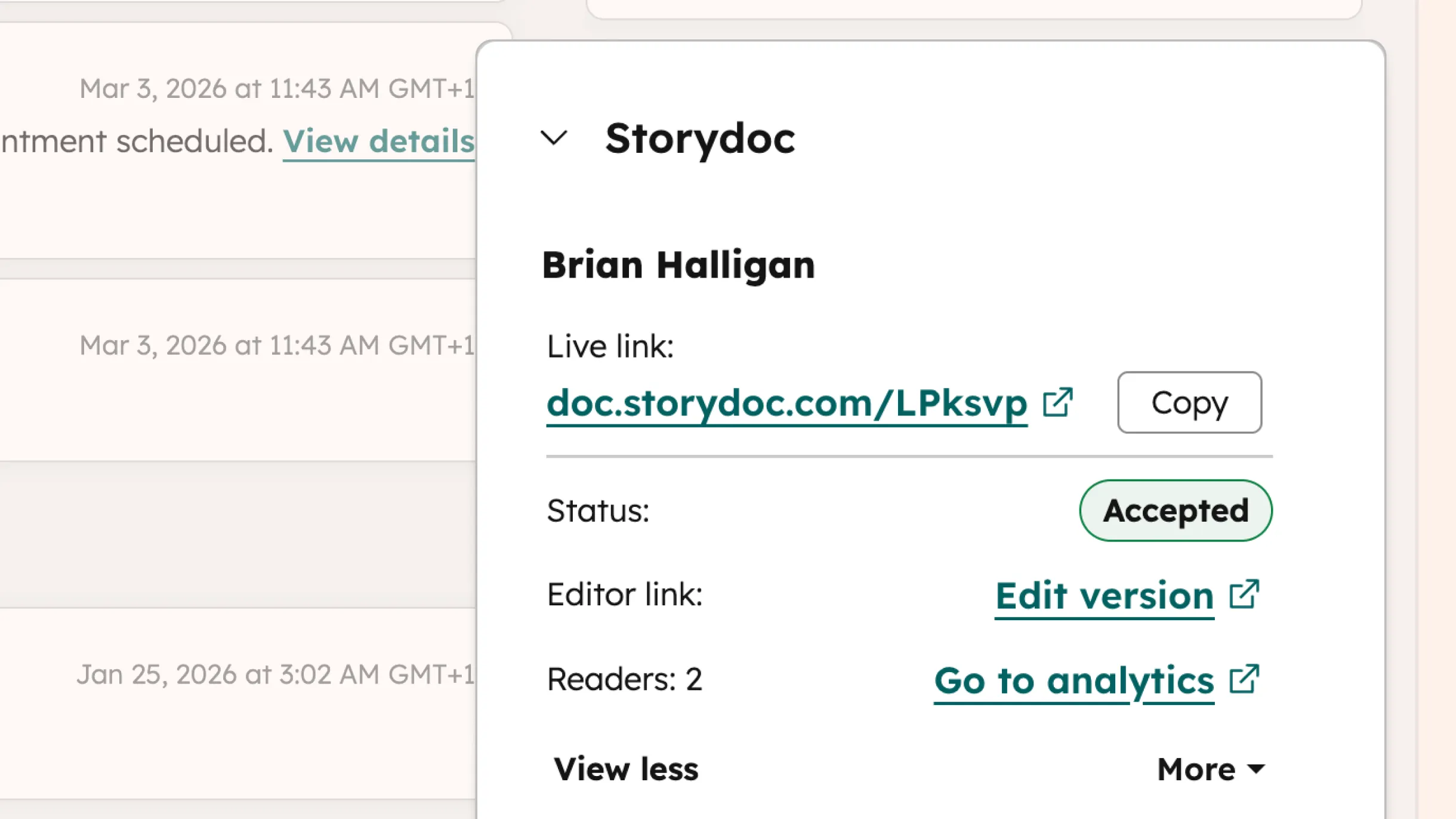
See when someone opens your Storydoc, how far they read, and what they click – all logged directly on the contact record in HubSpot.
Know exactly when to reach out. Get notified when someone opens your document, finishes reading, or clicks your CTA – so your timing is never a guess.
Trusted by top businesses, loved by our users





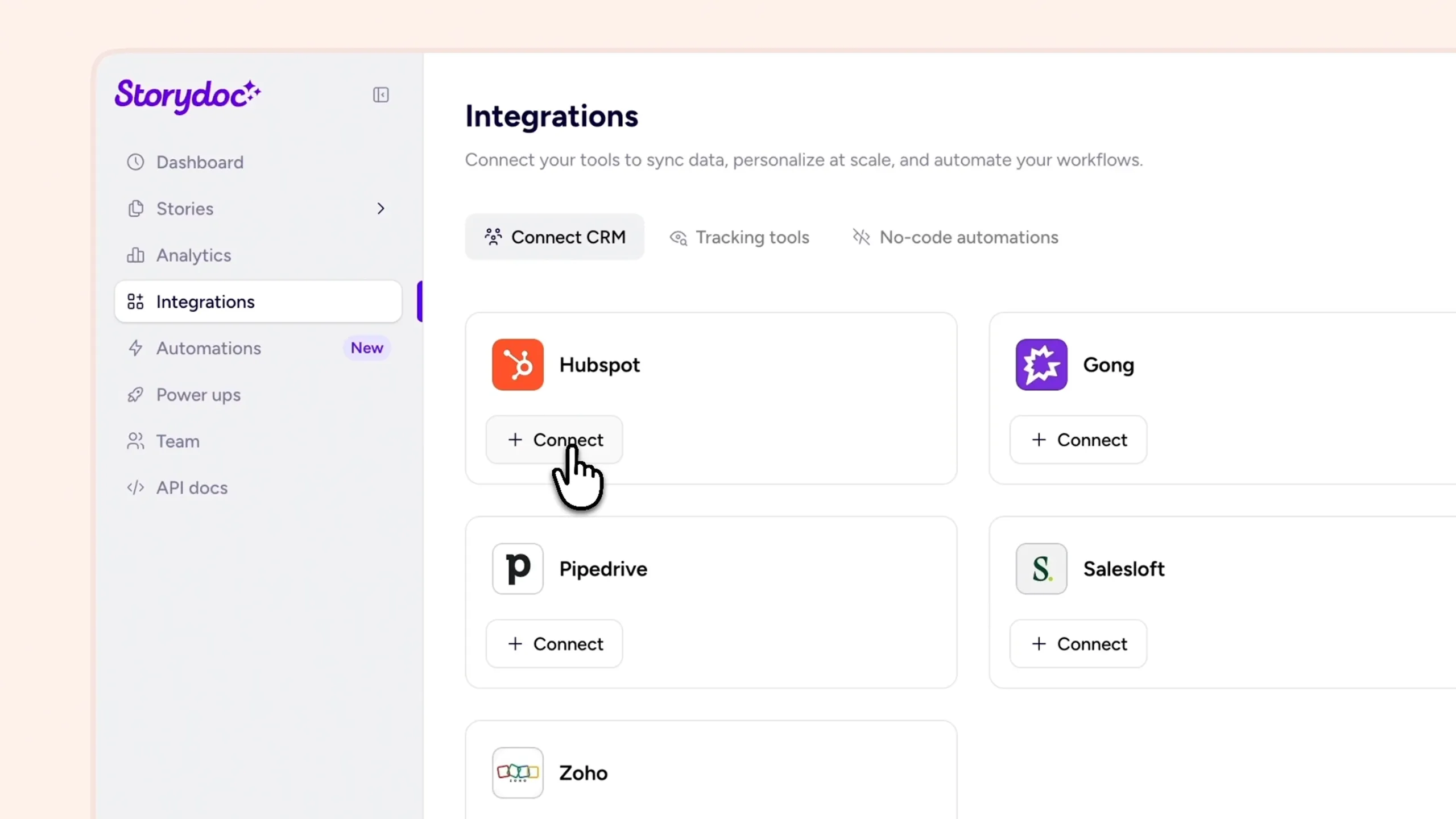
Set up the integration, map your fields, and start generating personalized Storydocs from your HubSpot data - no complex setup required.
1. Connect your HubSpot account
Authenticate your HubSpot account in Storydoc to enable the integration and access your CRM data.
To do that, open the Integrations tab in Storydoc, go to Connect CRM, select HubSpot, and click Connect. Log in to your HubSpot account, choose the right account, and grant access to contacts and activity data.
Once connected, HubSpot will appear as Connected in your integrations panel.
2. Add your HubSpot fields
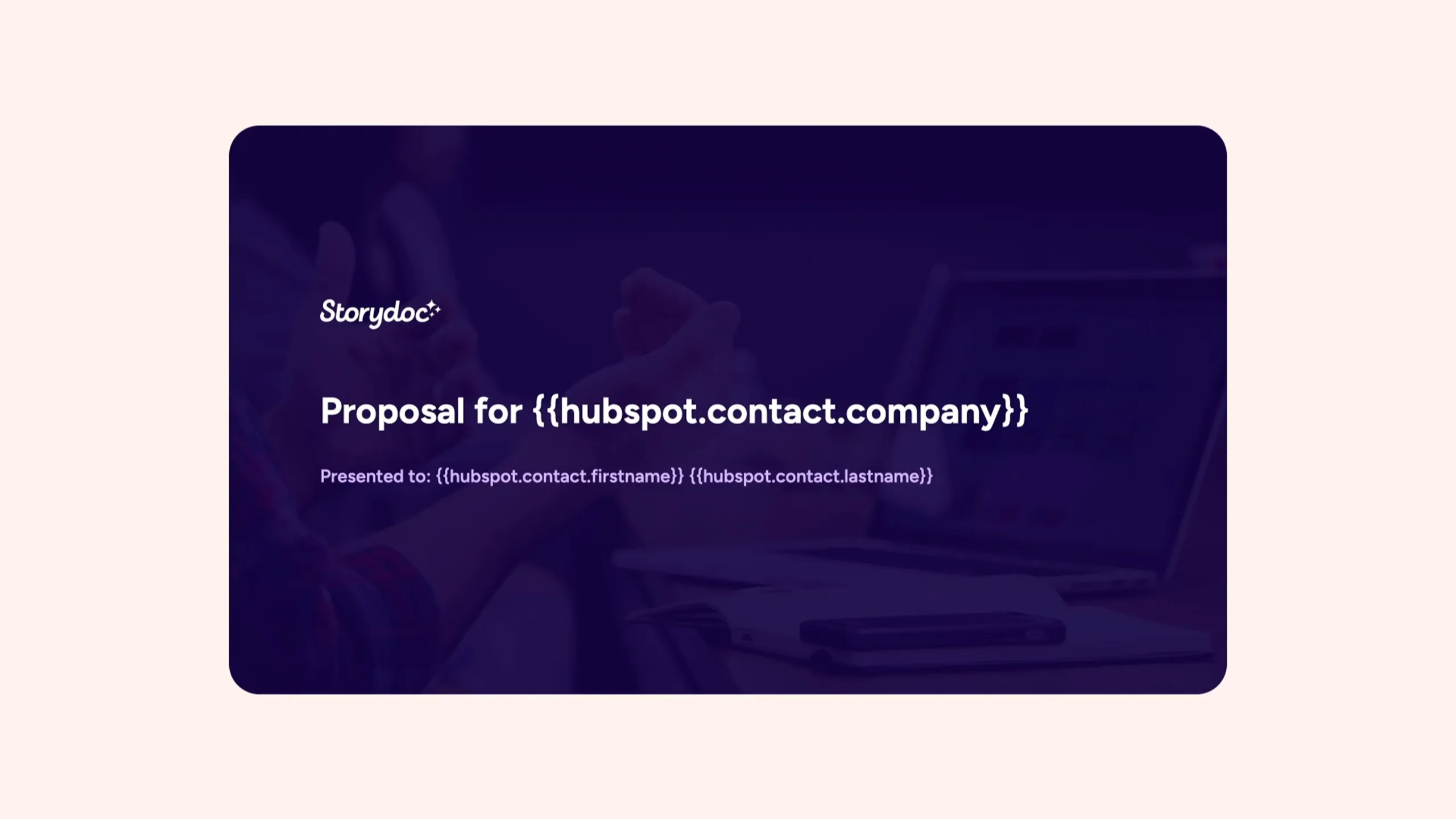
Drop your Contact, Deal, and Company fields directly into your Storydoc templates. This ensures your data flows into each document accurately.
3. Choose or create your Storydoc
Start from a template or build your own. Add variables where you want HubSpot data to appear. Your mapped HubSpot fields will automatically populate the document – from names and company details to deal-specific information.
4. Generate and send
Create a personalized Storydoc using HubSpot data and share it as a live link with your prospect.
5. Track engagement in HubSpot
The data flows from our real-time analytics panel back to HubSpot. Every interaction is logged on the contact record – from link opens and reading progress to CTA clicks.
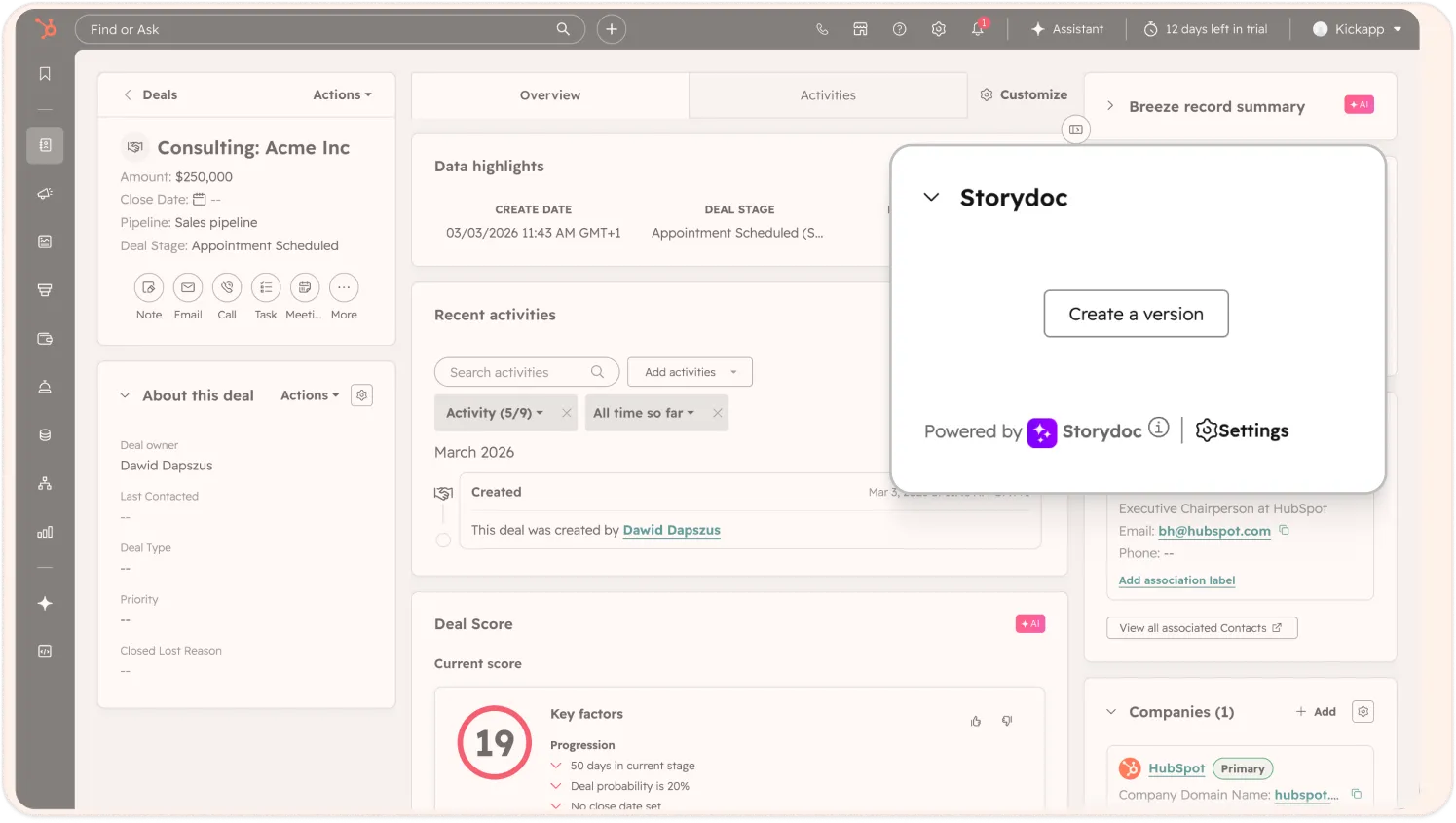
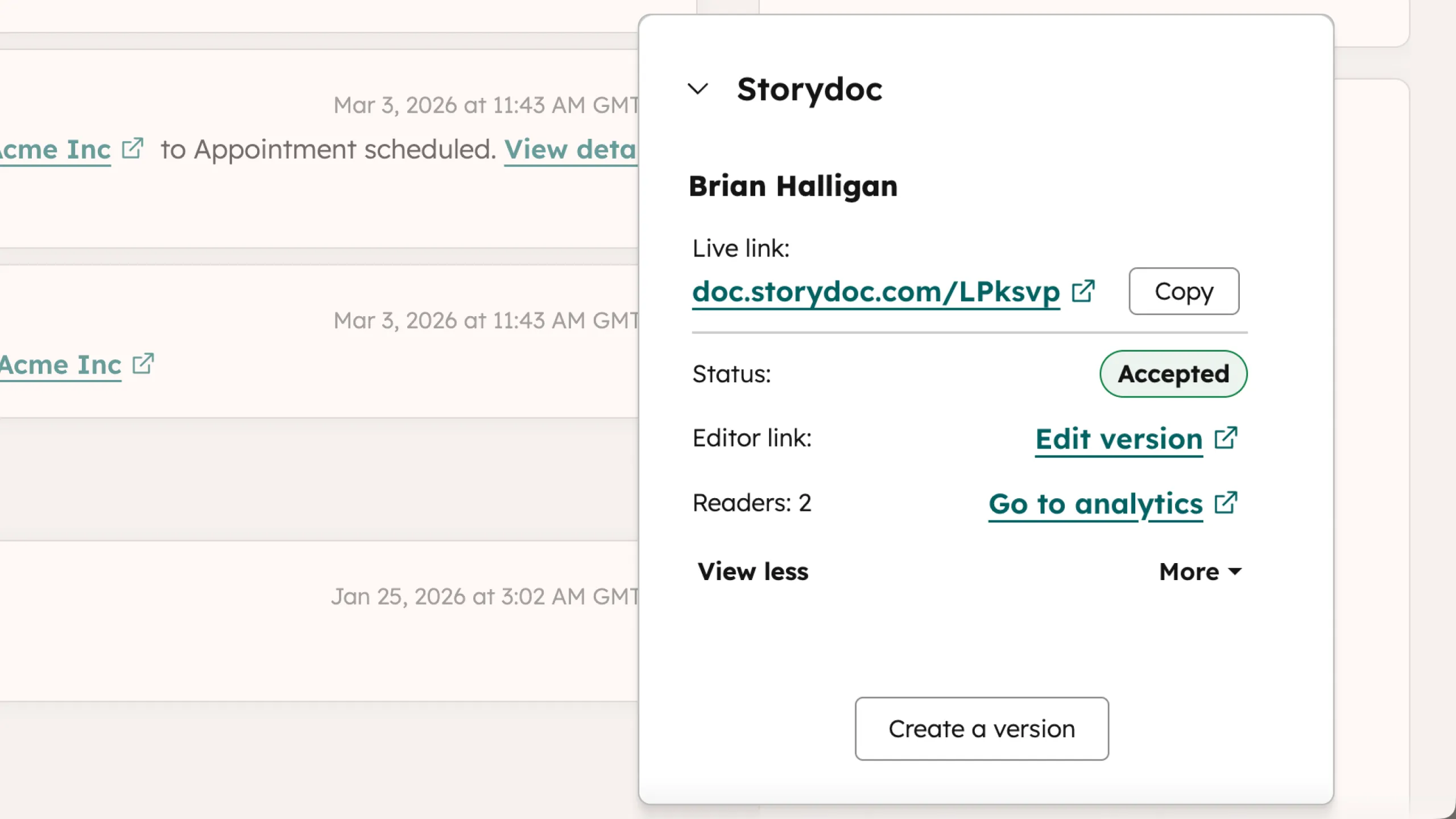
Every interaction with your Storydoc is tracked and logged on the contact record in HubSpot, giving you full visibility into what's happening after you hit send.
Understand how prospects move through your document - not just if they opened it.
Every event is automatically recorded on the contact timeline, including:
Use mapped HubSpot fields to tailor each document automatically.
Understand how prospects move through your document - not just if they opened it.
Every event is automatically recorded on the contact timeline, including:
Use mapped HubSpot fields to tailor each document automatically.
Go beyond native integrations with the Storydoc API.
Automatically generate personalized Storydocs, trigger follow-ups based on engagement, and connect everything to your go-to-market stack.
Build workflows that fit how your team works.
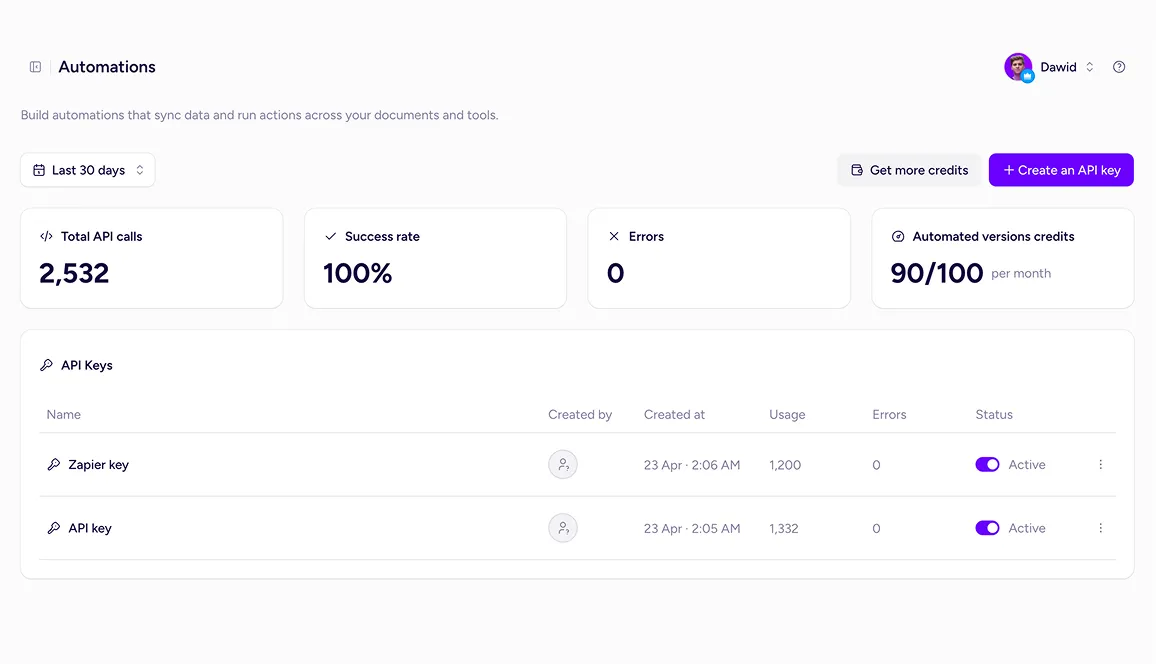
Once your HubSpot fields are mapped to Storydoc variables, you can automatically generate personalized Storydocs using your CRM data. You can also build workflows with tools like Zapier, Make, or your own API to generate and send documents at scale.
You can use data from contact, company, and deal records. During setup, you map these fields to Storydoc variables so your documents are automatically populated with accurate, up-to-date information.
Yes. Every interaction with your Storydoc is logged on the contact record in HubSpot – including link opens, reading progress, and clicks on CTAs or other elements.
No. You can connect HubSpot, map your fields, and start using the integration without any technical setup. Most teams are up and running in minutes.
Yes. Storydocs are live links, so any updates you make are instantly reflected – no need to resend anything.
Absolutely. You can create proposals, pitch decks, reports, one-pagers, and more – all powered by your HubSpot data.
The HubSpot integration is available on the Teams plan. If you’re on a different plan, you can upgrade to start using HubSpot data to generate and track Storydocs. Check our Pricing page for more details.
No. The integration is initiated from the Storydoc side, so it won’t appear in HubSpot’s App Marketplace.
To connect your account, simply log into Storydoc and authenticate your HubSpot account from the integrations settings.
Yes – if you need more advanced workflows, you can use the Storydoc API.
This lets you automate document creation, trigger personalized Storydocs from your tools, and connect Storydoc with the rest of your go-to-market stack.
Yes – Storydoc is built with security in mind and is ISO 27001 certified and GDPR compliant.
The HubSpot integration uses secure authentication and only accesses the data needed to personalize and track your Storydocs. All activity is logged safely within HubSpot, and you stay in full control of your data and permissions.
Connect Storydoc to HubSpot today and start creating documents you can track, optimize, and actually close deals with.