
Storydoc Copilot MCP Connector
Generate Storydocs, personalize them for every customer, retrieve analytics, and fit Storydoc into your existing AI workflows without sacrificing brand consistency.

Generate Storydocs, personalize them for every customer, retrieve analytics, and fit Storydoc into your existing AI workflows without sacrificing brand consistency.
Trusted by teams building AI-native document workflows


Storydoc gives Copilot the templates, messaging, branding, and StoryBrain knowledge it needs to generate documents that stay on-brand and aligned with your business.
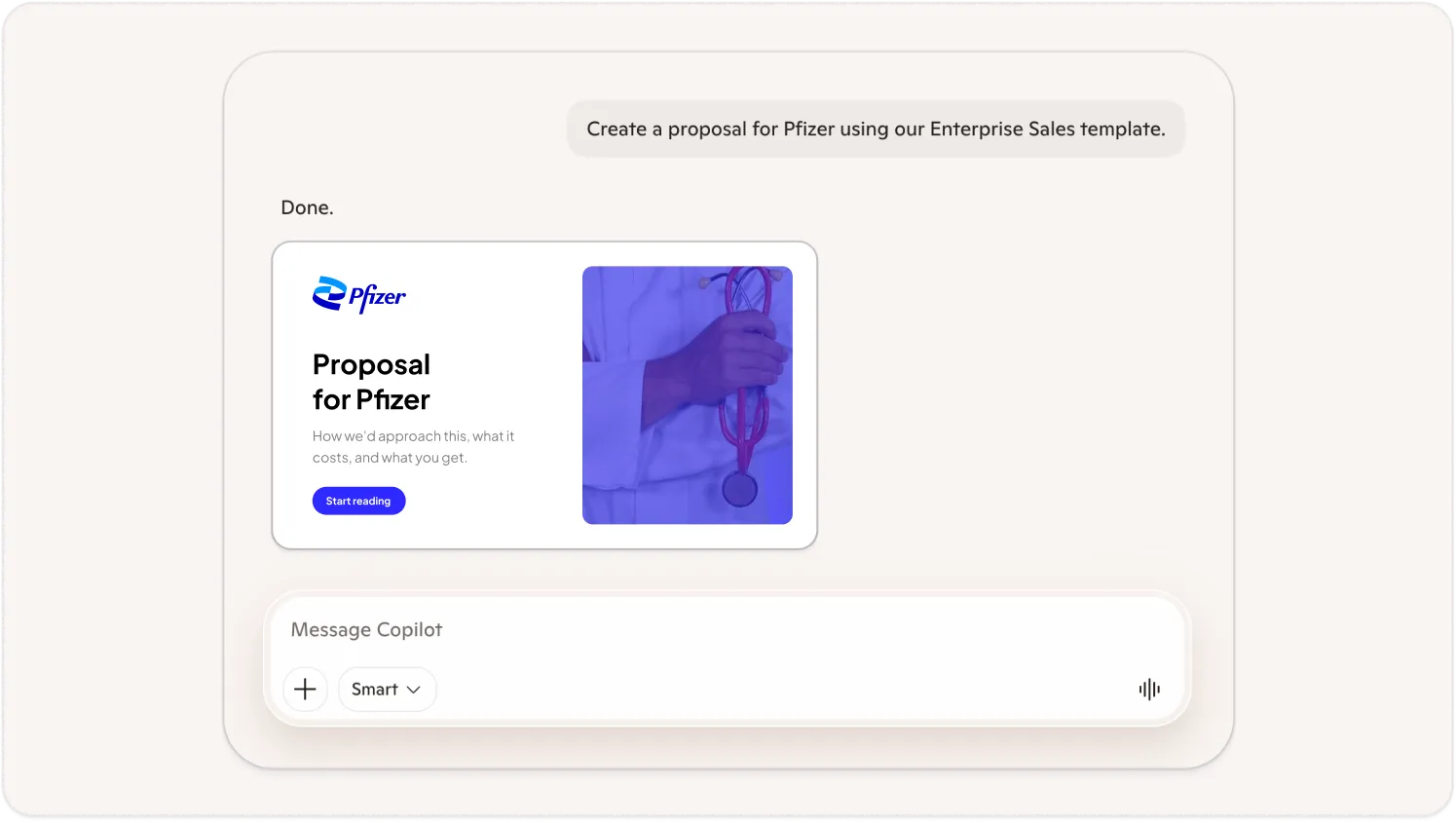
Instead of asking Copilot to generate decks from scratch, connect it to your approved Storydoc templates – or let it use your existing decks, brand books, and materials as a foundation.
For example:
“Create a proposal for Pfizer using our Enterprise Sales template.”
“Create a sales deck using our Enterprise Sales template and include information from our latest product one-pager and customer case studies.”
“Generate a customer onboarding presentation using our Success Framework.”
“Create a quarterly business review using our Executive Update template.”
Storydoc preserves your layouts, branding, variables, messaging, and structure, while Copilot fills in the details for each customer or project.
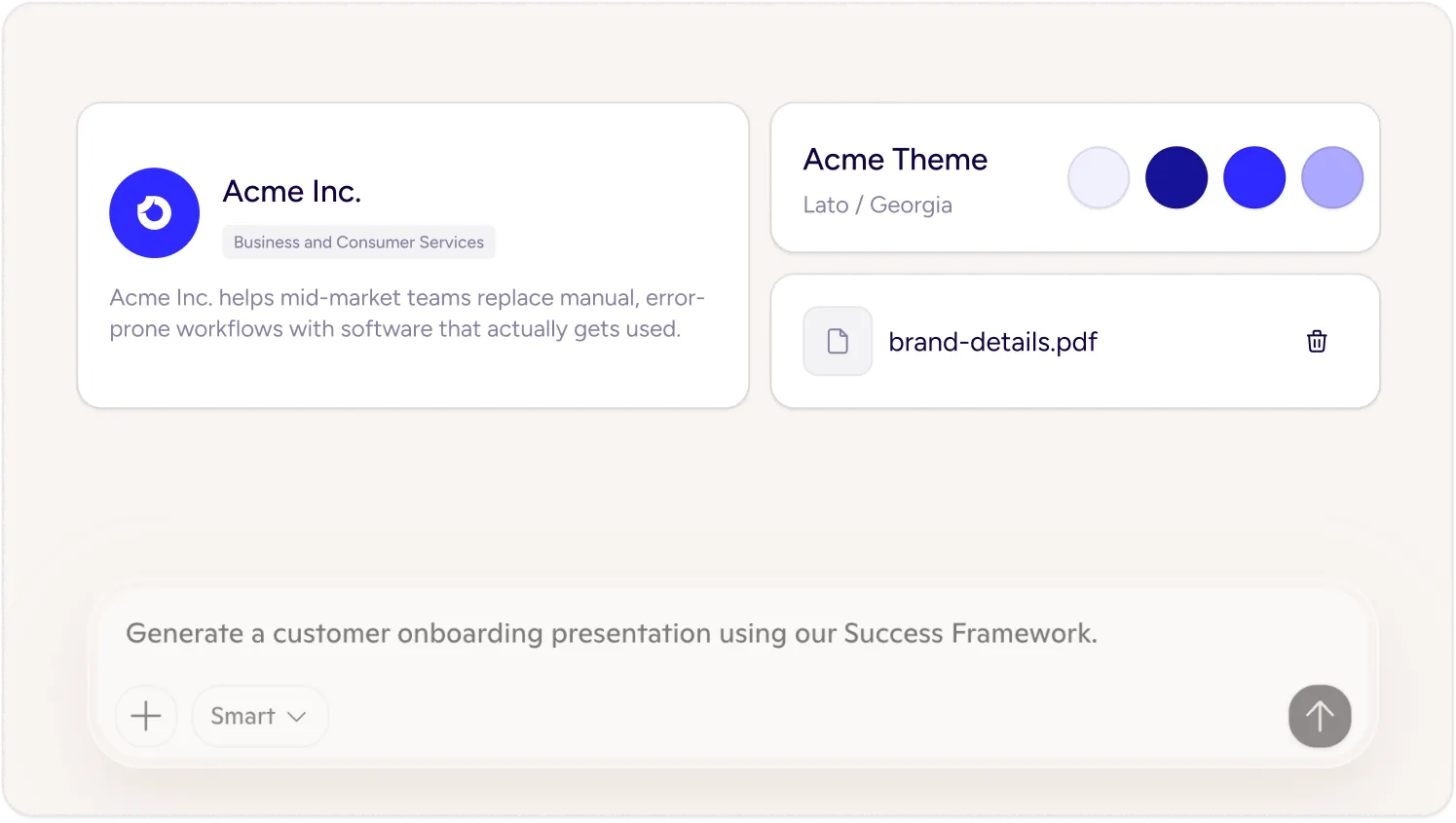
Giving everyone access to AI doesn’t mean giving up control.
Storydoc helps Copilot create presentations using your approved messaging, product descriptions, visuals, and StoryBrain knowledge instead of relying purely on the language model.
That means your teams can move faster without accidentally:
describing products differently
using outdated positioning
creating inconsistent branding
inventing features or services you don’t offer
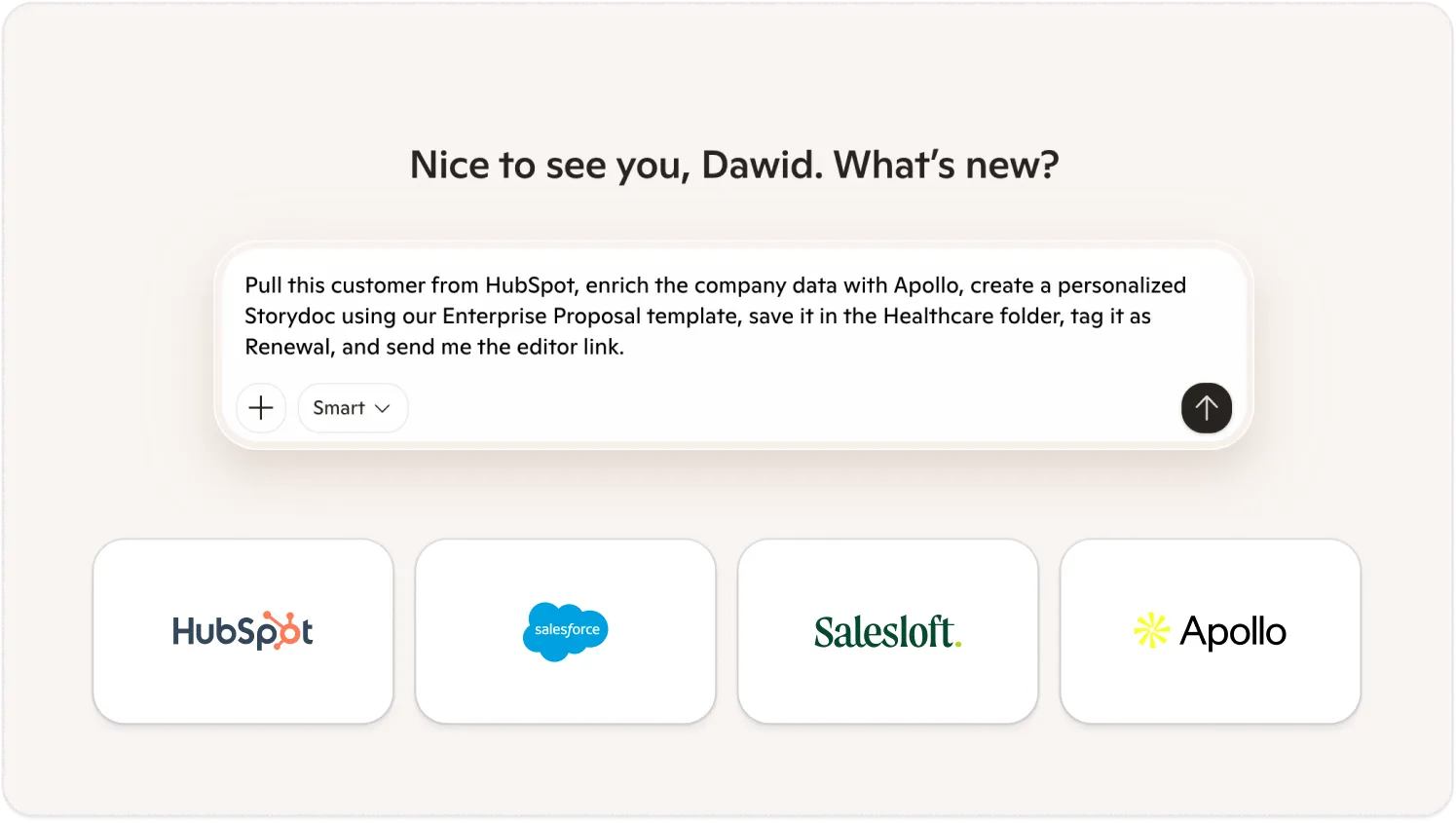
Storydoc becomes one step in a much larger workflow.
For example:
“Pull this customer from HubSpot, enrich the company data with Apollo, create a personalized Storydoc using our Enterprise Proposal template, save it in the Healthcare folder, tag it as Renewal, and send me the editor link.”
“Find every customer renewing this month, generate a business review using our Customer Success template, and file each Storydoc in the Q3 Renewals folder.”
“Read this meeting transcript, summarize the customer’s priorities, and generate a proposal using our Sales Proposal template.”
Instead of moving information between applications yourself, your AI can coordinate the entire process through one conversation.
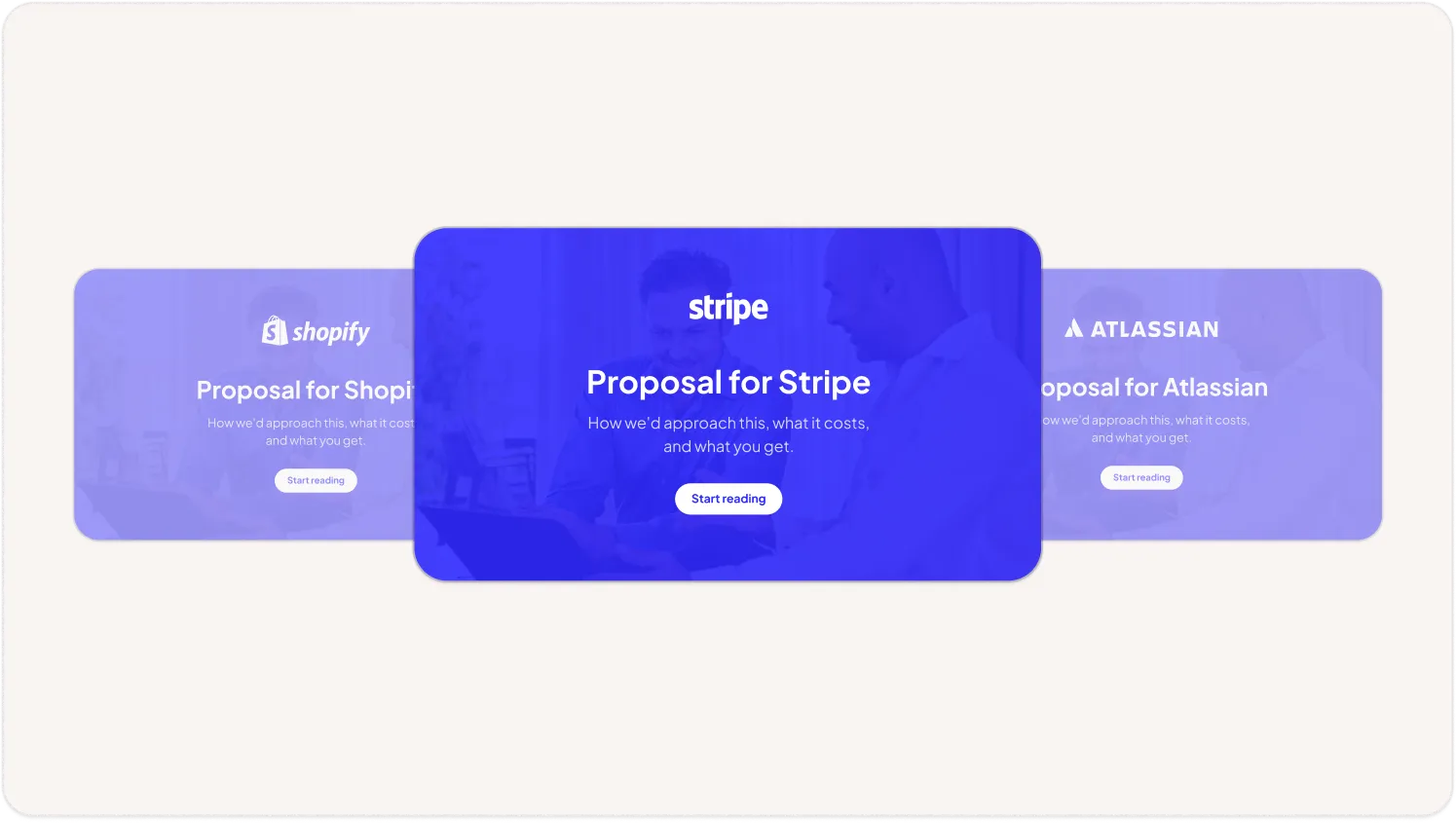
Storydoc keeps your approved branding, layouts, positioning, and messaging fixed, while treating customer details, pricing, implementation plans, and industry examples as variables. If required information is missing, it asks for it before generating the Storydoc.
This lets Copilot personalize each Storydoc without changing your core messaging.
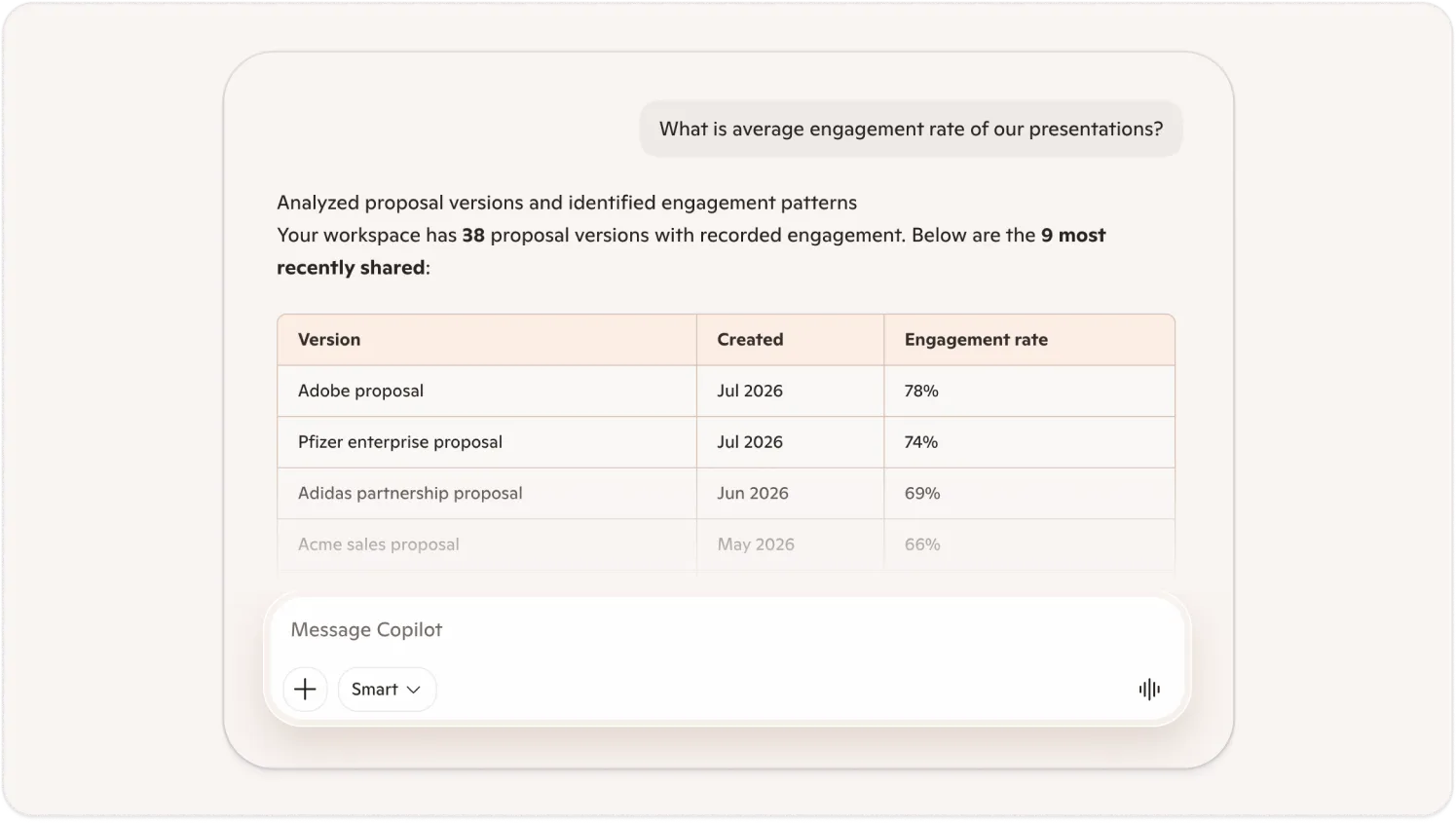
Creating the deck is only part of the process.
Use Microsoft Copilot to ask questions about how your Storydocs perform.
For example:
“Which sections of our Enterprise Proposal template for Pfizer have the highest completion rate?”
“Which sections of our Customer Onboarding template for Salesforce lose viewers most often?”
“What is the average engagement rate for our Product Brochure template?”
“Which account viewed the pricing section of our Enterprise Proposal template the longest?”
Instead of opening analytics dashboards, you can explore engagement through natural language.
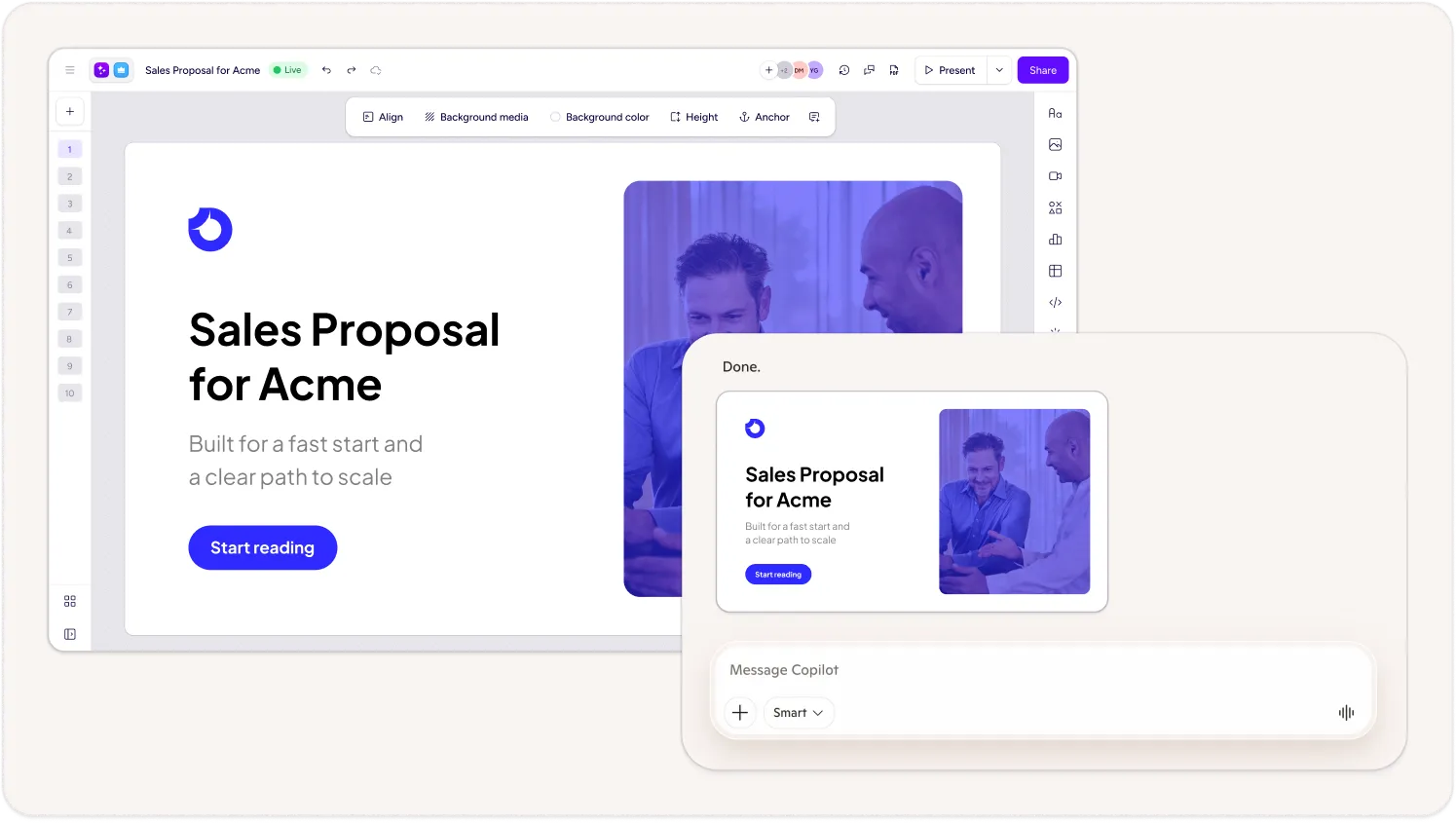
AI is excellent at creating the first draft, but sometimes you still want human review.
Storydoc returns both a live sharing link and an editor link.
If everything looks good, send it immediately.
If you’d like to make changes, simply open the Storydoc editor, collaborate with your team, make visual adjustments, or refine the messaging before sharing.
You stay in control without losing the speed AI provides.
Trusted by top businesses, loved by our users





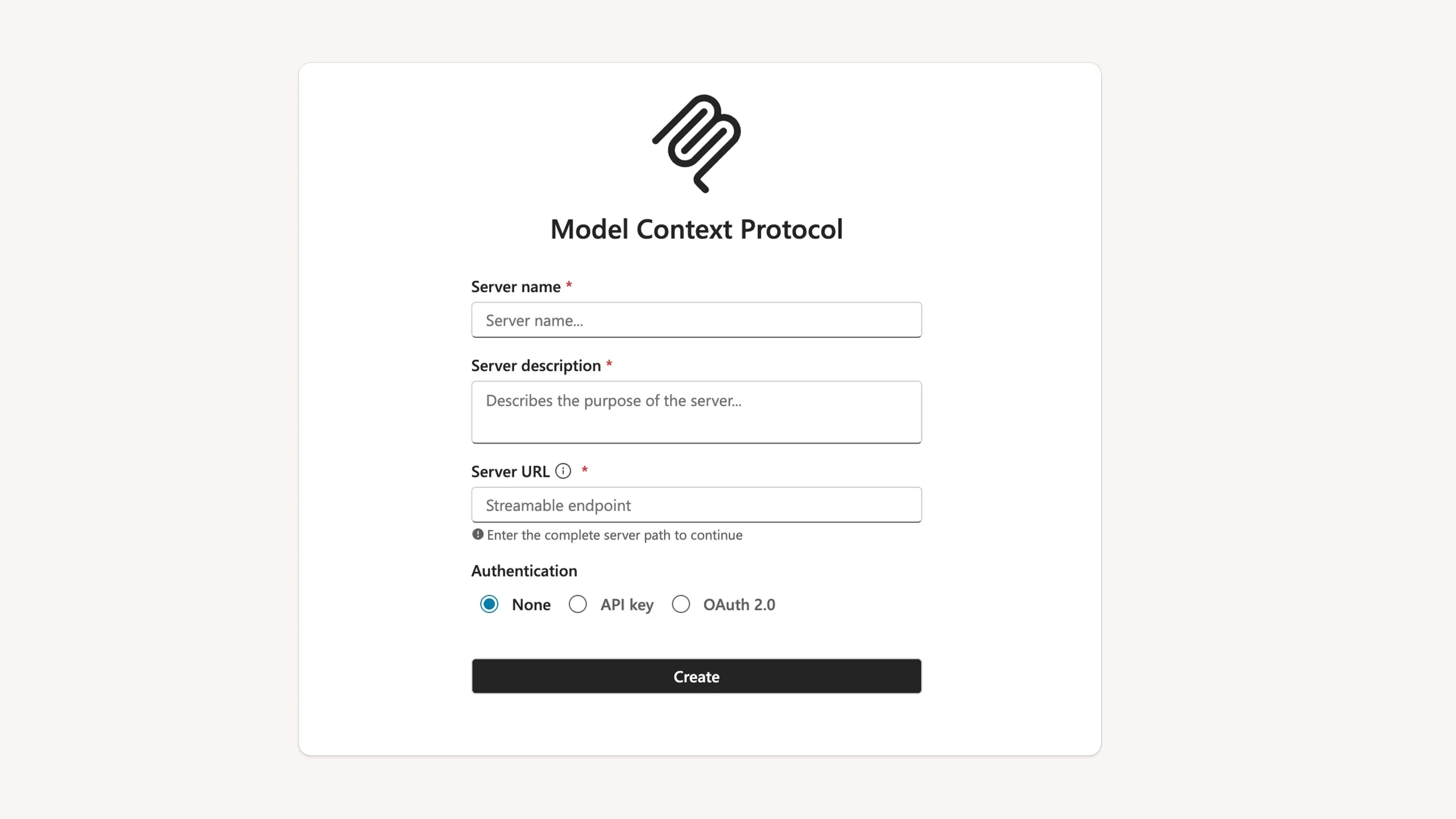
Connect Storydoc to Copilot using MCP and securely authorize your Storydoc workspace.
1. Configure the Storydoc MCP server
Open Microsoft Copilot Studio with an account that has Copilot Studio admin permissions.
Open or create the Copilot agent where you want Storydoc available.
Go to Tools → Add a tool → Model Context Protocol (MCP), then enter:
Server name: Storydoc
Server URL: https://mcp.storydoc.com/mcp
Authentication: OAuth 2.0
Complete the OAuth setup. Copilot Studio will guide you through registering the connection and configuring the consent flow for your users.
2. Publish the agent
Once setup is complete, publish the agent. The Storydoc tools will become available to users assigned to that agent inside their Microsoft 365 Copilot experience.
3. Start creating decks
After setup, users can ask Copilot in Word, Outlook, or Teams to:
“Create a Storydoc proposal for [client]”
“Generate a personalized onboarding presentation”
“Check how the [deck] is performing”
“Find the highest-performing business proposal template, then create a personalized version for [client]”
Copilot will use the Storydoc tools you connected to complete these actions.
4. Review and edit your Storydoc
Copilot returns a direct Storydoc link so you can continue editing, sharing, tracking, or generating more versions.
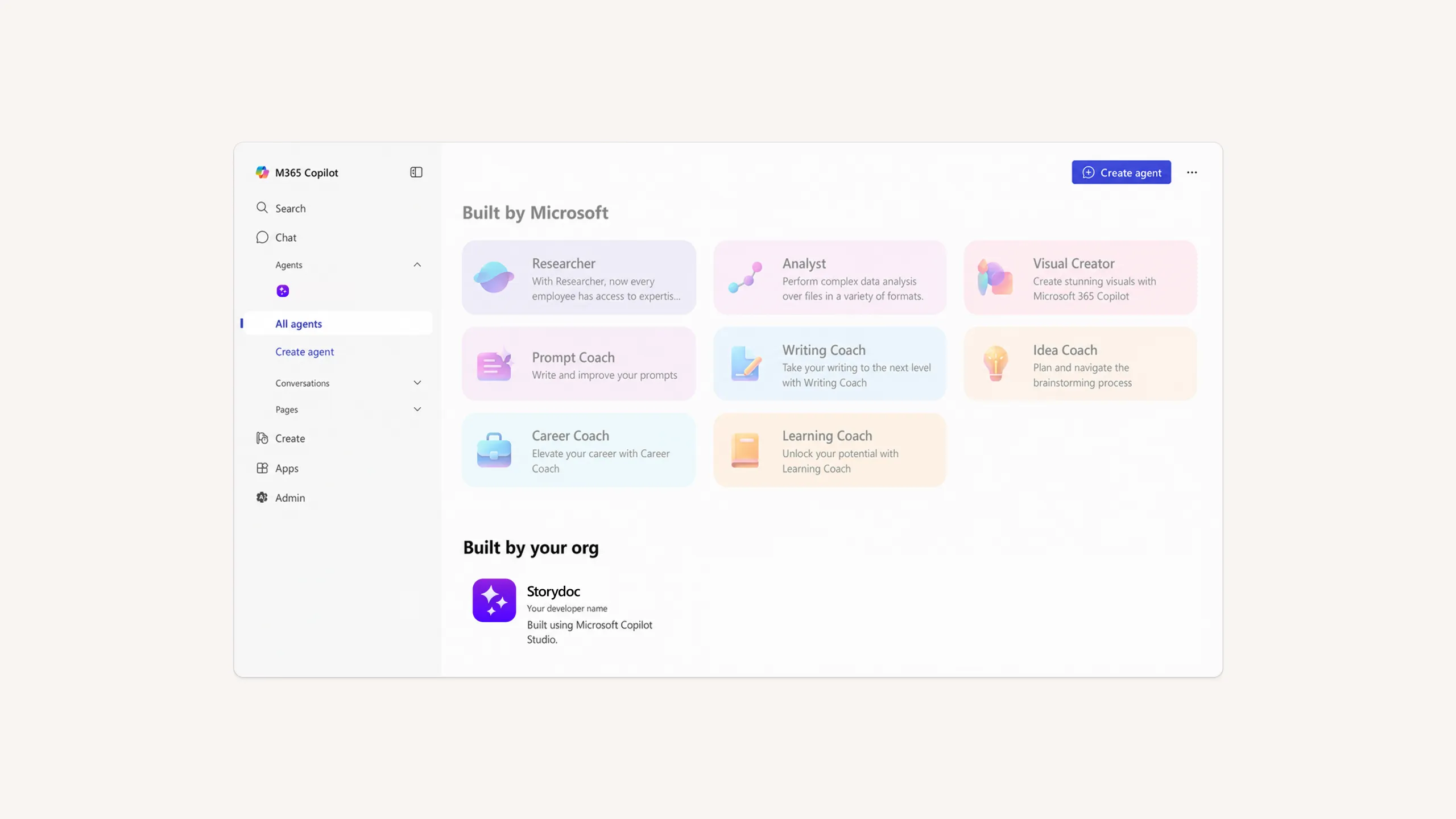
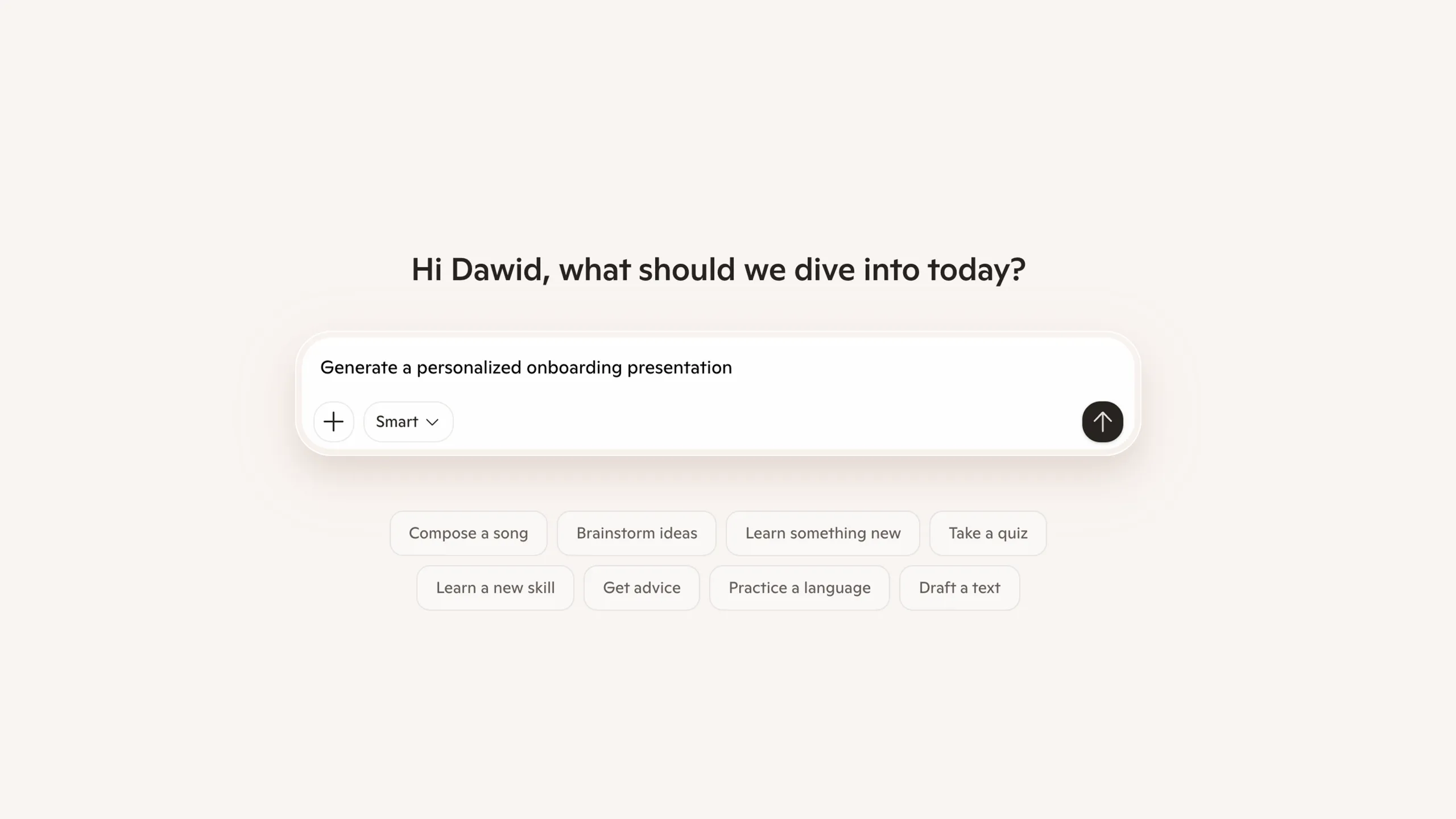
Approved templates, StoryBrain knowledge, messaging, layouts, and branding help Copilot generate presentations your business can stand behind.
Marketing creates the template once.
Sales, Customer Success, Partnerships, and other teams generate Storydocs from the same approved framework instead of writing entirely new prompts.
Instead of recreating the same company information for every new document, Storydoc gives AI approved templates and company context to build from. That means fewer tokens and lower costs.
Storydoc works alongside tools like HubSpot, Apollo, CRMs, and other MCP-compatible systems, allowing Copilot to coordinate complete document workflows through conversation.
Generate presentations for different accounts, industries, or stakeholders while keeping your positioning, branding, and messaging consistent.
Use Storydoc analytics to understand how people interact with your presentations and improve future Storydocs based on real engagement data.
Model Context Protocol (MCP) is an open standard that allows Microsoft Copilot to securely connect to external applications like Storydoc and use them through natural language.
Any Storydoc plan works – including the free trial.
All Storydoc plans include API access, which is what the MCP is built on. Once you’re in Storydoc, simply generate an API token from Profile → Integrations and use it to connect the MCP to any AI tool.
Microsoft Copilot Studio: Any user with Copilot Studio access can add an MCP server to an agent – no additional license required for connecting the MCP itself.
Microsoft 365 Copilot (in Word, Outlook, Teams, PowerPoint): Users of the agent need a Microsoft 365 Copilot license. An admin builds and publishes the agent in Copilot Studio, then makes it available to licensed users.
Copilot can generate Storydocs, create personalized versions, browse templates, fetch analytics, organize stories, and work with other connected business tools as part of the same workflow.
Instead of generating presentations from a blank prompt every time, Storydoc gives Copilot access to approved templates, branding, StoryBrain knowledge, messaging, and presentation structures. This helps teams stay on-brand and reduces the risk of inaccurate or inconsistent content.
Yes. Storydoc can become one step in larger AI workflows alongside tools such as HubSpot, Apollo, CRMs, and other MCP-compatible applications.
Yes. Every generated Storydoc includes both a live sharing link and an editor link, allowing you to review, edit, collaborate, and publish whenever you’re ready.
Yes. You can ask Copilot about engagement, completion rates, viewing activity, top-performing Storydocs, and other Storydoc analytics directly through conversation.
Yes. In Copilot Studio, you build agents that combine the Storydoc MCP with custom instructions, prompts, and workflow logic. This is where the real power lives – you can create fully custom sales, marketing, or ops agents that use Storydoc as one of their tools.
Example: build a “Sales Proposal Agent” in Copilot Studio that combines the Storydoc MCP with your HubSpot connector, defines when to use each template, and enforces brand rules – then deploy it to Microsoft 365 Copilot for your team.
Yes. Storydoc is ISO 27001 certified and GDPR compliant. Workspace access is authenticated securely using API tokens, and you remain in control of permissions and access.
Still have questions?
Note: The features described on this page are currently in beta status and AI platforms continue to evolve quickly. Availability, setup requirements, and supported functionality may change over time. We’ll keep this page updated as things change.
Connect Storydoc to Microsoft Copilot and create customer-ready Storydocs that stay on-brand, fit into your AI workflows, and remain fully editable whenever you need them.