
Storydoc + Salesforce: Turn your CRM data into documents that close
Generate personalized Storydocs directly from Salesforce records, track engagement without leaving your CRM, and follow up with real insight - all in one workflow.

Generate personalized Storydocs directly from Salesforce records, track engagement without leaving your CRM, and follow up with real insight - all in one workflow.
Trusted by 400,000+ users to automate their workflows


From creating Storydocs directly from Salesforce records to tracking engagement inside your CRM, this integration helps you move deals forward without slowing your team down.
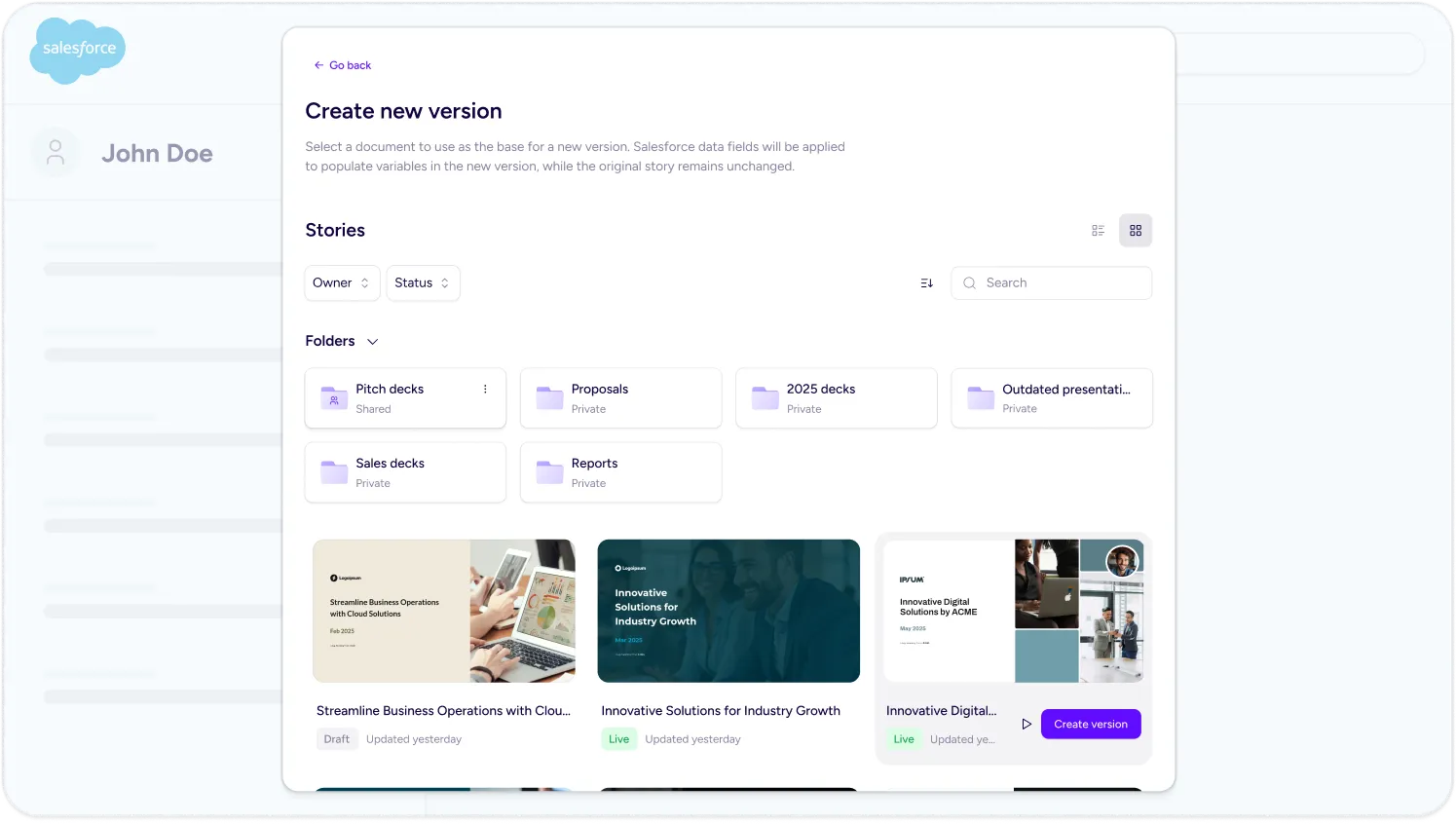
Generate personalized Storydoc decks straight from your Salesforce records. No switching tools, no copy-pasting – just pick a template, pull in your data, and send.
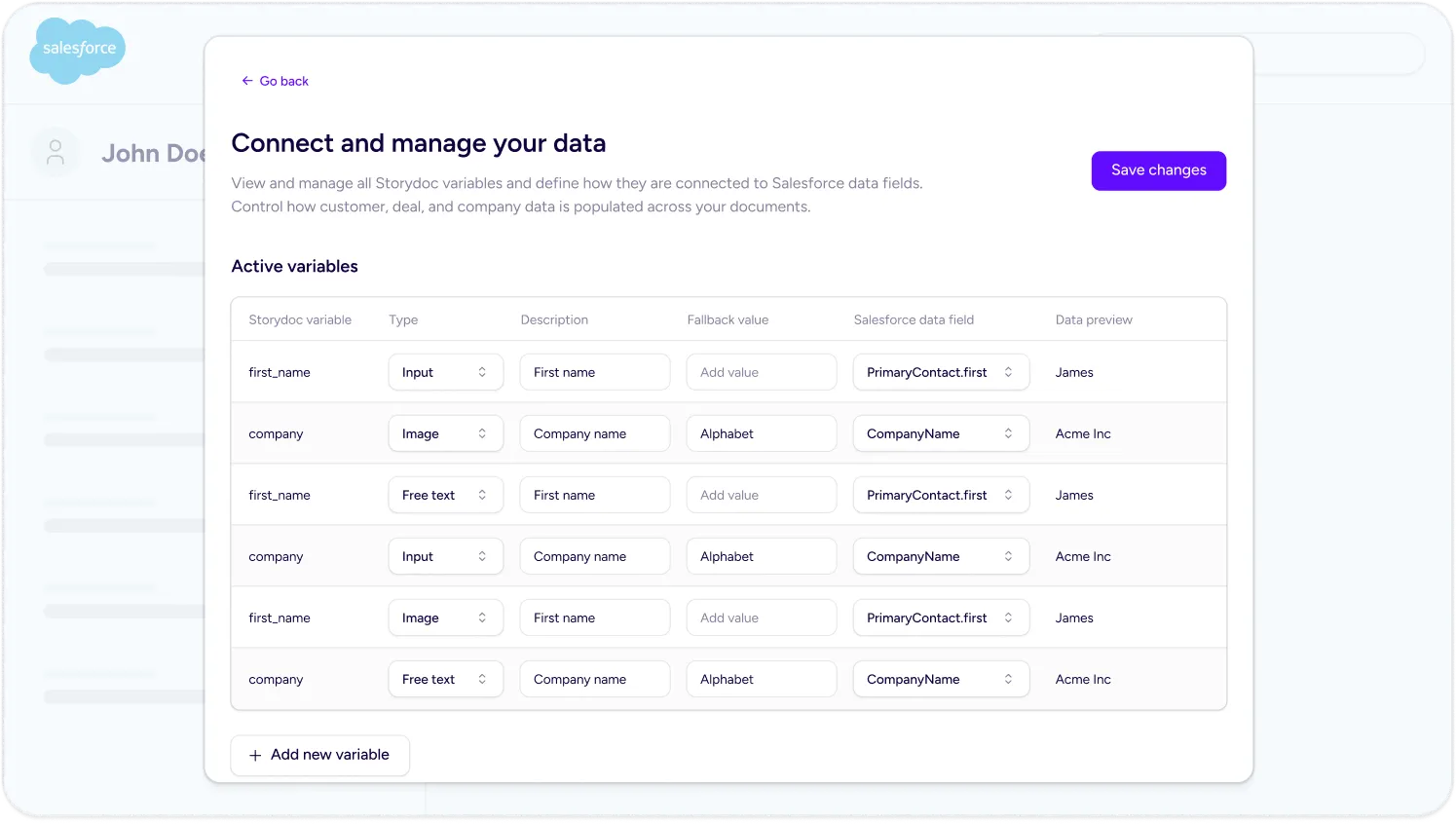
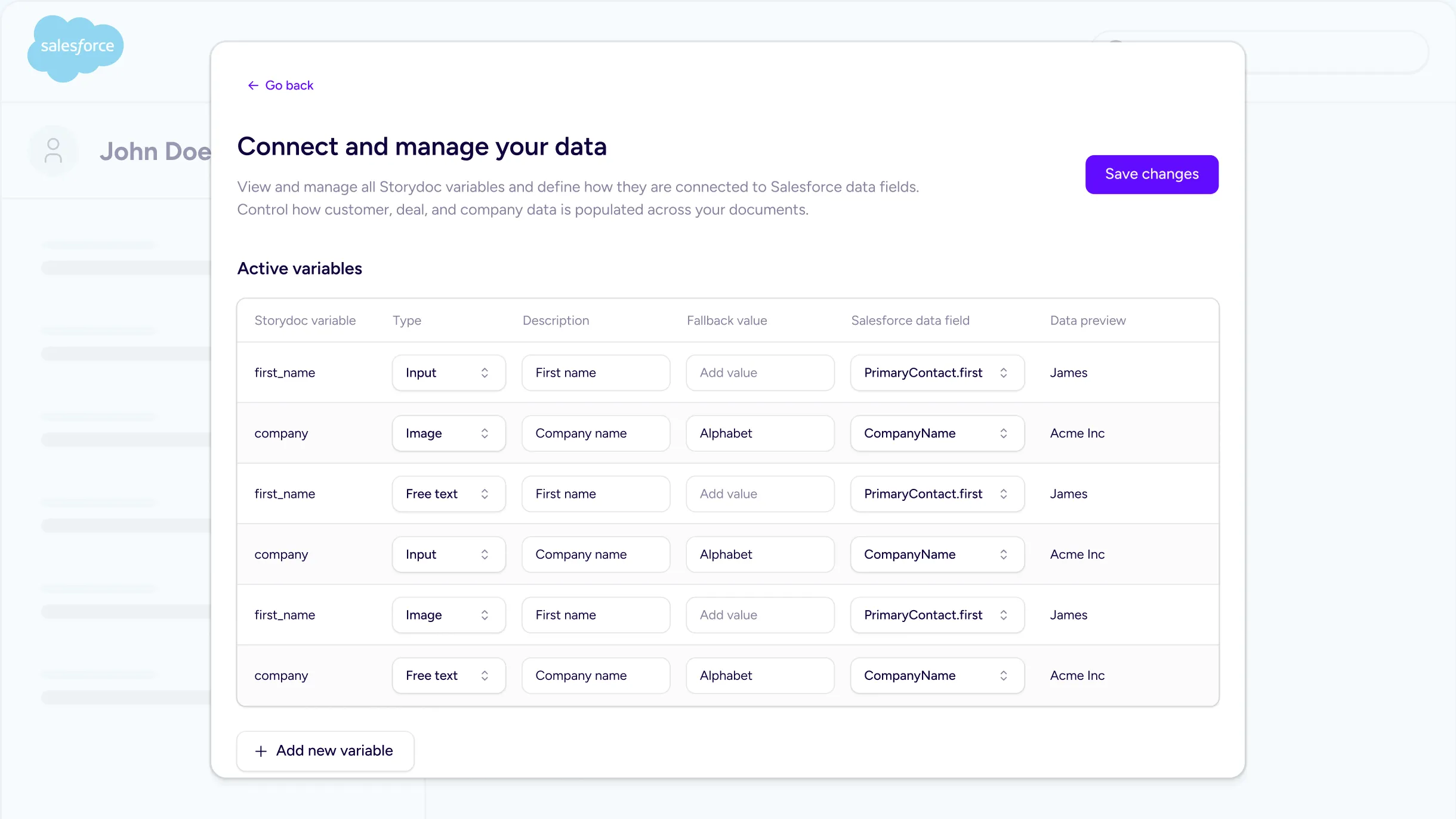
Use Salesforce fields to automatically personalize every document. Names, company details, deal context – all mapped to Storydoc variables so every version feels built for that specific prospect.
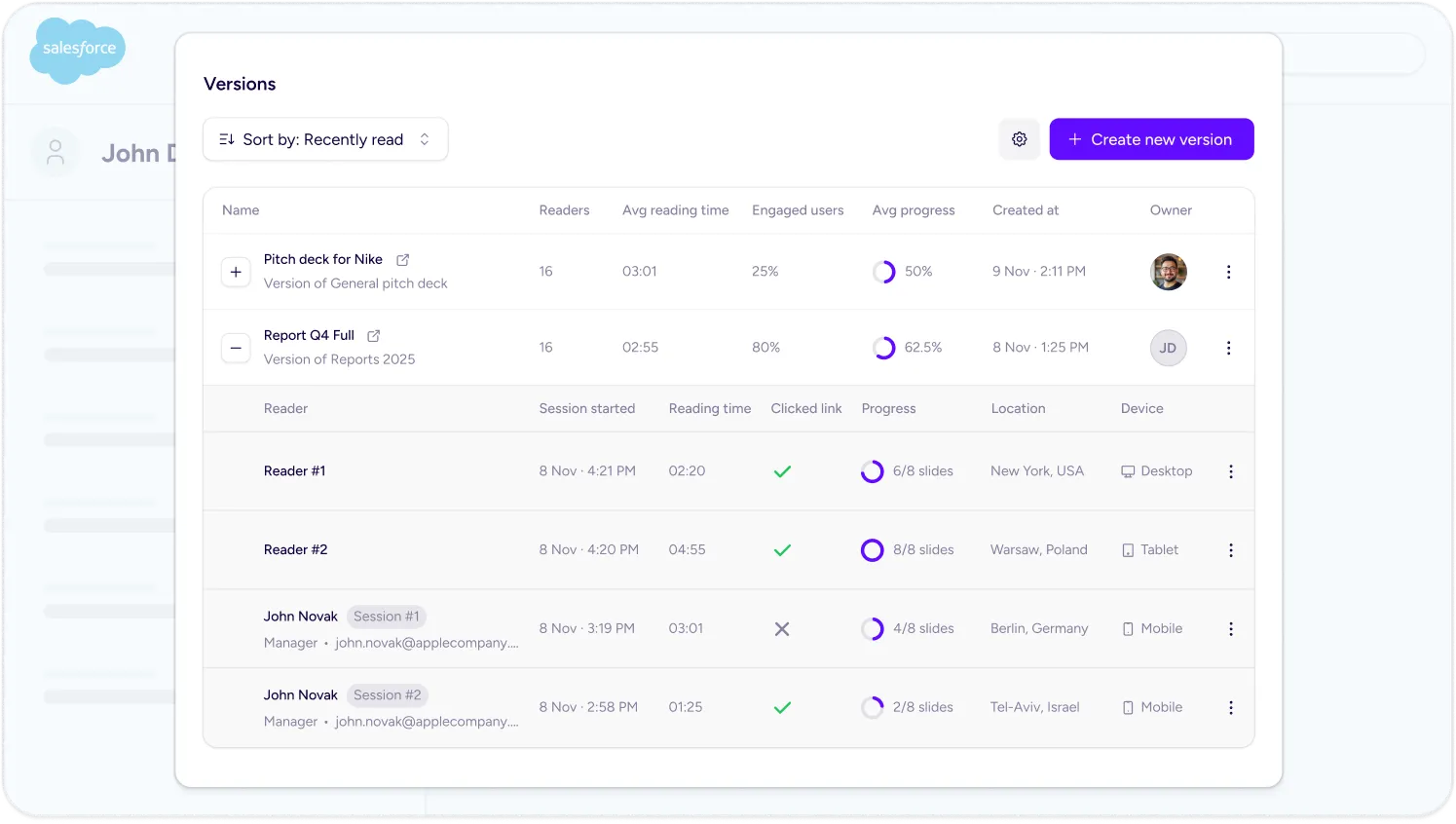
See when someone opens your document, what they click, and how far they get – all inside Salesforce. No guessing, no chasing. You know exactly when to follow up.
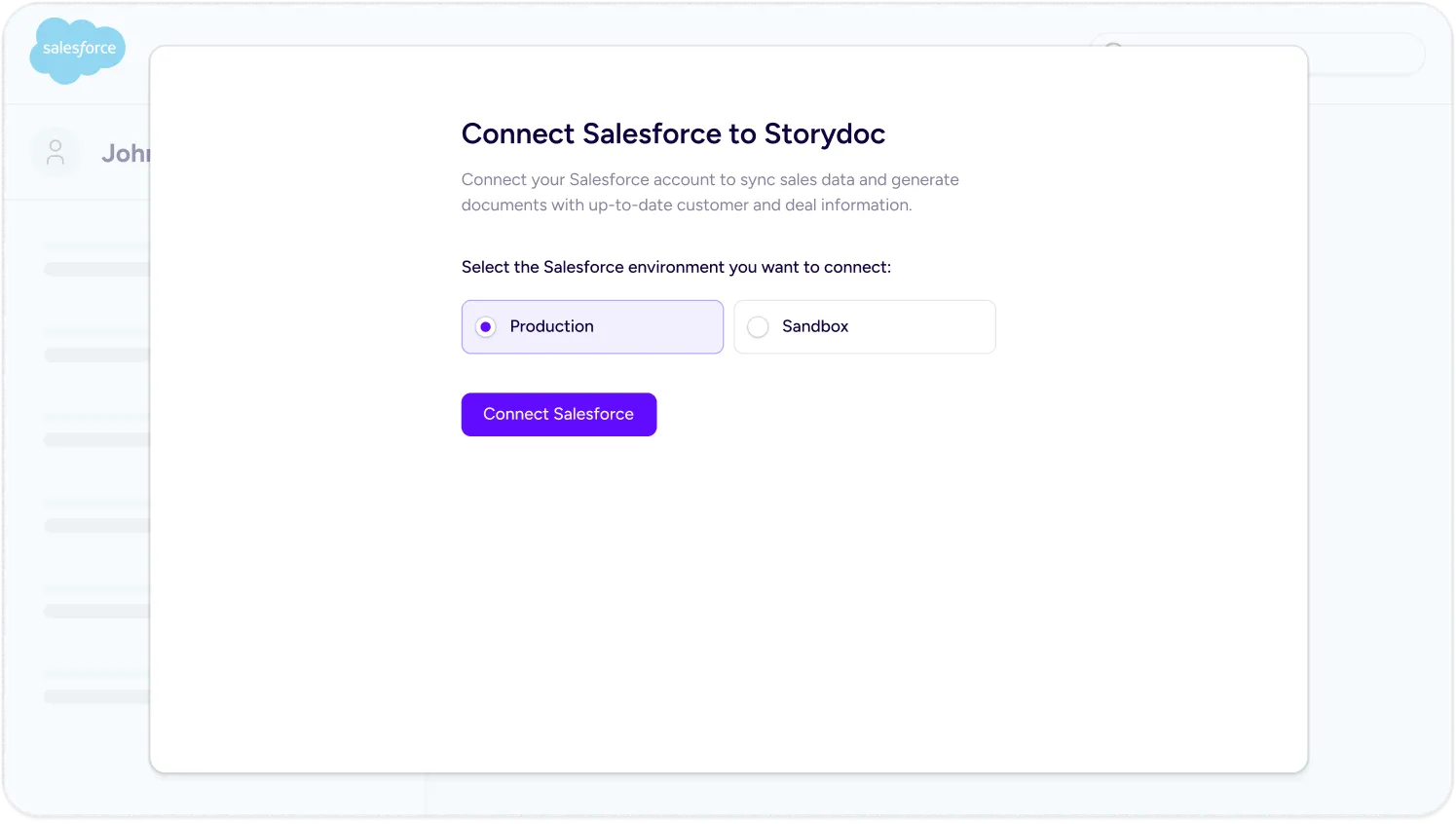
The Salesforce package lets your team generate and manage documents without technical help. Install it, map your fields, and you’re ready to go.
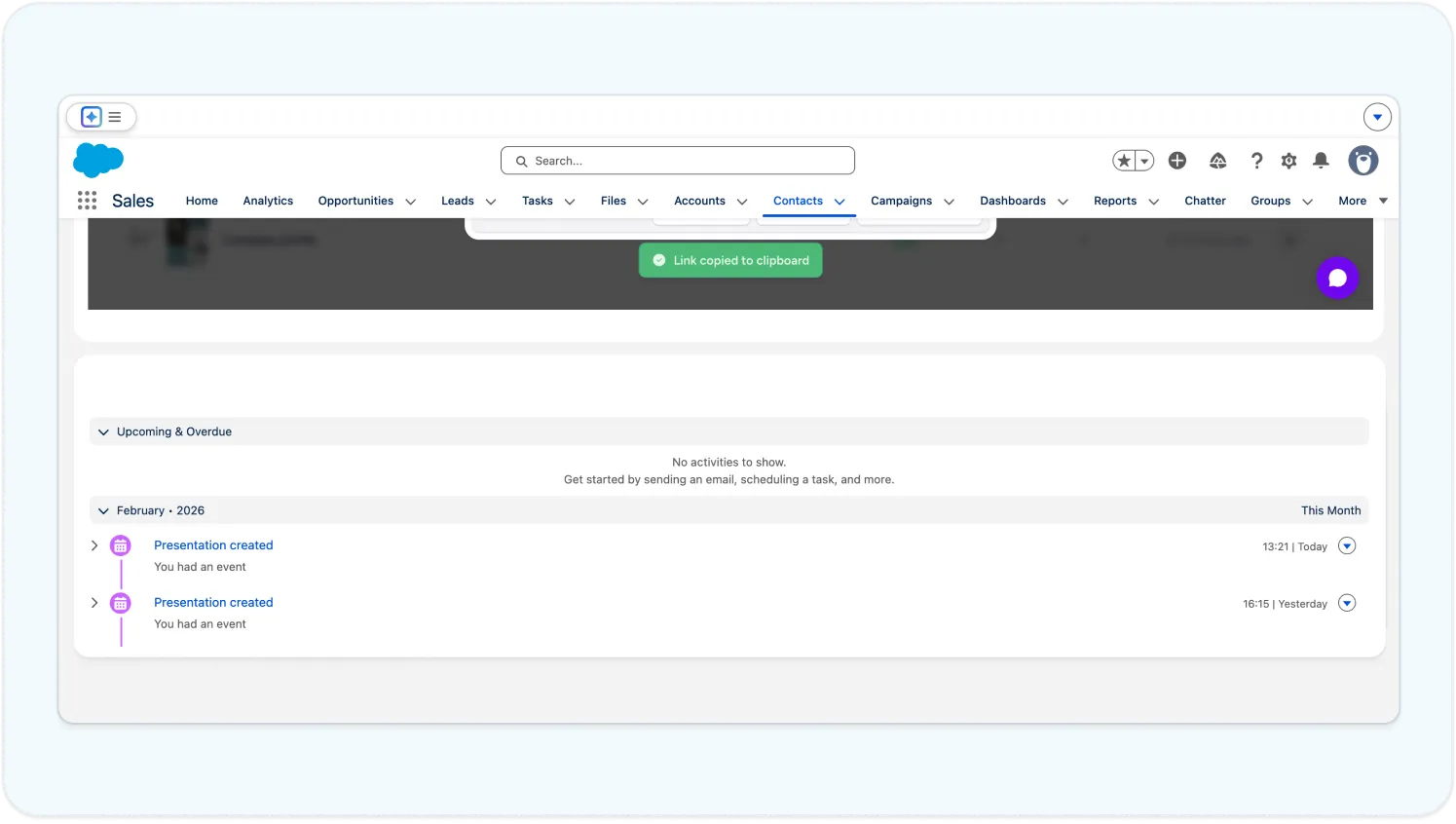
Every document is connected to a Salesforce record, so your team always has full context – from creation to engagement to deal progress.
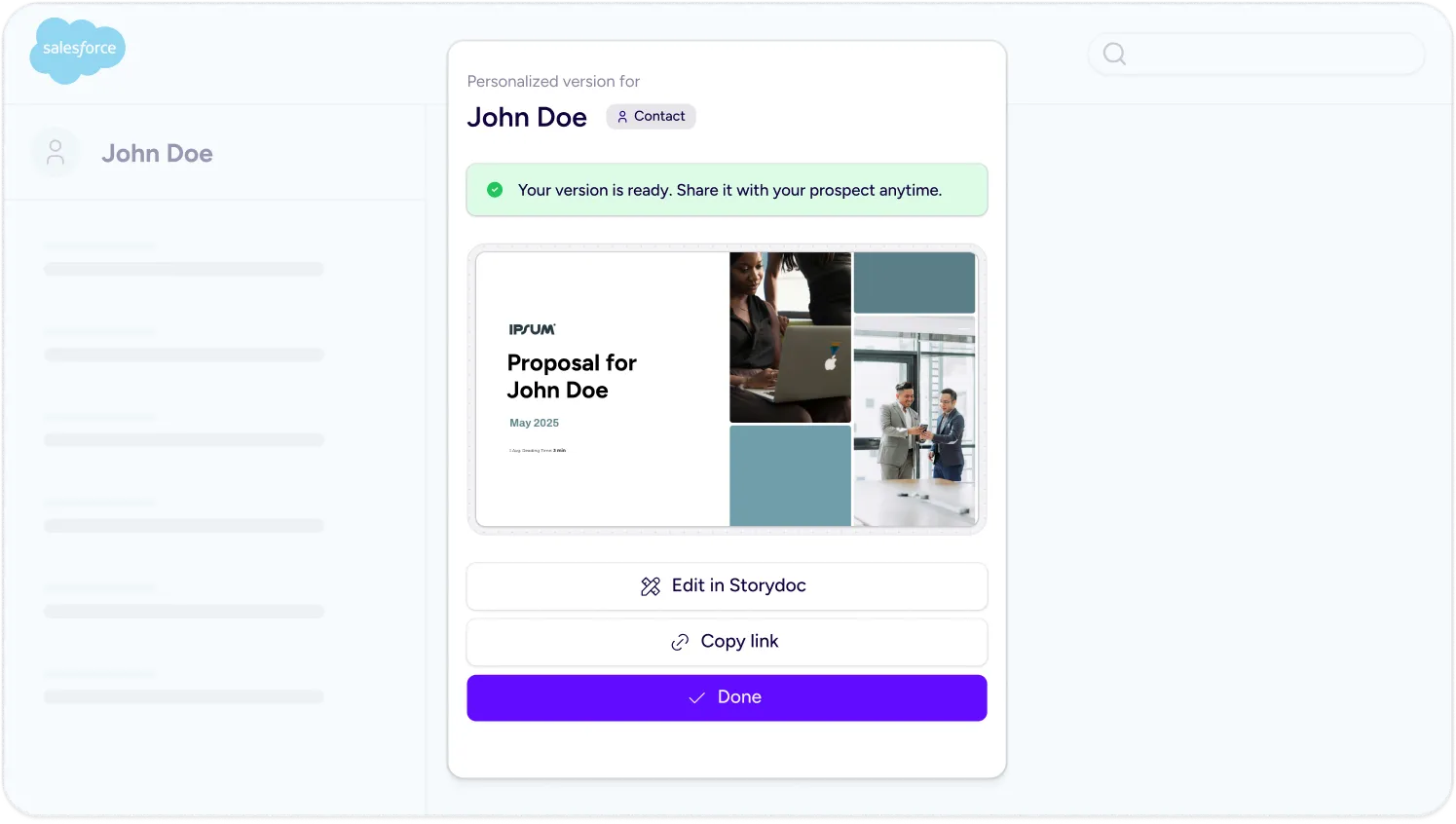
Build templates with dynamic variables and use them across deals, contacts, or leads. Your team stays consistent, while every document still feels personal.
Trusted by top businesses, loved by our users





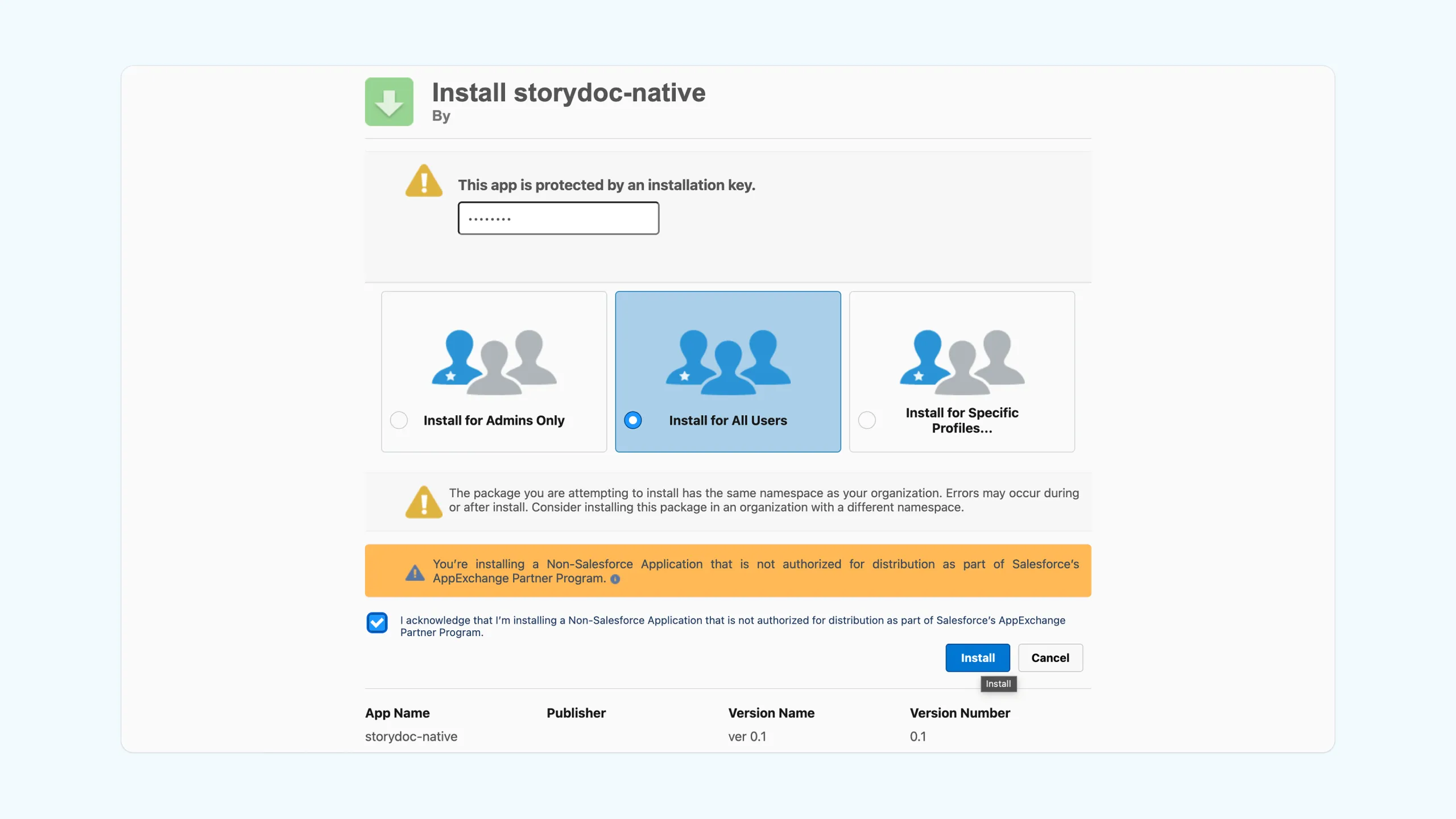
Install the Salesforce package, connect your account, and start generating personalized Storydocs directly from your records - no complex setup required.
1. Install the Storydoc package in Salesforce
Log into your Salesforce environment and install the Storydoc package. During setup, grant access to allow Storydoc to securely load inside your CRM.
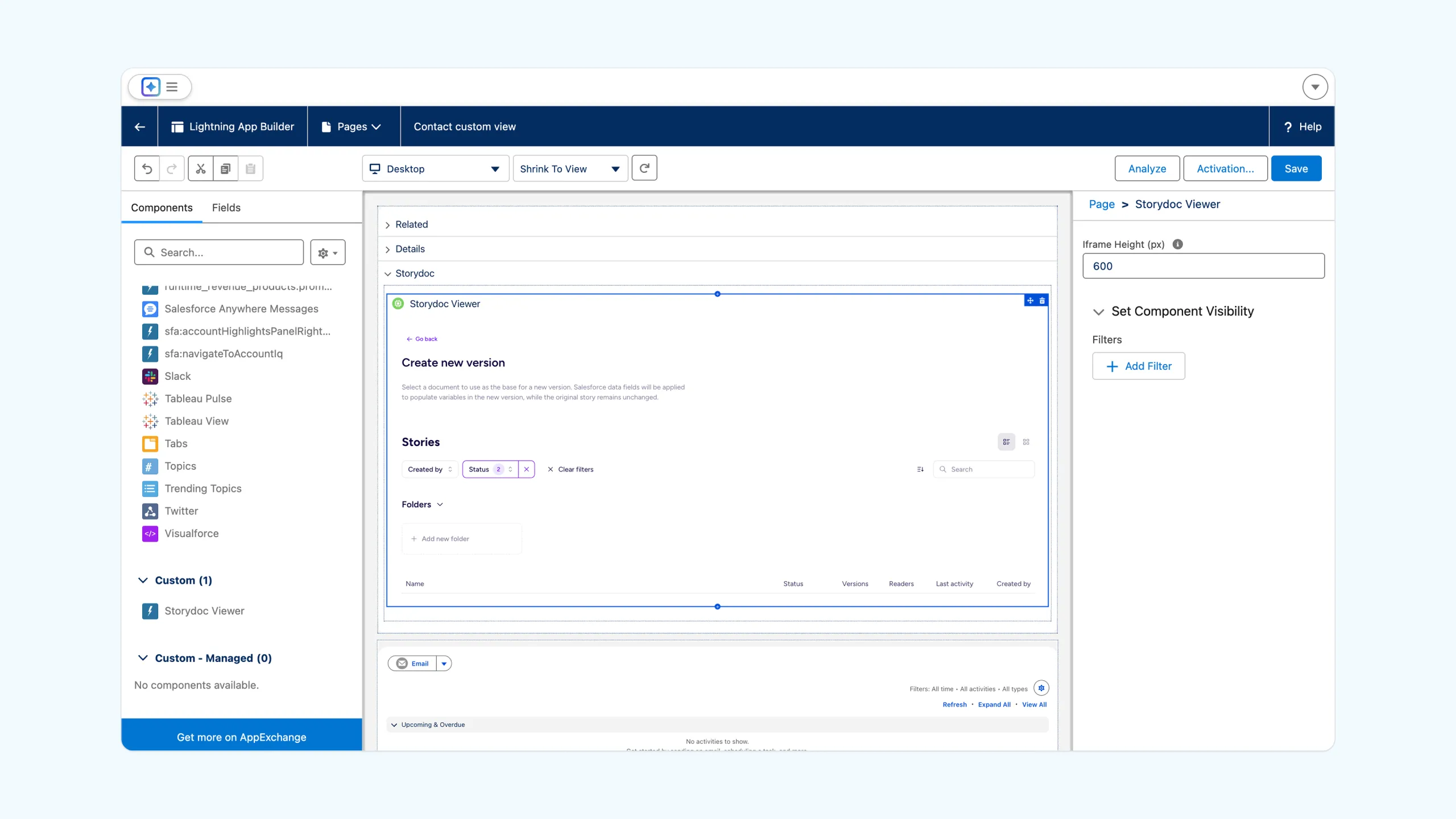
2. Add Storydoc to your record pages
Open your object (like Contacts, Leads, or Deals) in the Lightning App Builder and add the Storydoc viewer component to your layout. We recommend placing it in its own section so it’s easy to access.
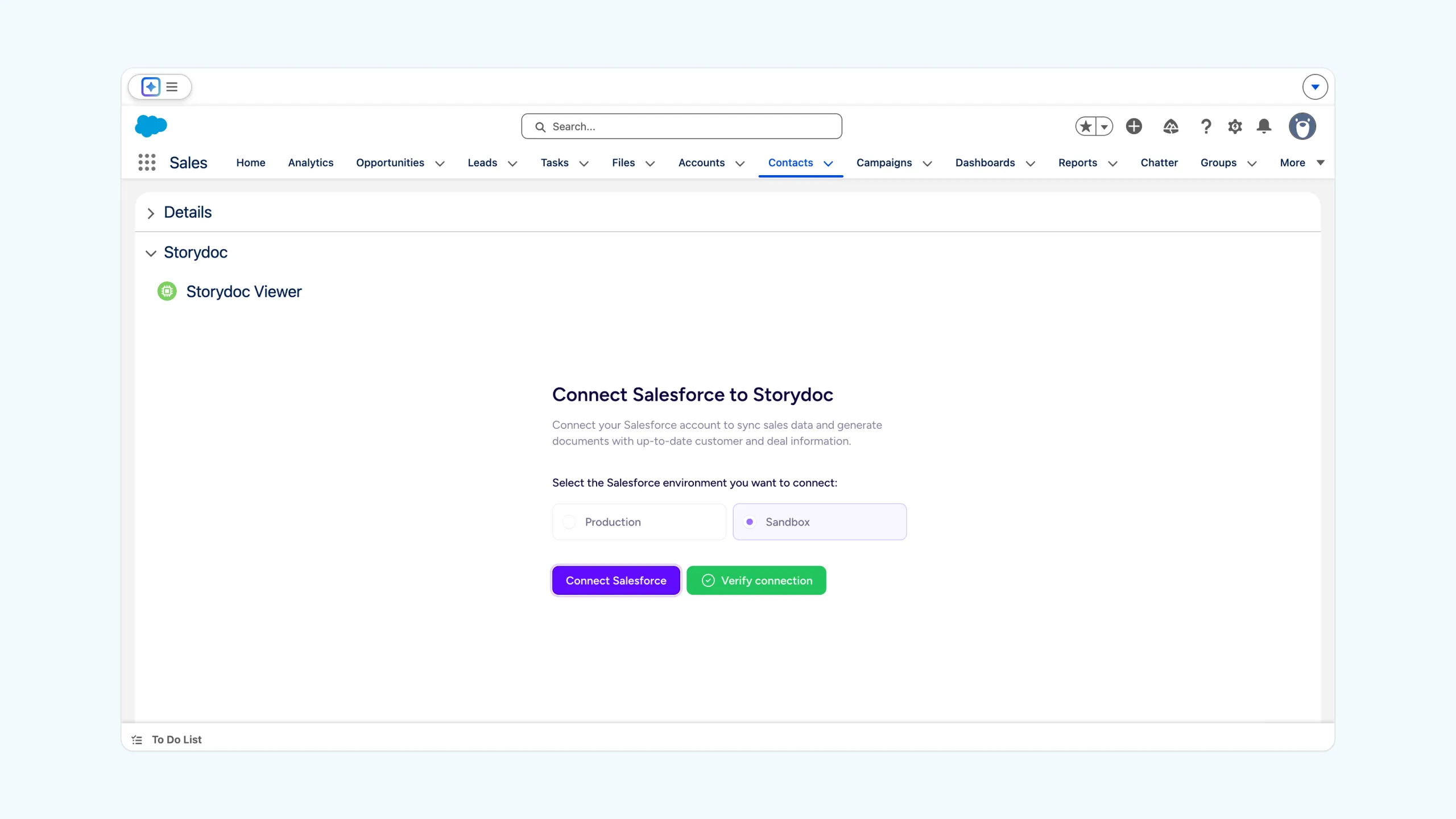
3. Connect your Storydoc account
Open any record, sign in to Storydoc from the viewer, and connect your Salesforce environment. This links your CRM data with your Storydoc workspace.
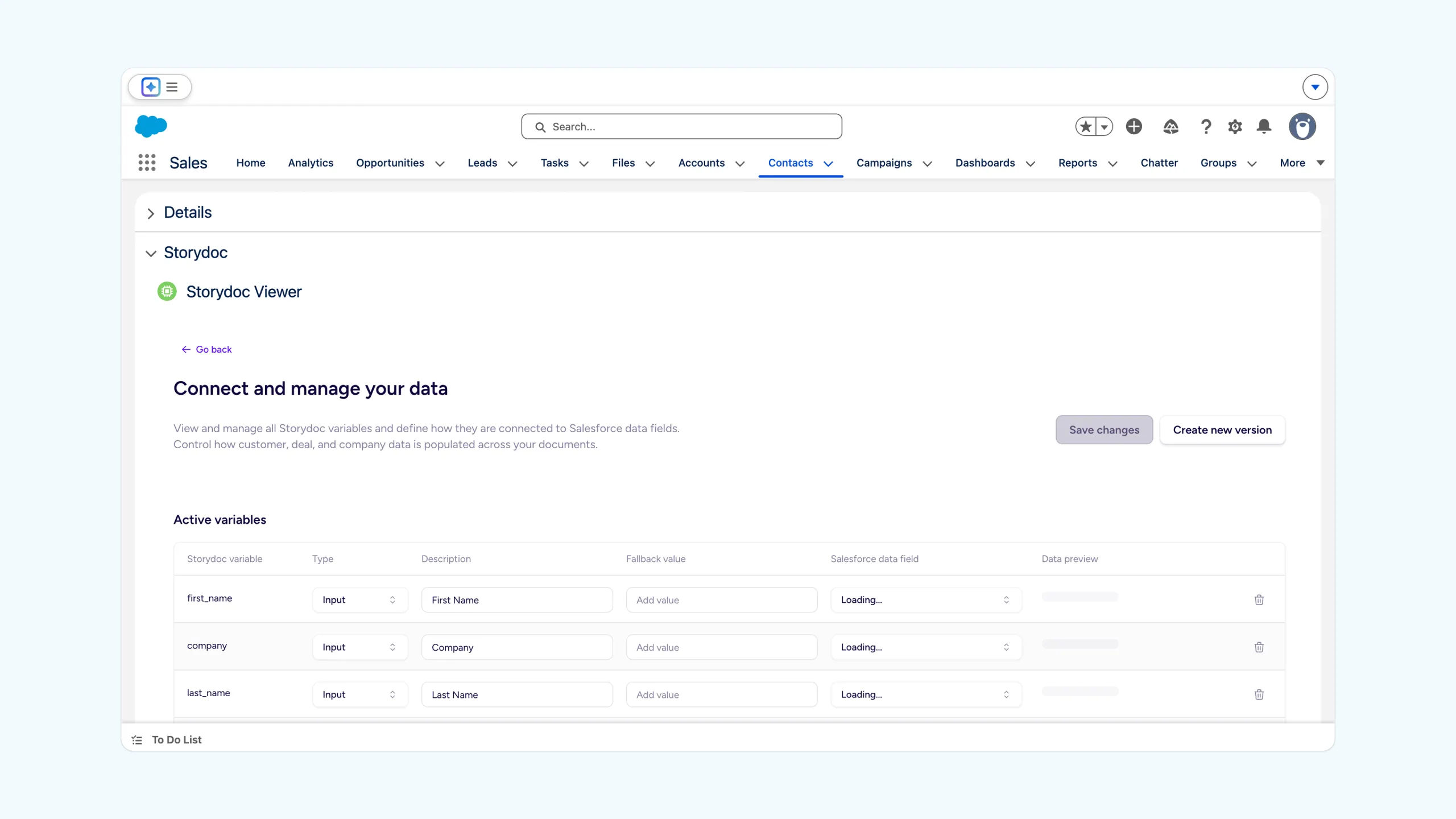
4. Map your fields to Storydoc variables
Match Salesforce fields (like name, company, deal info) to your Storydoc variables. This ensures every document is automatically personalized with accurate data.
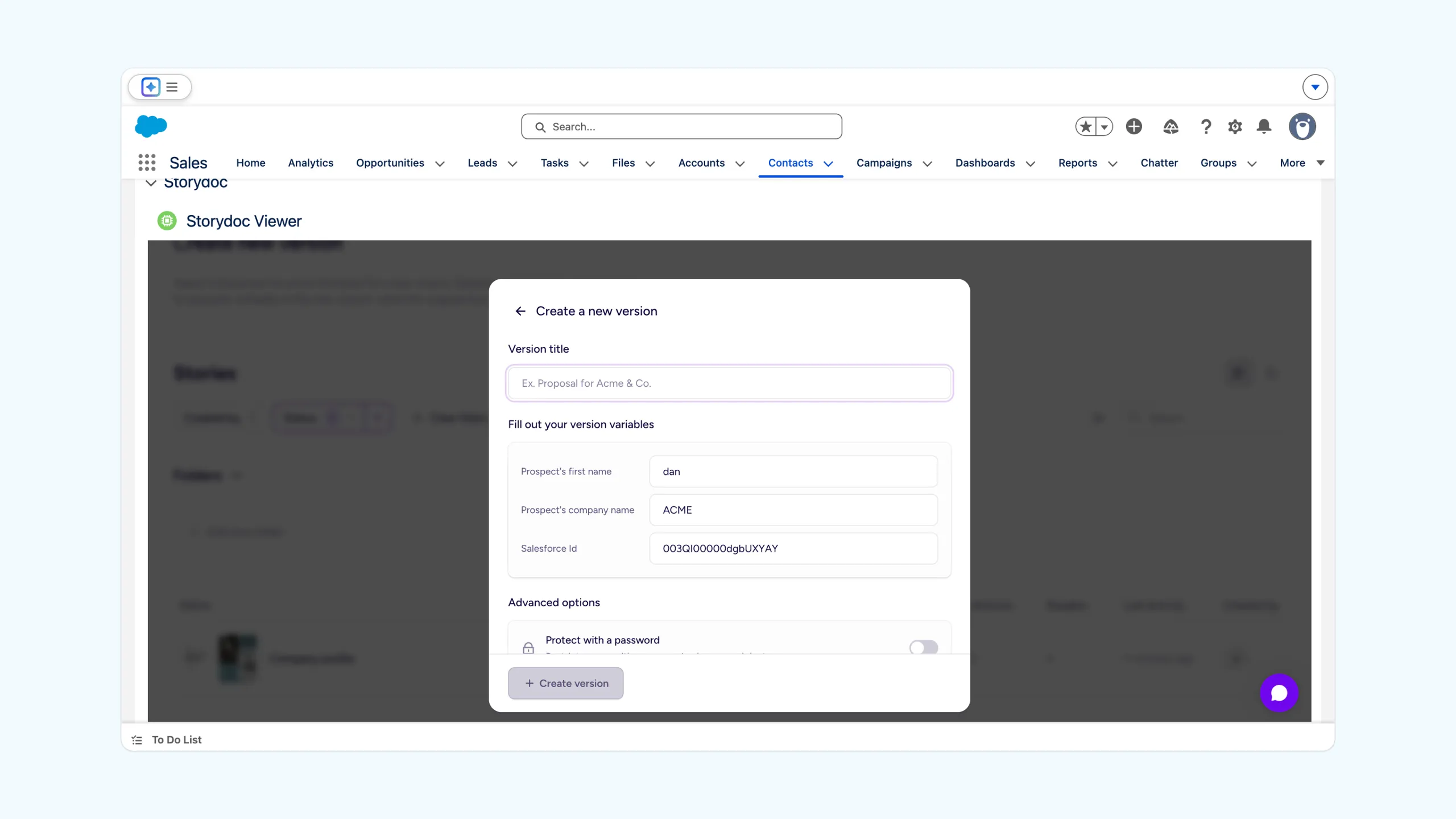
5. Create and share your document
Select a template, generate a new version, and share the link directly with your prospect – or send it through Salesforce.
6. Track engagement and follow up
View opens, clicks, and reading progress directly in Salesforce. Use these insights to follow up at the right time and move the deal forward.
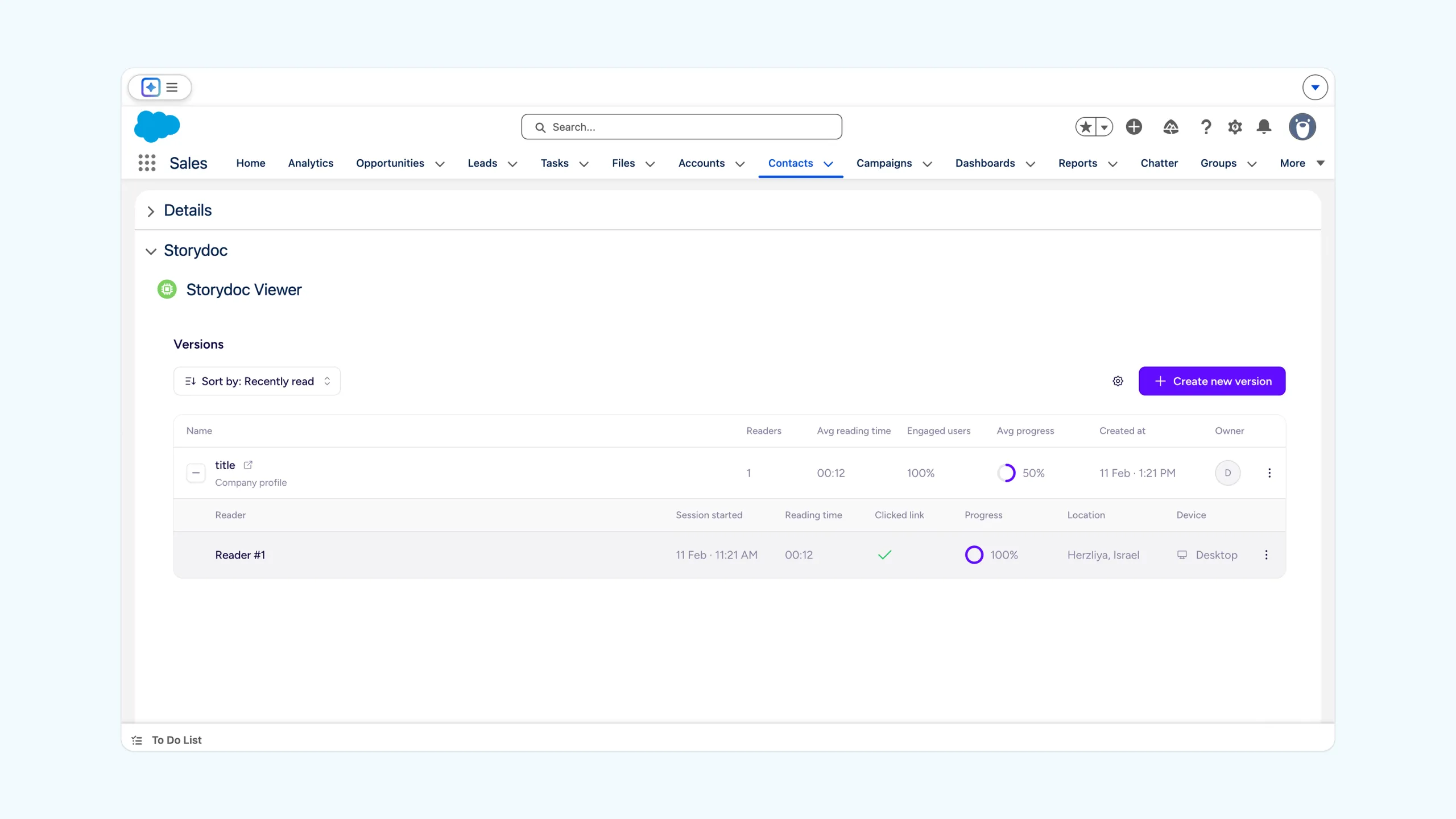
Track engagement directly from Salesforce and get a clear view of what's happening after you send each Storydoc.
Go beyond opens and see how each document is actually being used.
Access engagement data directly inside the Storydoc viewer in Salesforce, without jumping between tools. You can see:
Use your Salesforce data to automatically tailor each document to the person and deal.
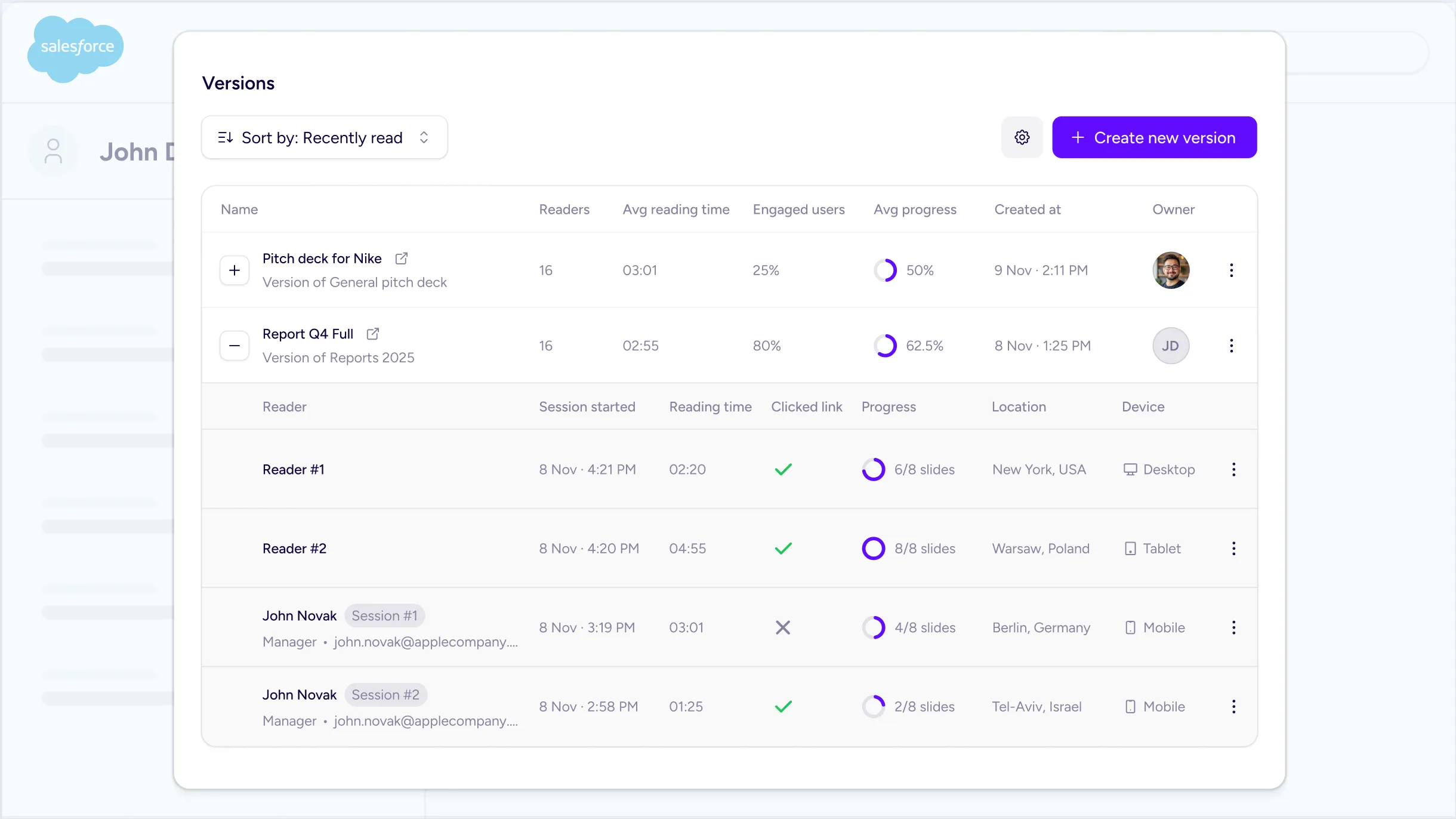
Go beyond opens and see how each document is actually being used.
Access engagement data directly inside the Storydoc viewer in Salesforce, without jumping between tools. You can see:
Use your Salesforce data to automatically tailor each document to the person and deal.
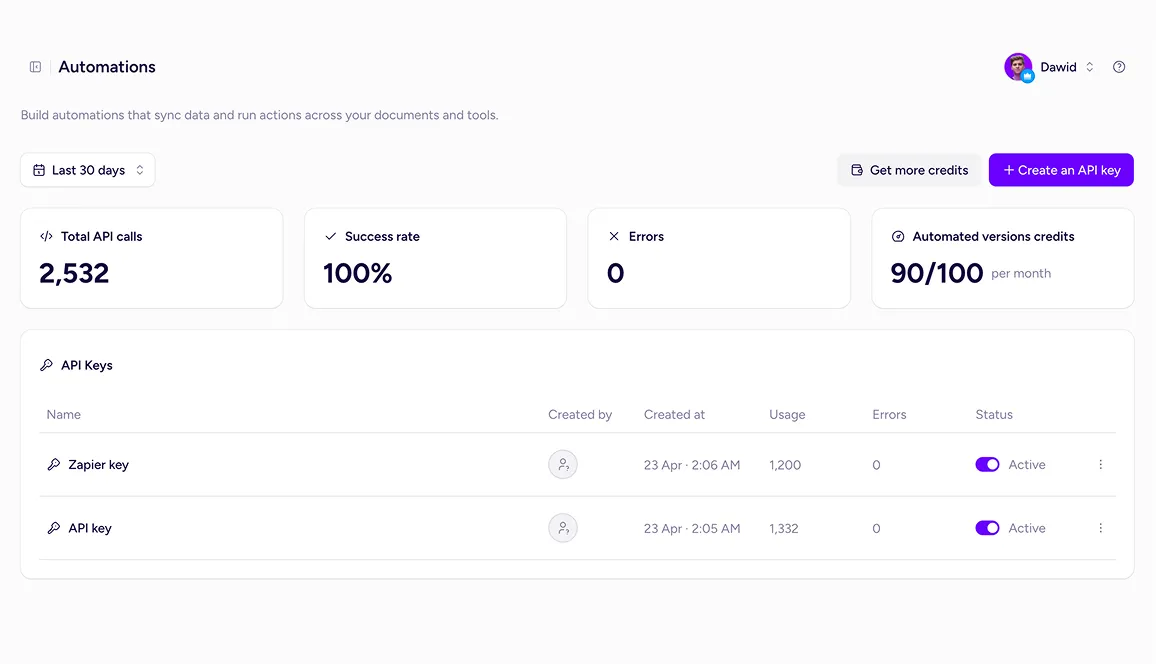
Go beyond native integrations with the Storydoc API.
Automatically generate personalized Storydocs, trigger follow-ups based on engagement, and connect everything to your go-to-market stack.
Build workflows that fit how your team works.
Yes. The Salesforce integration is available on the Teams plan.
If you’re on a different plan, you can upgrade to start generating and tracking Storydocs using your Salesforce data. See our Pricing page for more details.
A few things need to be in place before you start. You need to make sure that:
Once these are sorted, the setup itself is straightforward.
No – the integration is designed as a no-code solution.
If you’re familiar with Salesforce basics (like editing record pages), you’ll be able to install the package, add the viewer, and map your fields without developer support.
Yes. You can generate and manage Storydoc documents directly from Salesforce records.
Just select a template, create a new version, and share it with your prospect – all without leaving your CRM.
Yes. You can view how prospects interact with your Storydoc directly in Salesforce.
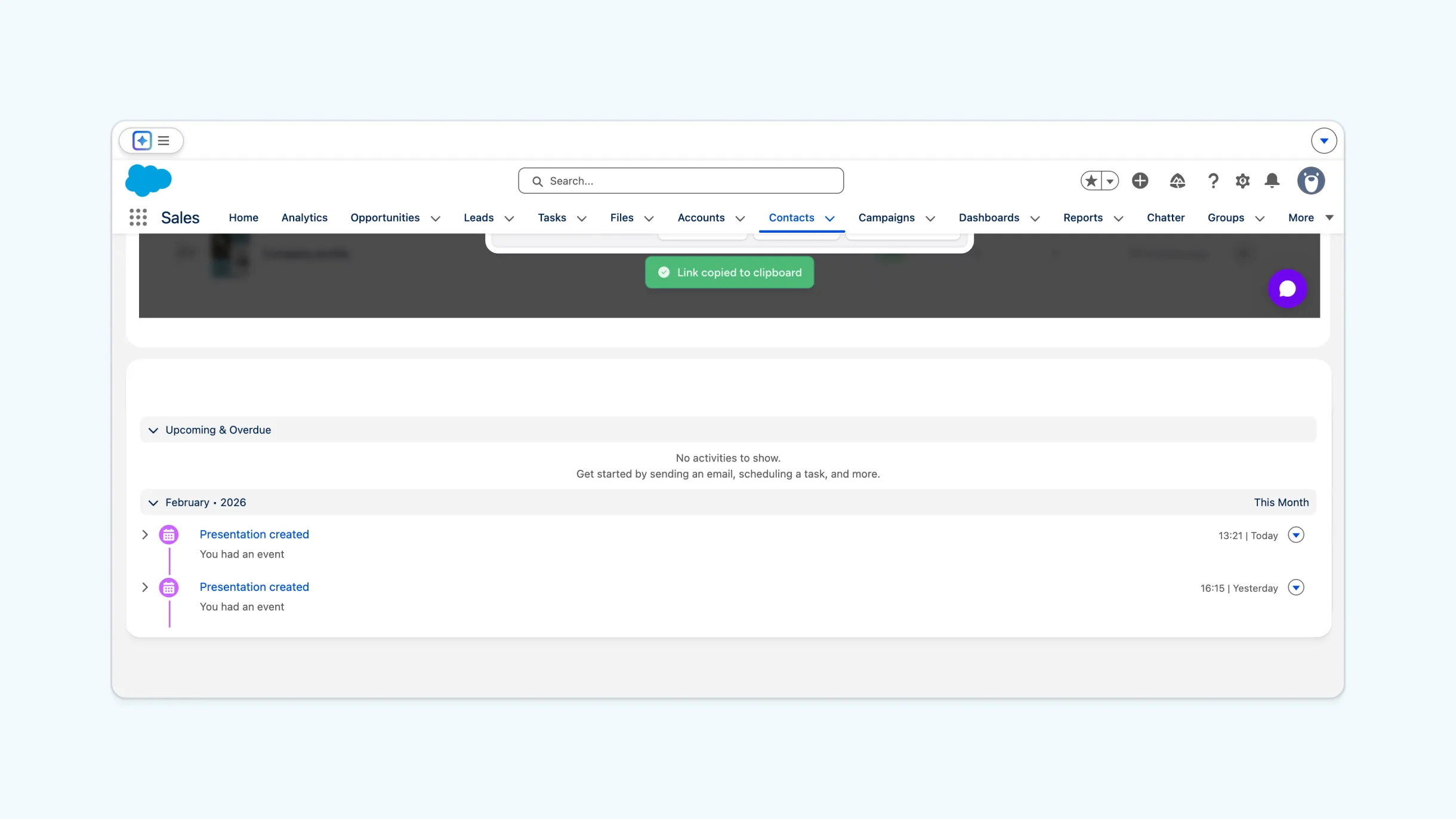
You’ll see opens, clicks, and reading activity in the Storydoc viewer, with key events also tied to the record’s activity history.
Yes. You can map Salesforce fields to Storydoc variables to automatically personalize each document.
This ensures every Storydoc reflects the right contact, company, and deal context – without manual edits.
Yes. The Storydoc viewer works with standard Salesforce objects like Contacts, Leads, and Deals.
You can also extend it to additional objects by adding the component to their record pages and mapping the relevant fields.
Yes. If you need more advanced workflows, you can use the Storydoc API.
This allows you to automate document creation, connect Storydoc with your internal systems, and build fully custom processes beyond the native integration.
Yes. Storydoc is built with security in mind and is ISO 27001 certified and GDPR compliant.
The Salesforce integration uses secure authentication and requires explicit permission during setup. Storydoc is also added as a trusted domain, so your content loads safely inside Salesforce.
Your data stays protected, and you stay in control of access at every step.
Connect Storydoc to Salesforce and start creating documents you can track, personalize, and act on - all without leaving your CRM.