
Storydoc + Slack: Turn conversations into customer-ready business documents
Use AI to turn Slack conversations into personalized Storydocs using your own templates and branding, and create customer-ready business documents without manual copy-paste.
 Add to Slack
Use AI to turn Slack conversations into personalized Storydocs using your own templates and branding, and create customer-ready business documents without manual copy-paste.
Trusted by 400,000+ users to automate their workflows


Automatically extract information from Slack conversations, map it to your Storydoc templates, and create customer-ready business documents in seconds.
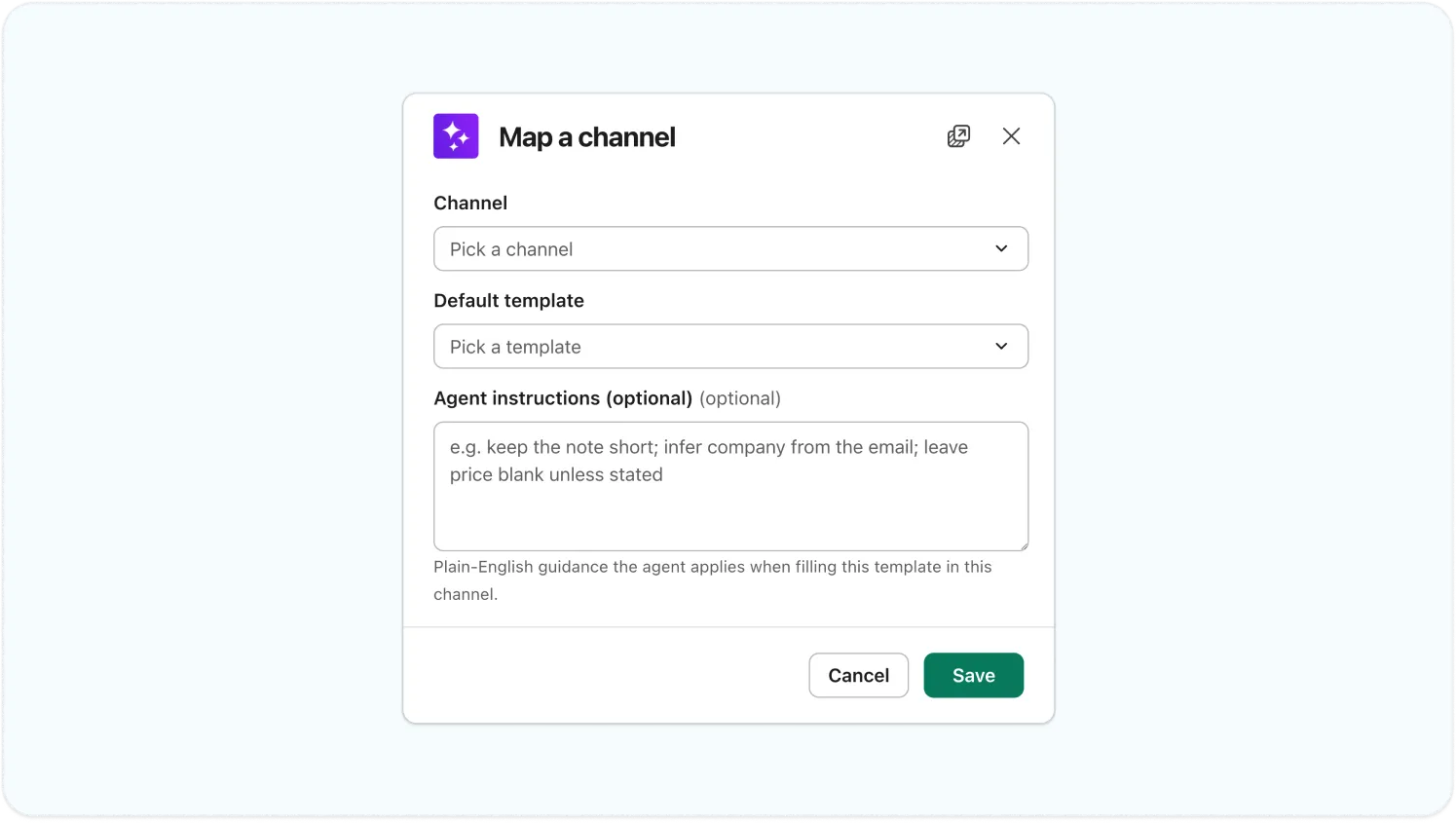
Choose a different Storydoc template for each Slack channel and customize how AI fills it using agent instructions.
You can leave the agent instructions blank and let AI populate the template automatically. Or skip channel mapping entirely – in any unmapped channel, the assistant will choose the most suitable template for you.
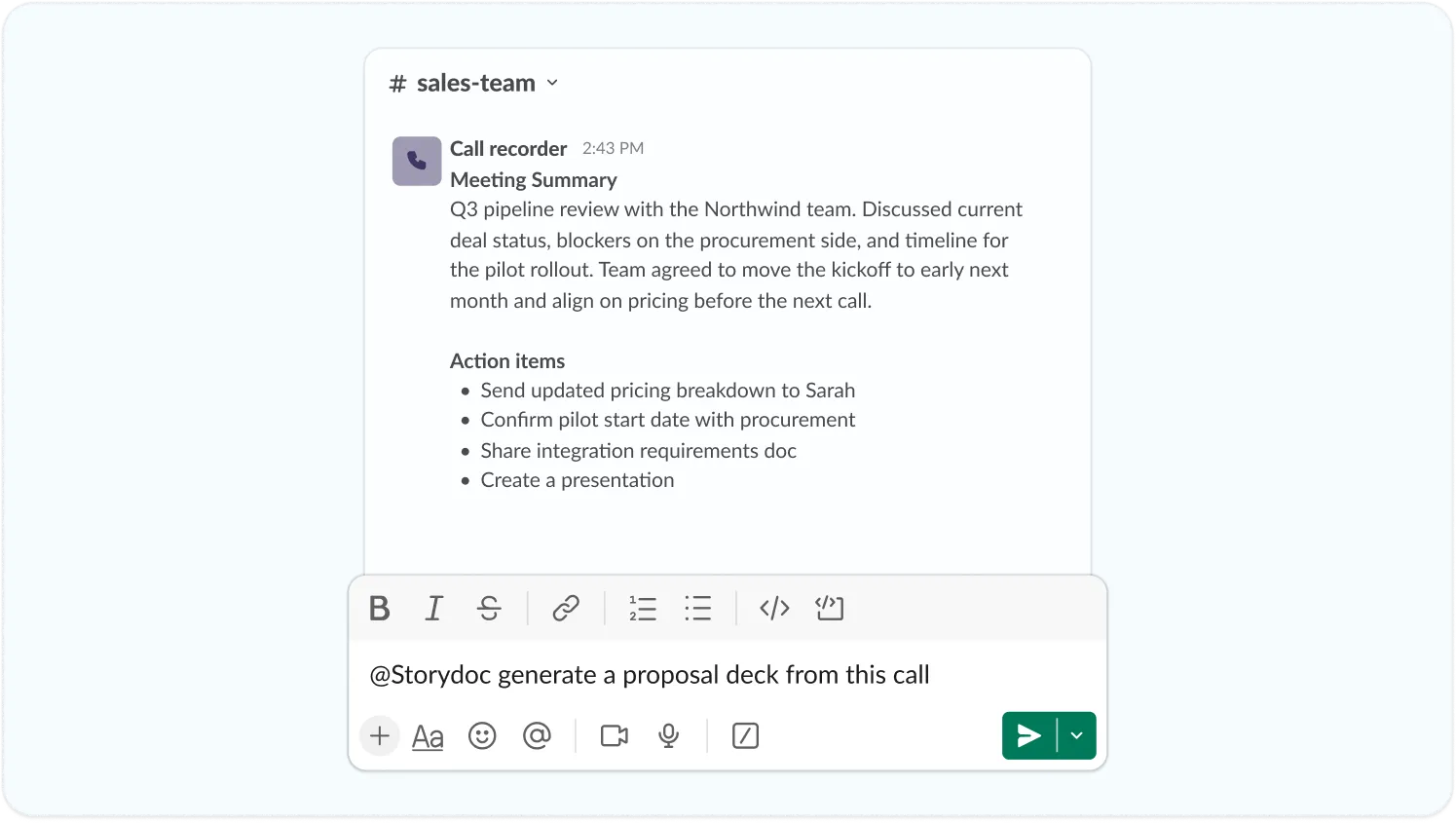
Bring in data from any tool that connects to Slack – from your CRM and call recording platform to meeting notes, images, AI assistants, and more.
The Storydoc agent gathers everything flowing into your channels, giving it all the context it needs to generate a single personalized Storydoc.
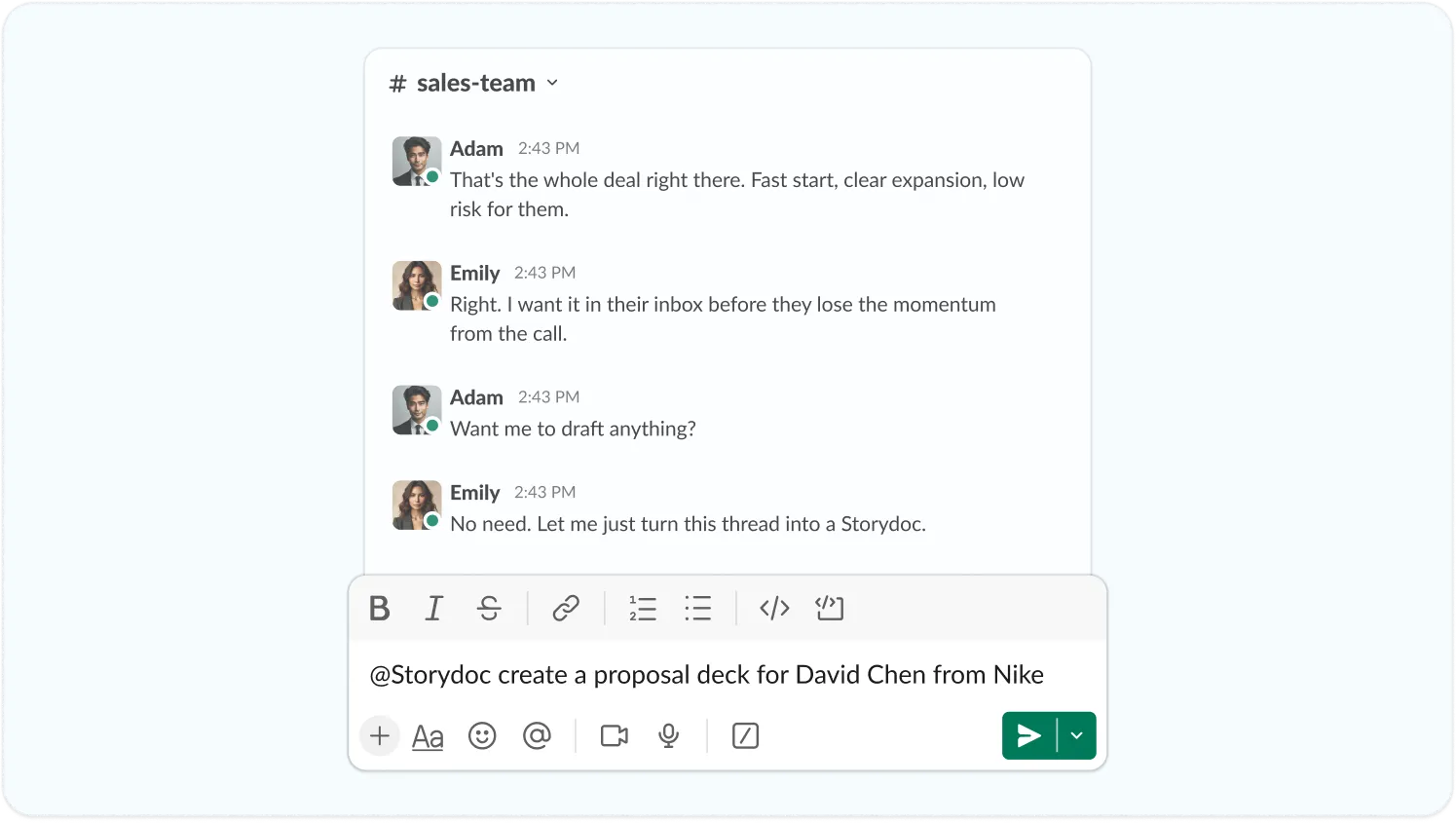
Use AI to extract customer information, meeting notes, next steps, and other key details from your Slack conversations and connected data sources.
Storydoc automatically maps the extracted information to your chosen template, so every document starts with the right context.
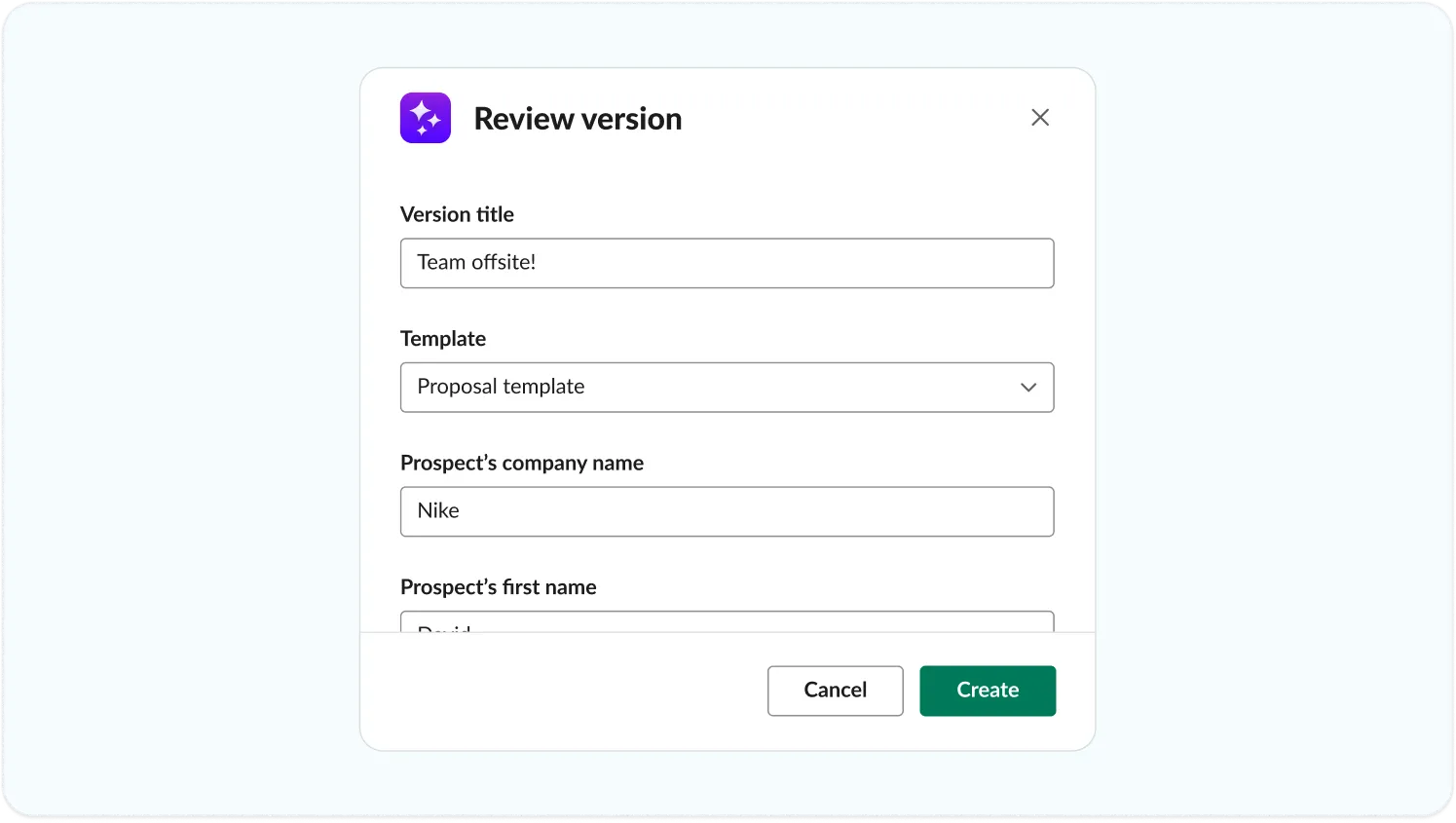
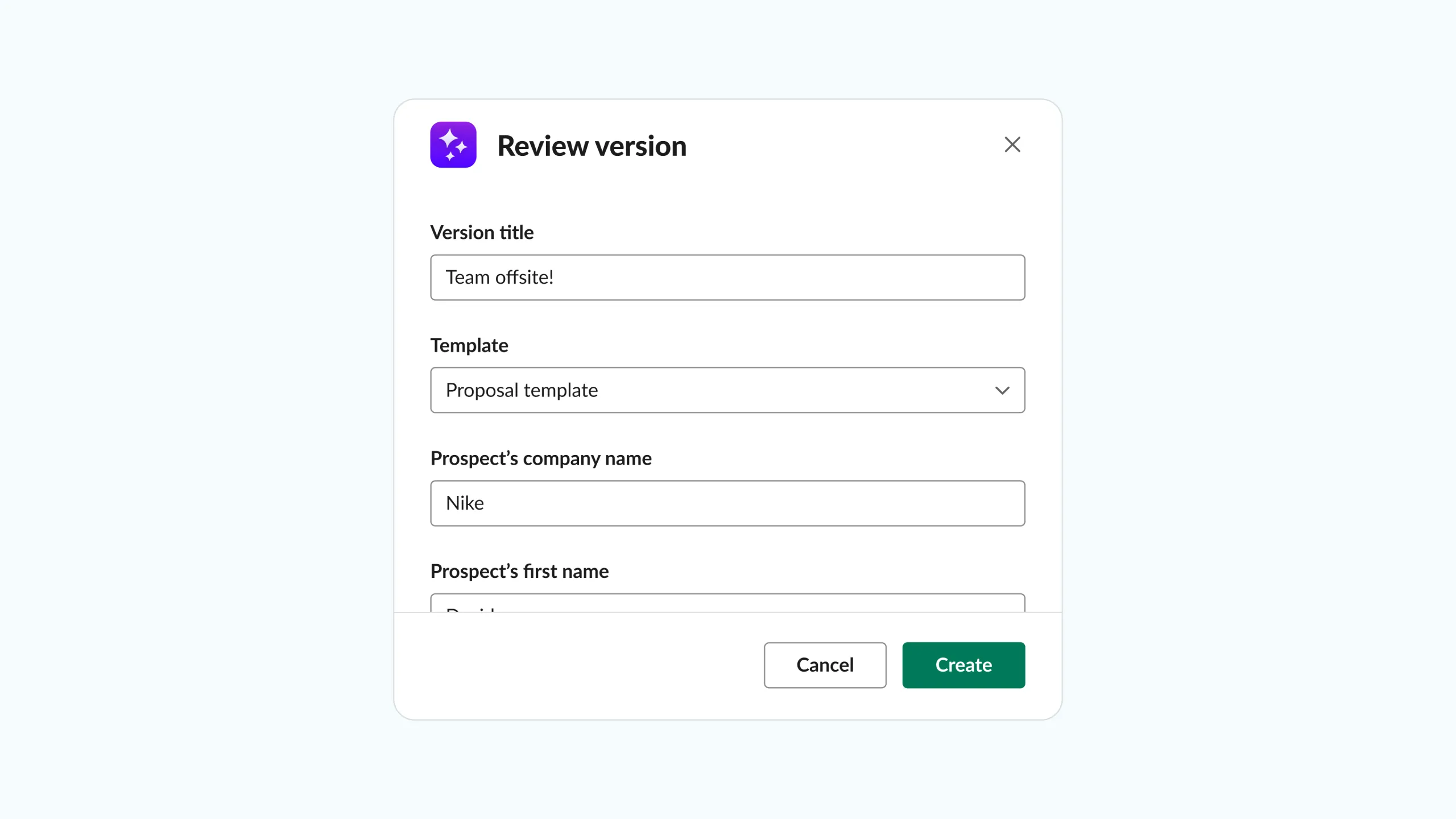
Before creating your Storydoc, review everything AI extracted. Verify the selected template, check the variables, and make any changes you need.
If Storydoc can’t confidently identify a piece of information, it’s designed to leave the field blank rather than guess, so you can complete it yourself before creating the document.
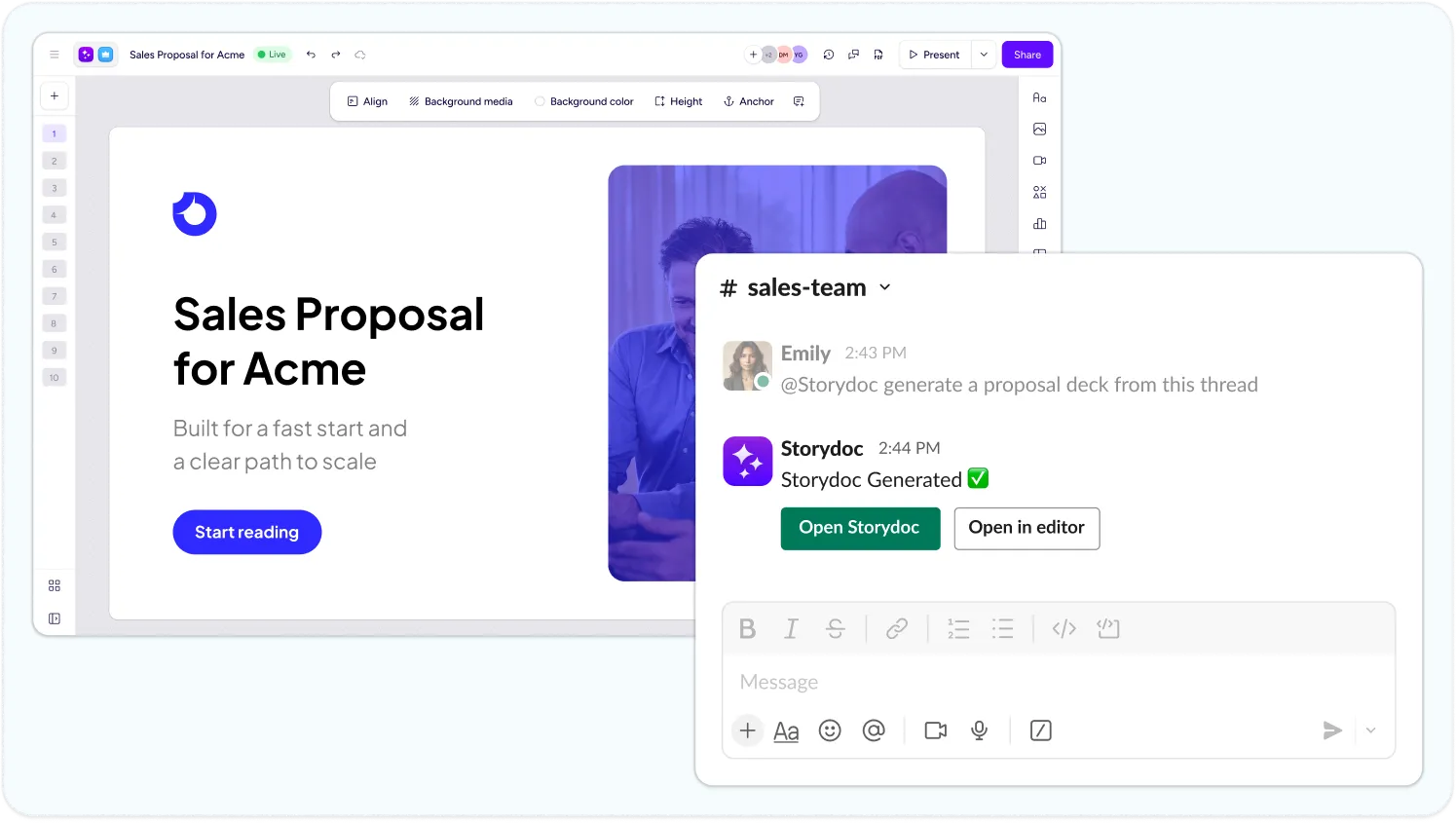
Open your generated Storydoc or continue editing it in the Storydoc editor, and share it with your team or customers.
Your Storydoc link never changes, even after edits, and every document remains interactive, always up to date, and fully trackable with built-in engagement analytics.
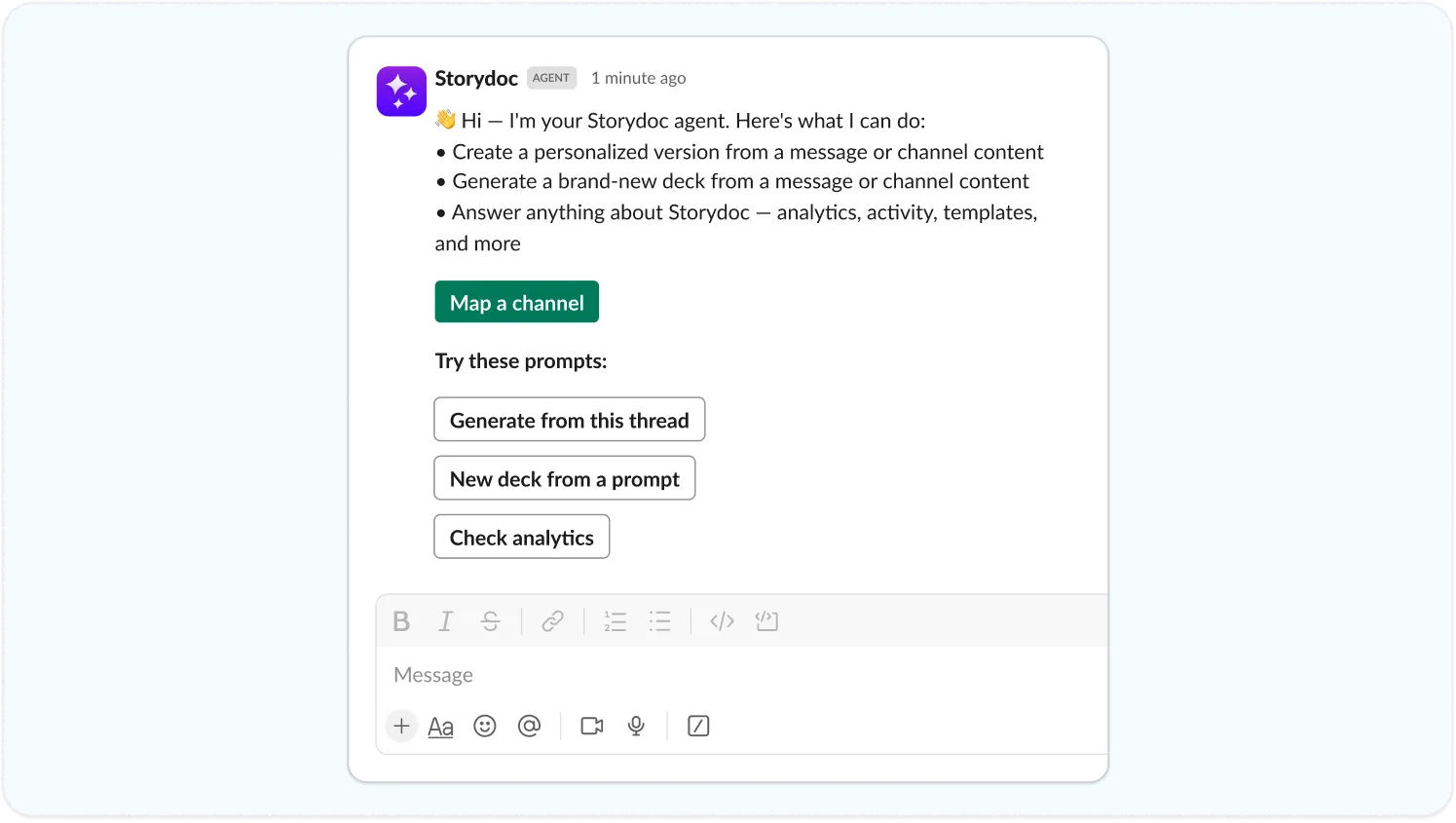
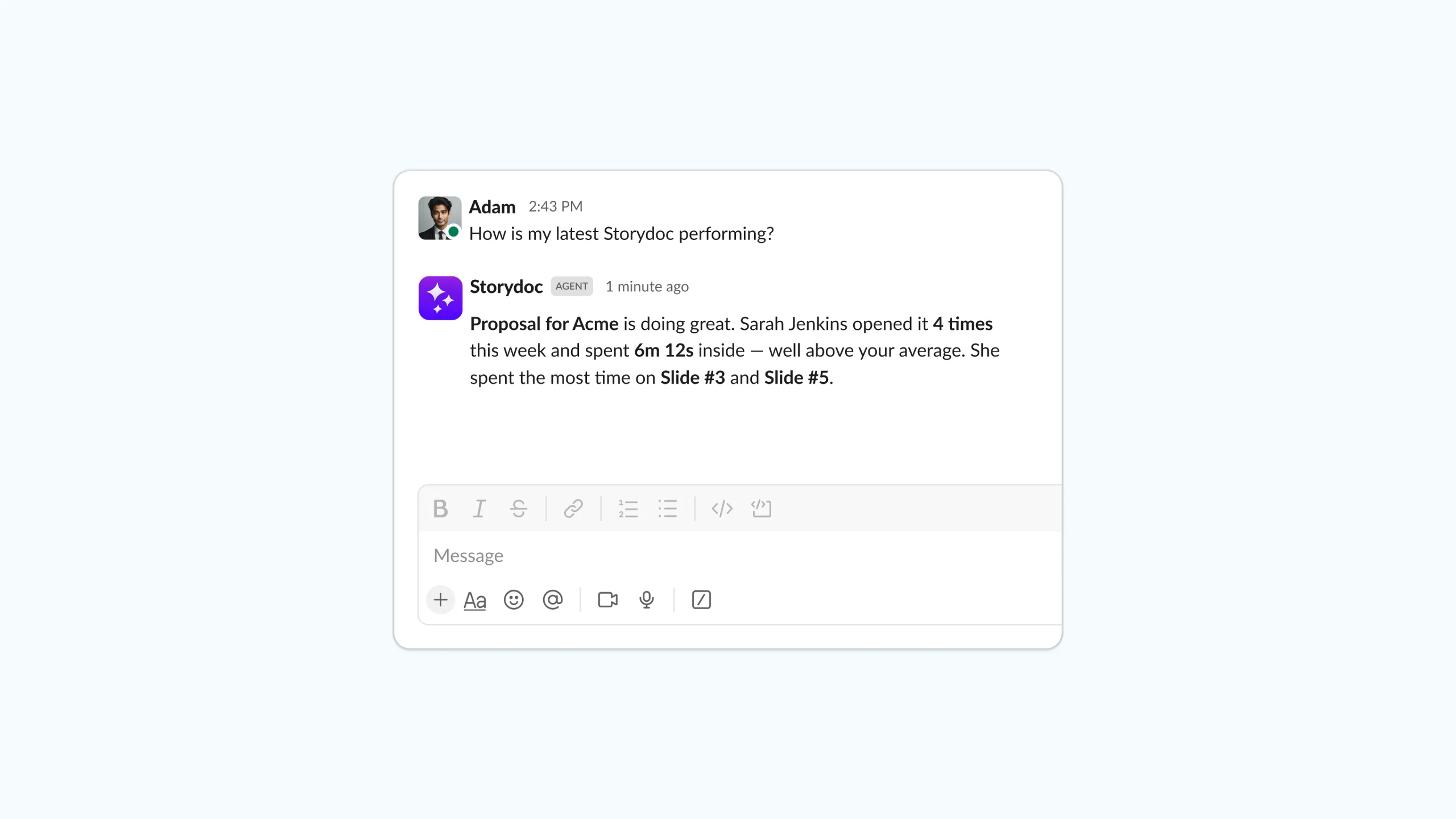
Go beyond document generation by asking the agent questions directly from Slack. You can ask it to find the right template, check the analytics for a specific deck, explore your document library, and more.
Trusted by top businesses, loved by our users





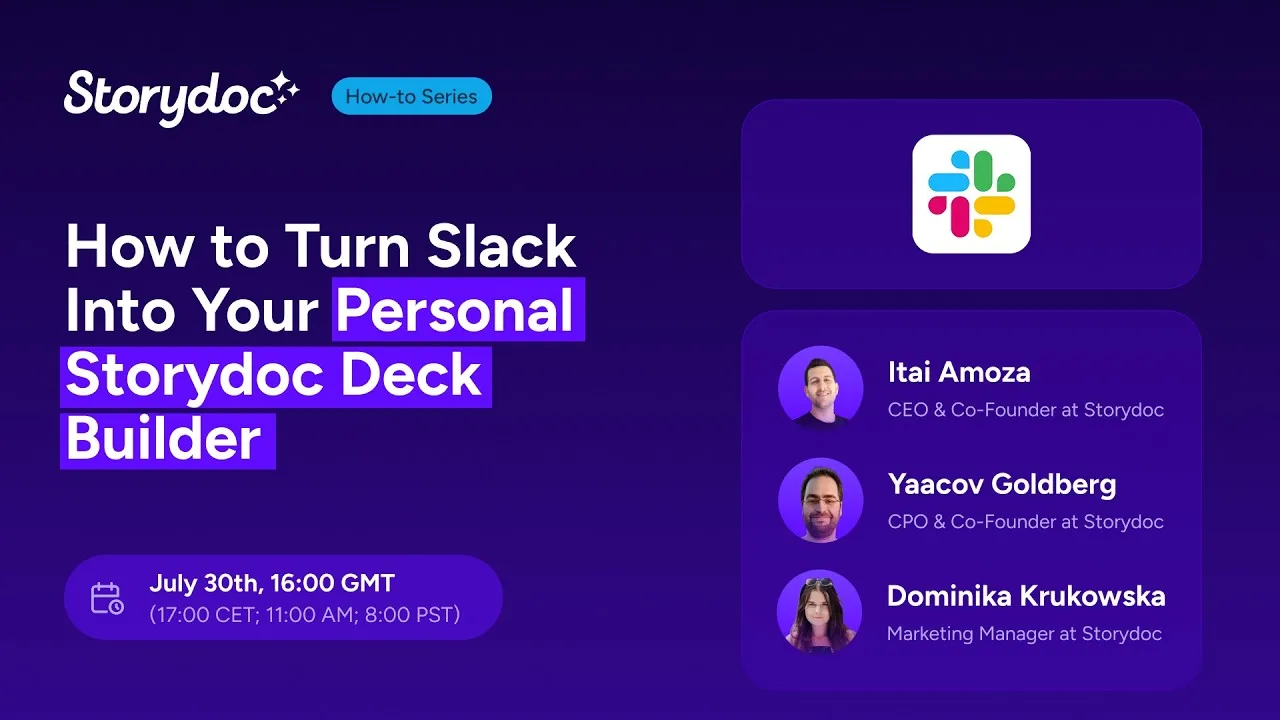
How to Create a Personalized Storydoc Deck from a Single Slack Message
How to Map Your Slack Channel for the Storydoc Agent
Set up the integration, teach the AI assistant how you work, and start generating Storydocs directly from Slack.
1. Install and configure the Storydoc app in Slack
Add the Storydoc app to your workspace.
Once it is installed, open Slack and go to:
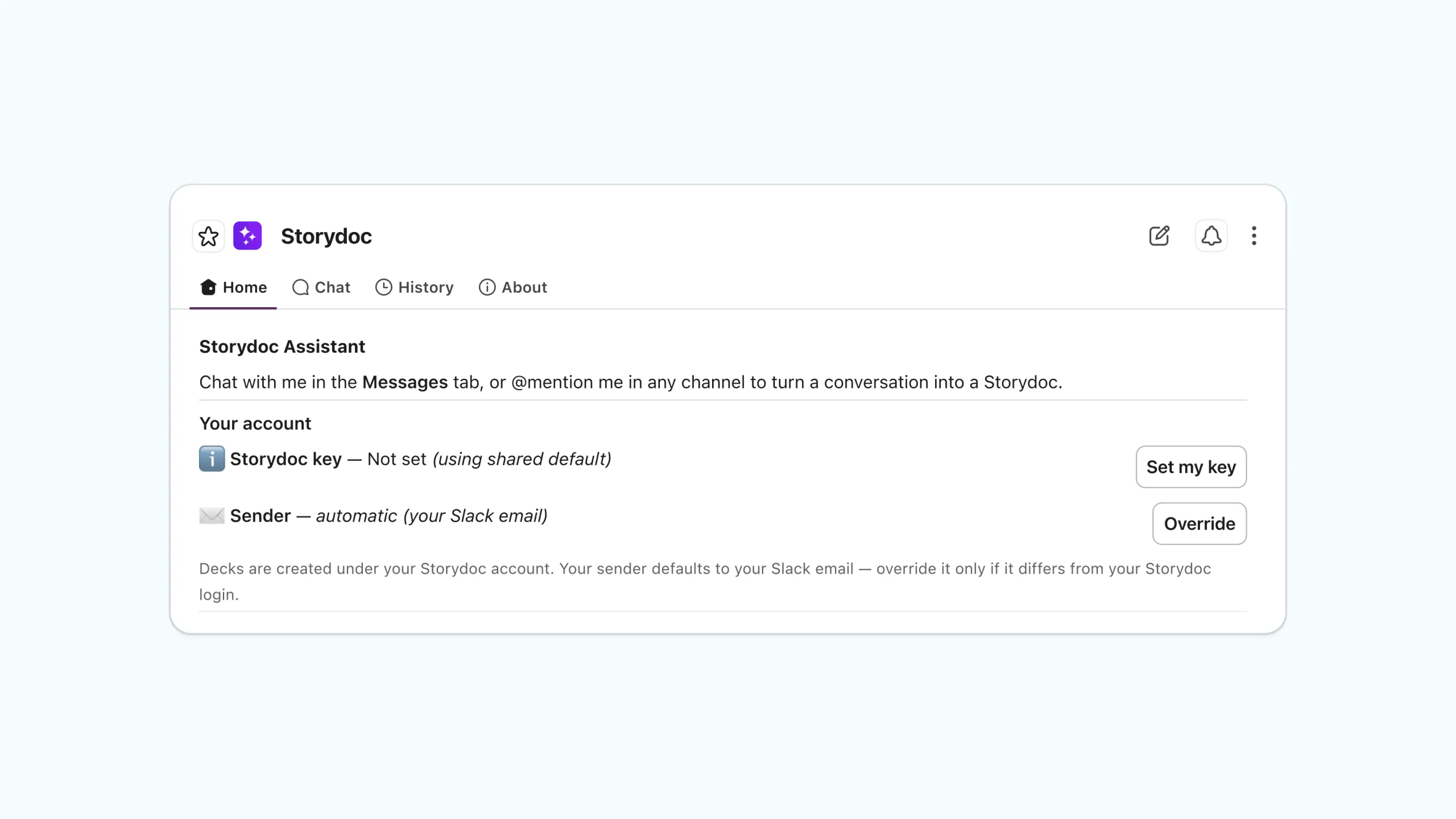
Agents and Apps → Storydoc → Home
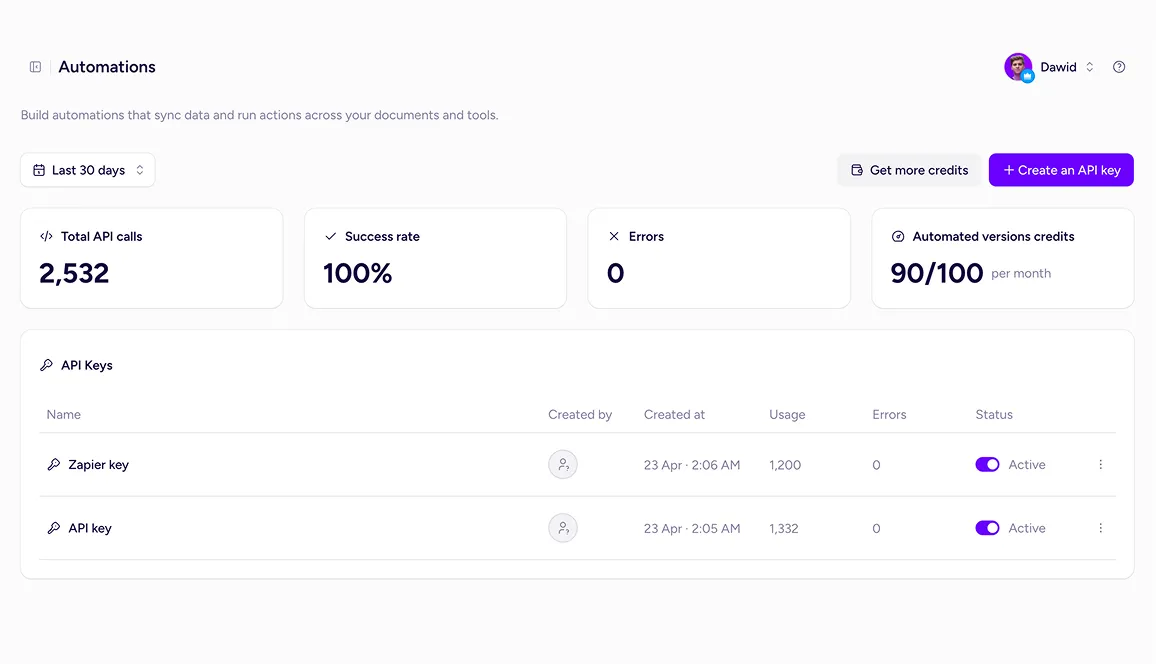
Click Set my key (or Update Key if you’ve already connected your account), then paste in a Storydoc API key created specifically for Slack. You can generate the key in Storydoc under the Automation section.
Storydoc automatically uses the email address associated with your Slack account as the default sender. You can change the sender at any time from the dedicated Sender setting in the Storydoc app.
2. Map each Slack channel
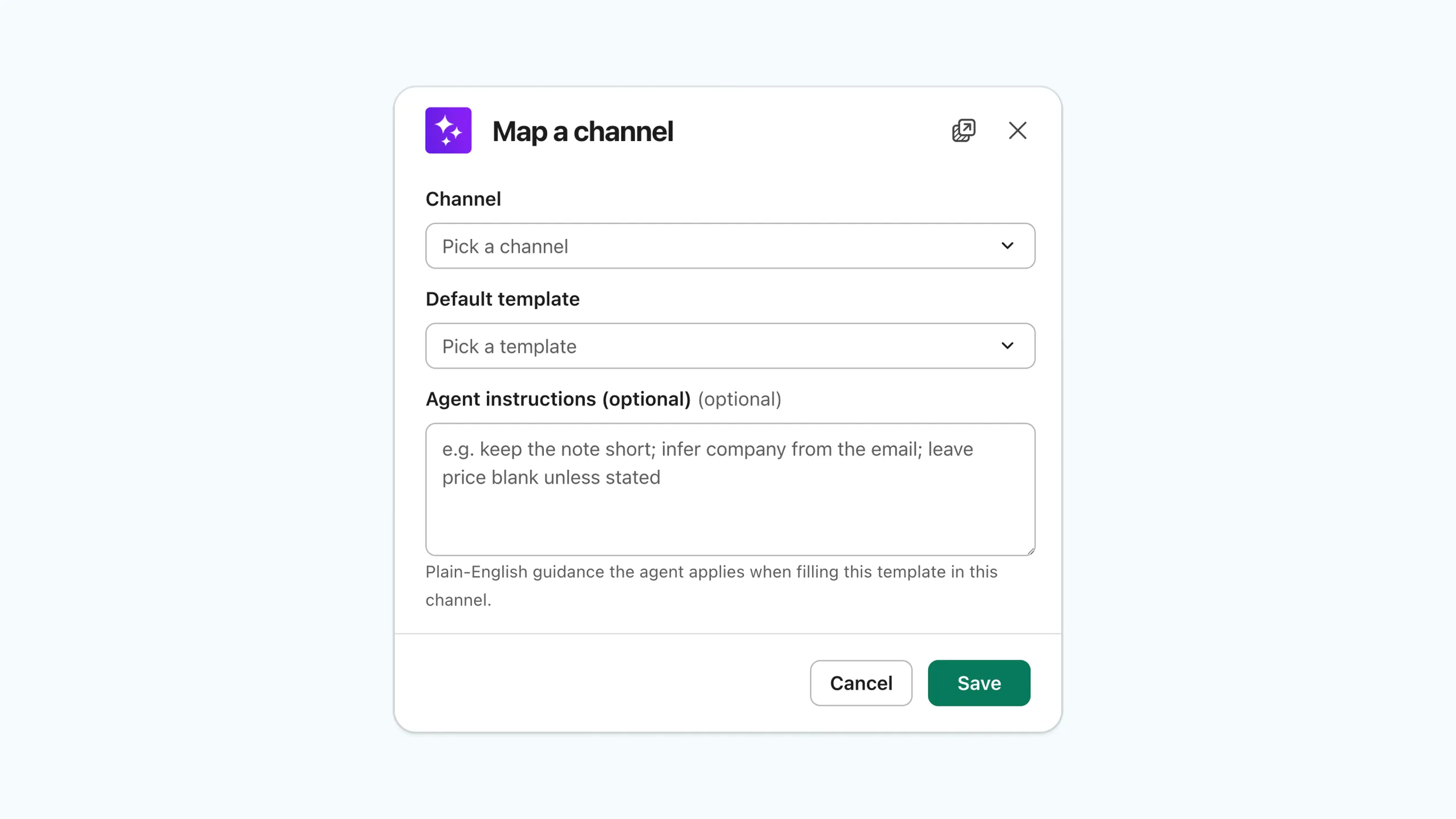
From the Storydoc Home tab, click Map a channel.
In the configuration window:
Select the Slack channel you want to connect.
Choose the default Storydoc template for that channel. The template field is required when mapping a channel, but you can skip mapping and the assistant will choose the most suitable template for you.
Add optional agent instructions in plain text to guide AI. For example, ask it to keep the personal note under 70 words, infer the company name from the recipient’s email, or leave pricing blank unless it’s explicitly mentioned.
Click Save.
To generate Storydocs, you’ll need at least one Storydoc template with dynamic variables. These tell the AI where to place the information it extracts from your Slack conversations.
You can connect multiple channels to different templates – for example, a proposal template for qualified leads and a renewal presentation template for customer success conversations.
3. Call the AI assistant
Once you’ve mapped a channel, the Storydoc agent automatically joins public channels – there’s no need to add the app manually. For private channels, simply run /invite @Storydoc once to grant the agent access.
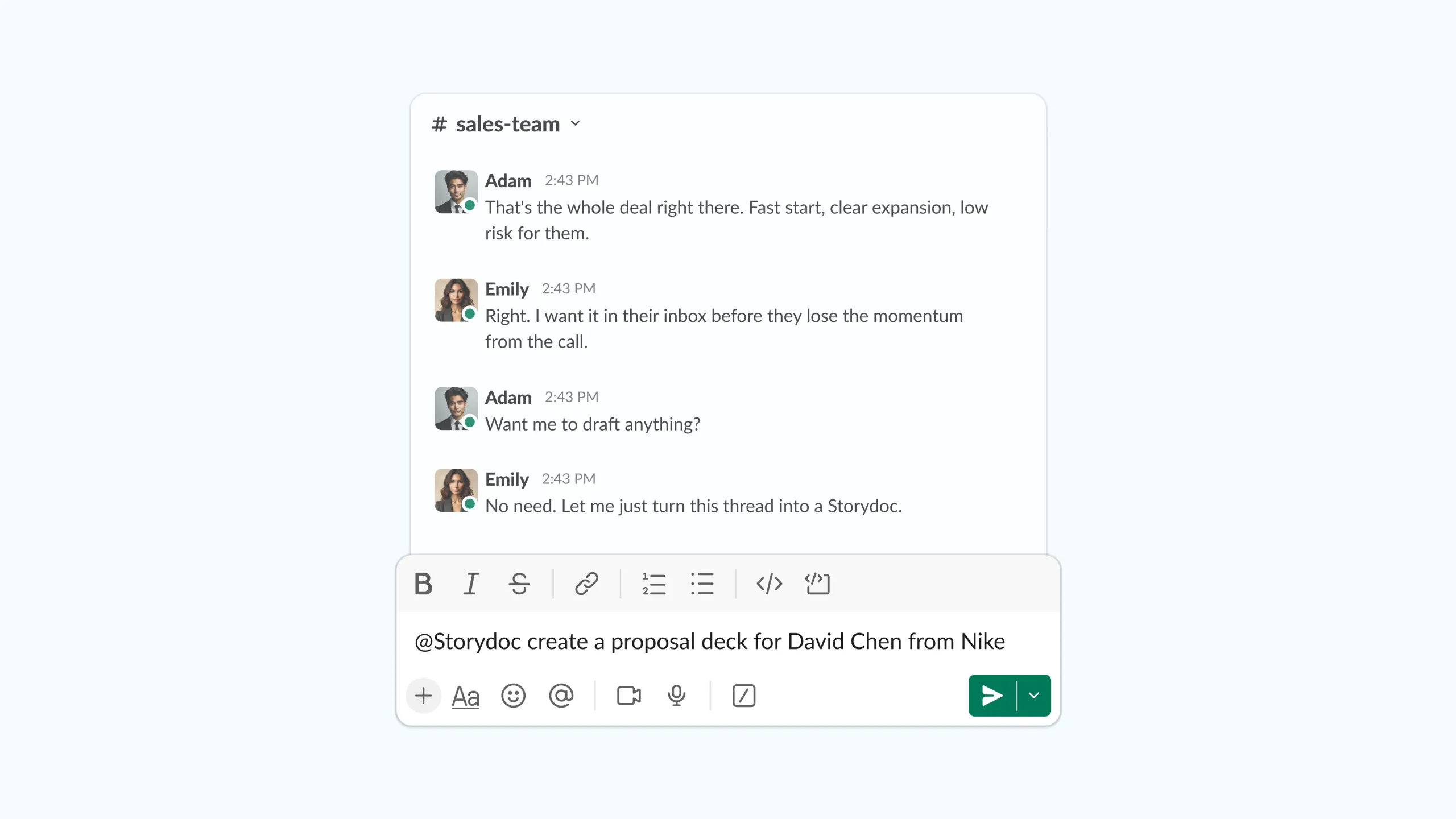
Then simply tag the agent to get started. You can ask it to generate a brand new Storydoc, create a personalized version from a specific message or an entire channel, or answer questions about your Storydocs.
For example, ask it to:
Generate a proposal from the latest discovery call.
Create a personalized follow-up from this Slack thread.
Find the best Storydoc template for this use case.
Show the analytics for a specific Storydoc.
4. Review and generate
When you ask the Storydoc agent to create a document, it opens a generation window with everything prepared for you.
Click Review & edit to review the selected template, check the extracted variables, and make any necessary changes.
When you’re ready, click Create now to generate your Storydoc.
Once it’s ready, you can either open your deck or open it in the Storydoc editor to continue editing it before sharing.
5. Track every Storydoc you send
Every Storydoc comes with built-in analytics, so you can see exactly how people engage with your documents after you share them.
Track how many views your Storydoc receives, when it was opened, where readers were located, which device they used, how much time they spent on each slide, where they dropped off, and which calls to action they clicked.
Use those insights to improve future Storydocs, personalize your follow-ups, and reach out at the right moment.
Go beyond native integrations with the Storydoc API.
Automatically generate personalized Storydocs, trigger follow-ups based on engagement, and connect everything to your go-to-market stack.
Build workflows that fit how your team works.
The Storydoc Slack integration lets you generate and manage Storydocs directly from Slack using natural language.
Simply tag the Storydoc agent to create a new Storydoc, personalize one from a specific message or channel, or ask questions about your templates, analytics, and existing Storydocs.
Yes. You can map each Slack channel to a specific Storydoc template. If you use the assistant in an unmapped channel, it will choose the most suitable template based on your request and the available context.
You can also add optional agent instructions to control how AI generates each Storydoc – for example:
Find the company’s website from the recipient’s email address.
Reference where and how you met the prospect (for example, at a conference in New York).
Summarize the prospect’s key pain points from the conversation.
Suggest common challenges for similar companies in the same industry.
Keep the personal note between 50 and 70 words.
Leave pricing blank unless it’s explicitly mentioned.
Storydoc only fills fields it can identify with confidence. If a value can’t be found, it’s designed to leave the field blank rather than guess, so you can review and complete it before generating your Storydoc.
Absolutely. Every Storydoc is fully editable after generation. Review the content, update the design, personalize it further, or collaborate with your team before sharing.
Even after making changes, your Storydoc keeps the same live link, so there’s no need to resend updated versions.
The Storydoc agent can do much more than generate documents. Ask it to create Storydocs from Slack conversations, recommend the best template, answer questions about your document analytics, help you find existing Storydocs, or assist with other Storydoc tasks – all without leaving Slack.
Yes. Every Storydoc includes built-in engagement analytics. See when someone opened your document, how many times it was viewed, where readers were located, which device they used, how much time they spent on each slide, where they dropped off, and which calls to action they clicked.
These insights help you improve future Storydocs and time your follow-ups more effectively.
Storydoc can generate business documents from anything available in your Slack conversations.
That includes messages, meeting notes, CRM updates, call recordings, AI assistants, project updates, and any other information shared through Slack or connected Slack apps.
You can even upload a photo of someone’s business card to Slack and ask the Storydoc agent to create a personalized Storydoc using the details it extracts.
No. The integration can be configured in just a few steps without writing code.
Simply connect your Storydoc account, map your Slack channels, optionally add agent instructions, and you’re ready to start generating Storydocs directly from Slack.
Before you start, make sure you have at least one Storydoc template with dynamic variables. These placeholders tell Storydoc where to insert names, emails, companies, logos, pricing, and other information extracted by AI.
The Slack integration is available on all Storydoc plans, including the free trial.
All you need is a Slack workspace and a Storydoc account to get started.
Soon. The Storydoc app will be available directly through the Slack Marketplace, making it even easier to install and connect to your workspace.
Until then, you can follow our setup guide to install and configure the integration.
Yes. You can assign different templates to different Slack channels, add custom agent instructions, and connect Storydoc to any data flowing into Slack through its integrations.
Whether your information comes from your CRM, call recording platform, meeting assistant, project management tool, or another Slack-connected app, Storydoc can use that context to generate personalized business documents.
Absolutely. While it’s ideal for generating proposals and follow-ups, you can also create onboarding guides, QBRs, executive updates, project reports, customer success documents, internal presentations, and any other business document that starts with a Slack conversation.
Yes. Storydoc is built for organizations that need enterprise-grade security and governance.
Your Slack integration uses secure authentication, and you stay in control of which channels the Storydoc agent can access. Storydoc is also ISO 27001 certified and GDPR compliant.
To learn more about how we handle your data, see our Privacy Policy and Compliance and Security pages.
Still have questions?
Turn your Slack workspace into an AI-powered document assistant that creates personalized Storydocs and helps your team move faster from conversation to customer-ready document.