

Top 6 Slack Alternatives for Businesses in 2026
Looking for a simpler, cheaper Slack alternative? Discover the top business chat apps that improve team messaging without the high price.
Set as Preferred Source
Many businesses are now looking for a Slack alternative, and it usually comes down to two things: price and complexity. If your team is feeling overwhelmed by the noise and your budget is feeling the strain, it’s time to find a better solution.
Here are the top Slack alternatives for businesses looking for a better way to communicate.
The 6 best Slack alternatives
Let’s break down the top alternatives to Slack:
1) Zenzap
Best for: Businesses that want a tool that is just as powerful as Slack but easier to use, without the high price tag.
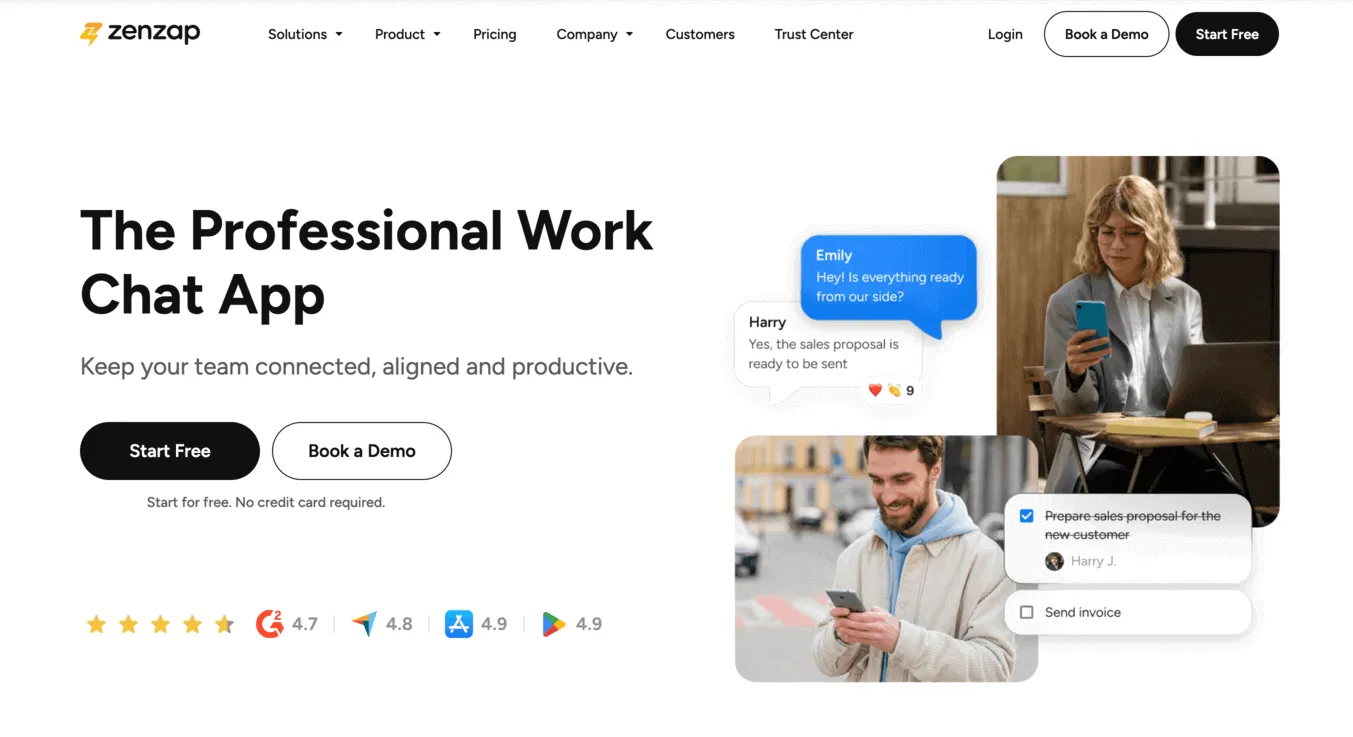
Zenzap is a professional team chat app designed to solve the core problems of team communication without the clutter and complexity.
It’s convenient, mobile-friendly, and powerful without being complicated.
While being easy to use, it delivers all the power of a top-tier work chat app, giving your business the tools it needs to stay productive and in sync.
How it compares to Slack
- Ease of use: Where Slack was built for developers and can be overcomplicated for many non-technical teams, Zenzap is as intuitive as a personal texting app. Your team can get started in minutes with zero training.
- Price: Zenzap’s pricing is designed to be affordable and predictable, unlike the steep per-user costs that make Slack so expensive.
- Built-in task management: Unlike Slack, Zenzap has built in tasks. You can turn any message into a to-do item with a deadline, directly turning conversations to actions.
- Seamless integrations: Similar to Slack, Zenzap integrates with the essential business tools you already use. You can get notifications from Google Calendar, your CRM, or project management software directly in your chat, which keeps your team in the loop without jumping between apps.
Keep in mind
Zenzap is a dedicated team communication app that’s built to work alongside your other business tools, not replace every single one of them.
The user experience
Using Zenzap feels intuitive and convenient, much like a personal texting app. The interface is clean and clutter-free, which helps the team stay focused. It’s designed to be easy for everyone to use from day one, with no training required.
Bottom line
Zenzap is the best Slack alternative for most businesses, as it directly solves Slack’s two biggest problems – price and ease of use – while adding powerful features like built-in tasks.
2) Microsoft Teams
Who it’s built for: Businesses that are already paying for and are deeply integrated into the Microsoft 365 ecosystem.

Microsoft Teams is convenient for companies that run on Microsoft software. It’s an all-in-one platform that bundles chat, video meetings, and file storage.
How it compares to Slack
- Price: For businesses already subscribing to Microsoft 365, Teams is often included at no extra cost. This makes it a very compelling financial alternative to Slack’s high subscription fees.
- Microsoft connection: MS Team’s biggest strength is its seamless connection to Word, Excel, and OneDrive. For teams that are constantly co-editing documents, this built-in connection is convenient.
Keep in mind
Many users find that Microsoft Teams is even more complex and clunky than Slack.
The interface is often described as confusing and slow for simple, day-to-day chats. You’re essentially trading Slack’s brand of chaos for a more corporate and rigid kind of complexity.
The user experience
MS Teams’ user experience often feels clunky and slow. Simple things like starting a quick chat can require navigating through multiple confusing menus, which can be frustrating for a fast-moving team.
Bottom line
Microsoft Teams is a logical choice if your main reason for leaving Slack is price and your company lives and breathes Microsoft. However, if your problem with Slack is ease of use, Teams is not the solution.
3) Google Chat
Who it’s built for: Businesses that run on Google Workspace and are looking for the simplest (and most basic) alternative to Slack.
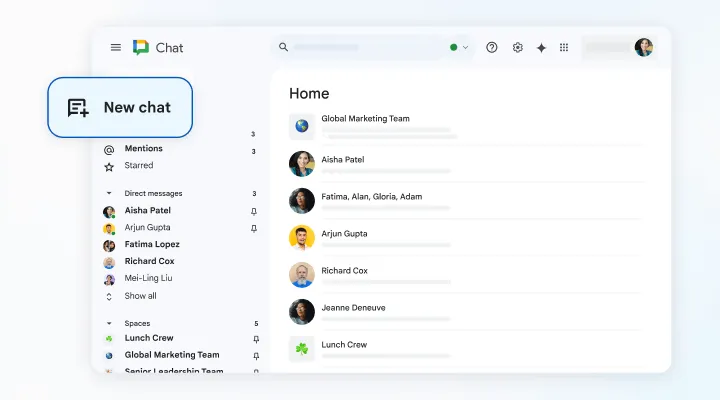
Google Chat is the messaging tool that is built directly into Gmail and the Google ecosystem. It’s the polar opposite of Slack: a no-frills, basic tool for sending messages.
How it compares to Slack
- Simplicity: If your team is overwhelmed by Slack’s features, Google Chat offers a radically simpler experience. The interface is clean, uncluttered, and requires no training.
- Price & Convenience: For teams already working in Gmail and Google Docs all day, it’s included with their subscription. There is nothing new to install or manage.
Keep in mind
Google Chat is too simple to be a true replacement for a professional team chat app.
It lacks the essential organizational features needed to manage projects or track conversations. It solves the complexity problem but sacrificing necessary functionality.
The user experience
Google Chat’s interface feels very basic. While this makes it simple for quick, one-on-one messages, the experience may feel inadequate as soon as you try to get any actual work done.
Bottom line
Google Chat is a good option if you’re looking to escape Slack’s complexity and only need the most basic messaging functions. However, most businesses will find it lacking in functionality.
4) Chanty
Who it’s built for: Small teams on a tight budget who are looking for a simple, user-friendly option.
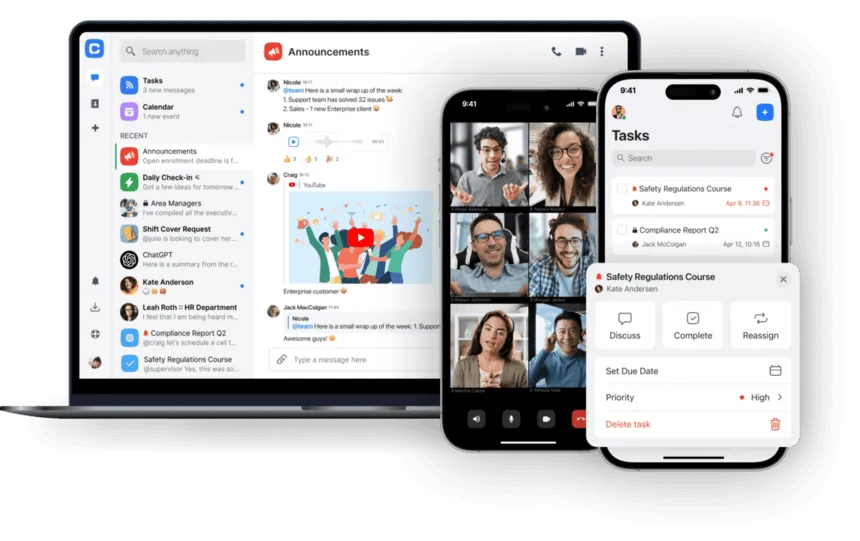
Chanty is a basic work chat app that aims to be an affordable Slack alternative, combining chat with some light task management features.
How it compares to Slack
- Ease of use: Chanty is simple and easier to navigate than Slack for non-technical teams.
- Price: It offers a very cost-effective paid plan, making it a strong budget alternative.
Keep in mind
The free plan has a limited searchable message history, which is a major risk for any business that needs to keep a permanent record of its communications.
The platform also lacks the polish and deep feature set of more mature tools.
The user experience
Chanty feels very straightforward and user-friendly for basic use.
However, it can also feel less polished and robust than more mature platforms, and the limitations on the free plan’s search can be a major source of frustration.
Bottom line
Chanty is a decent choice for small teams prioritizing budget above all else, but the limitations on its free plan are a significant trade-off.
5) Pumble
Who it’s built for: Businesses who want the exact look and feel of Slack, but without the message history limits on the free plan.
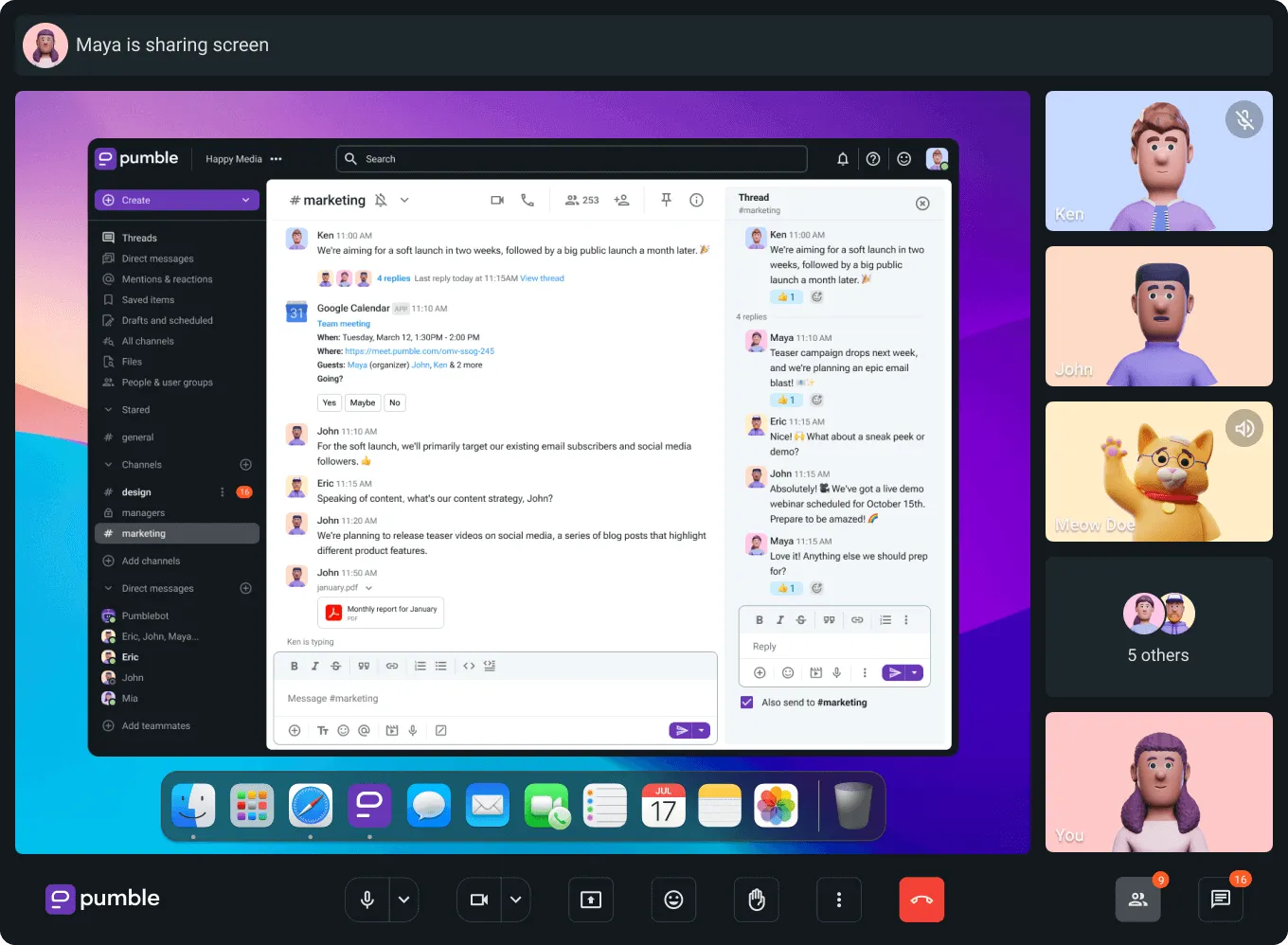
Pumble is a work chat app designed specifically to be a direct “clone” of Slack, with a very similar look and feel.
How it compares to Slack
- Familiar interface: There is virtually no learning curve for teams who are already used to Slack’s interface.
- Generous free plan: It directly solves Slack’s biggest free plan problem by offering unlimited message history.
Keep in mind
By copying Slack, Pumble also inherits the potential for a noisy, distracting environment.
As a follower, not an innovator, it lacks the polish, stability, and robust library of integrations that more established platforms offer.
The user experience
Pumble’s user experience feels much like using Slack.
This means it’s familiar for Slack users, but it also means it has the same issues of a noisy, fast-paced, and notification-heavy environment that can be distracting.
Bottom line
A practical option if your only goal is to find a free tool that looks like Slack, but it’s not a strategic choice for a business looking for a truly better, easier, or more innovative tool.
6) Discord
Who it’s built for: Teams looking for a casual, social space for team bonding, not a professional work tool.
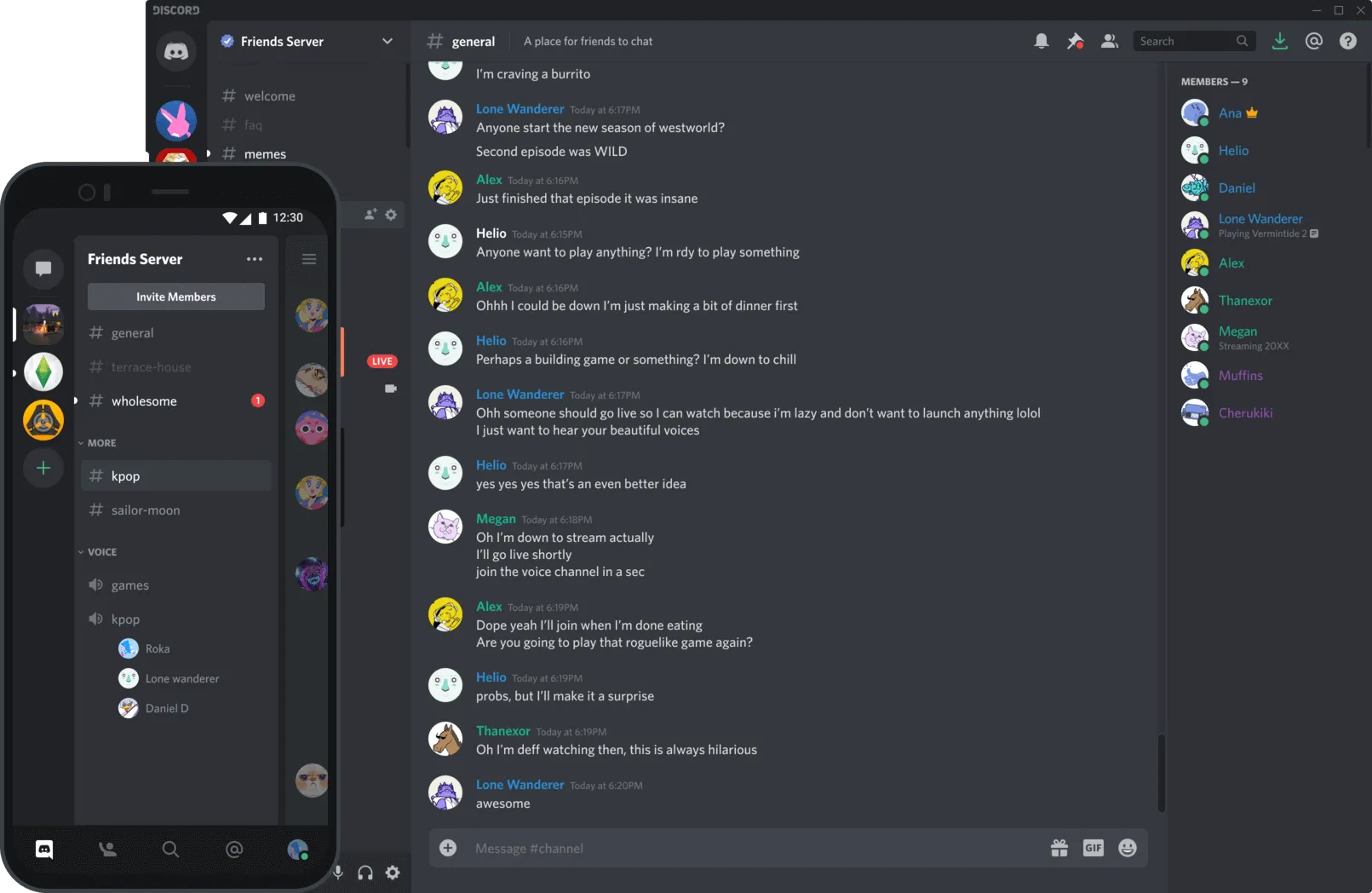
Discord is a popular social chat app that some teams have started using for work, but it wasn’t built for a professional environment.
How it compares to Slack
- Community feel: Discord is good for creating a fun, informal atmosphere and its always-on voice channels can help remote teams feel more connected.
- Ease of use: The app is familiar to many users and easy to get started with.
Keep in mind
Discord is not a business tool. It completely lacks the professional admin controls, security oversight, and organizational features that companies need.
Using it for work quickly becomes chaotic and is a major security risk.
The user experience
Using Discord for work feels like trying to hold a business meeting in a crowded, noisy coffee shop.
It’s fun and social, but the environment is chaotic and unprofessional, making it difficult to focus on serious, organized work.
Bottom line
Discord is a great supplementary tool for team culture and social events, but it is an unprofessional and dangerous choice for a company’s primary communication.
So, which Slack alternative should you choose?
The best choice depends on your team’s biggest priority. This breakdown of the top Slack alternatives makes the decision simple:
- Choose Zenzap if you want a chat app that’s easier to use and more affordable than Slack, with powerful features.
- Choose Microsoft Teams if your company is already deep in the Microsoft ecosystem (but be prepared for similar complexity to Slack).
- Choose Google Chat if your only priority is escaping complexity and you’re willing to give up advanced professional features.
- Choose Chanty or Pumble if you’re willing to accept a less polished tool with fewer features.
- Choose Discord if you’re looking for a supplementary tool for social chat, but not for professional work communication.
Choose the right tool for the job
When looking for a Slack alternative, the goal is to make your team’s work communication easier and more effective.
Don’t fall into the trap of choosing a tool based on a long list of features you’ll never use. It’s up to you to compare the alternatives to Slack and make your choice.
It’s time to improve your team’s internal communication with a work chat app that is both powerful and easy to use.